Forerunner 610 Owner’s Manual 43
Appendix
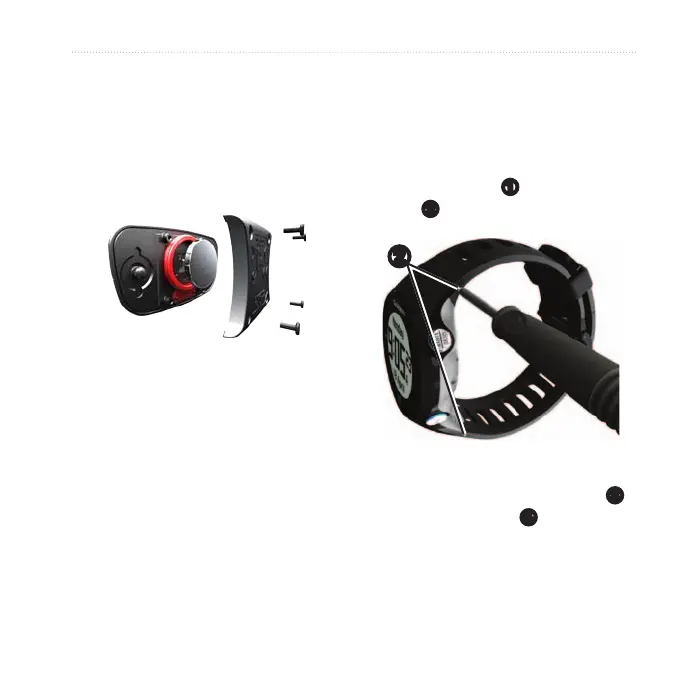
1. Use a small Phillips screwdriver to
remove the four screws on the back
of the module.
2. Remove the cover and battery.
3. Wait 30 seconds.
4. Insert the new battery with the
positive side facing up.
NOTE: Do not damage or lose the
O-ring gasket.
5. Replace the back cover and the four
screws.
After you replace the heart rate monitor
battery, you must pair it with the device
again.
You can purchase a fabric wrist band
accessory for the Forerunner
(http://buy.garmin.com).
1. Use the pin tool
➊
to remove the
pins
➋
.
➊
➋
NOTE: Do not discard the pins.
2. Align the top of the Forerunner
➌
with the connector
➍
.


 To Next Page
 Loading...