44 Forerunner 610 Owner’s Manual
Appendix
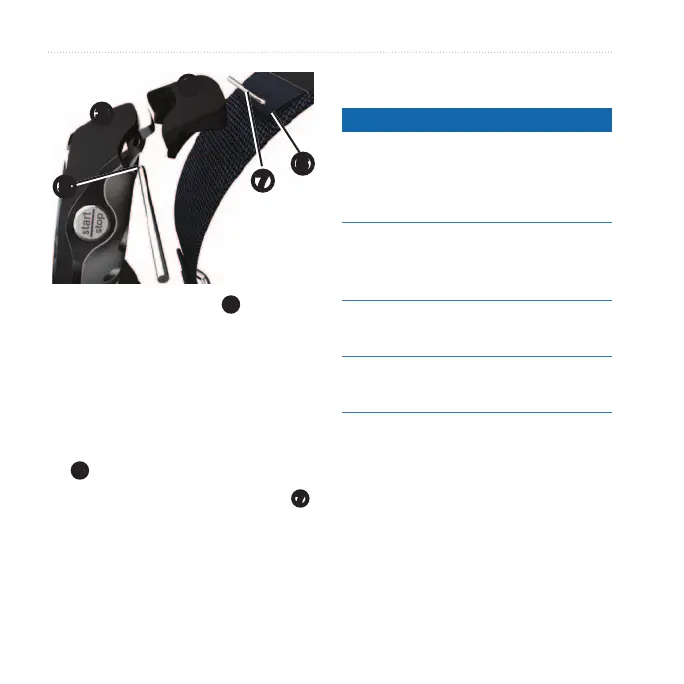
➌
➐
➍
➎
➏
3. Insert the tapered end
➎
of the
pin to secure the connector to the
Forerunner.
TIP: You must rmly press the pin
into the connector. Use a sturdy,
blunt object, if necessary.
4. Align the connector with the loop
➏
of the fabric wrist strap.
5. Insert the tapered end of the pin
➐
to secure the connector to the loop.
6. Repeat steps 2–5 for the bottom
connector.
notice
Do not store the device where
prolonged exposure to extreme
temperatures can occur, because it can
cause permanent damage.
Never use a hard or sharp object to
operate the touchscreen, or damage
may result.
Do not use a sharp object to clean the
area between the screen and bezel.
Avoid chemical cleaners and solvents
that can damage plastic components.
1. Use a cloth dampened with a mild
detergent solution.
2. Wipe it dry.


 To Next Page
 Loading...