Operation and use 2G40, 2G40 H
48
HATZ
Operator’s Manual
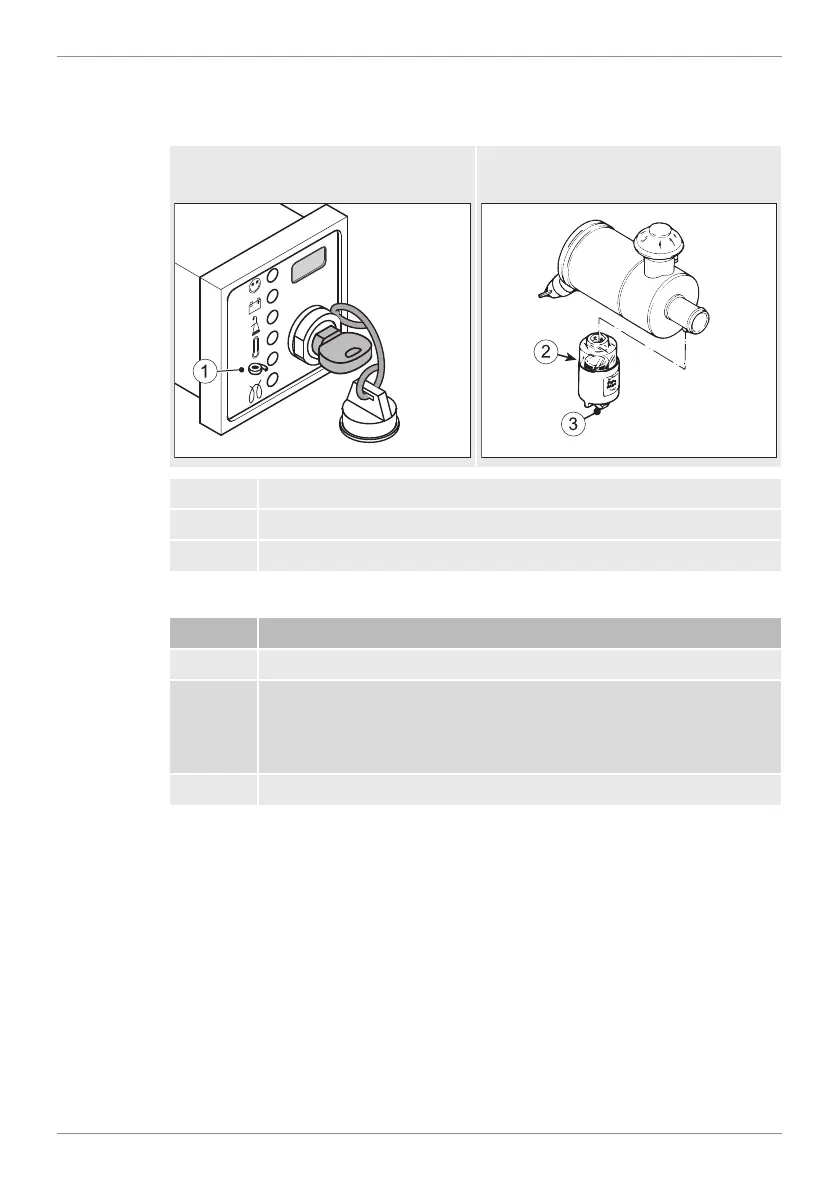
7.8 Check the air filter warning indicator (option)
Overview
Electrical
air filter maintenance display
Mechanical
air filter maintenance display
1 Air filter service indicator
2 Red field
3 Reset button
Procedure
Step Activity
1 Bring the engine briefly to maximum speed.
2 If - depending on the version - the air filter service display (1)
lights or the red field (2) is locked, check the air filter system im-
mediately (see chapter 8.2.11 Maintaining the dry air filter, page
69).
3 Check the air filter service display several times a day.


 To Next Page
 Loading...