DS-7108HI-S series Net DVR User Manual
50
Step 5: Copy one alarm output parameters to other alarm output
In “Alarms” menu, you can copy parameters of current alarm output to other alarm output.
Step 6: Save setup
When you finish setup, press “Confirm” button in “Alarms” menu to save all parameters.
Note: If any schedule is modified, you must reboot DVR to make it become effective.
Exceptions
The exceptions can be handled at present include: hard disk full, hard disk error, illegal
access, IP address conflict, network failure, and NTSC/PAL differ.
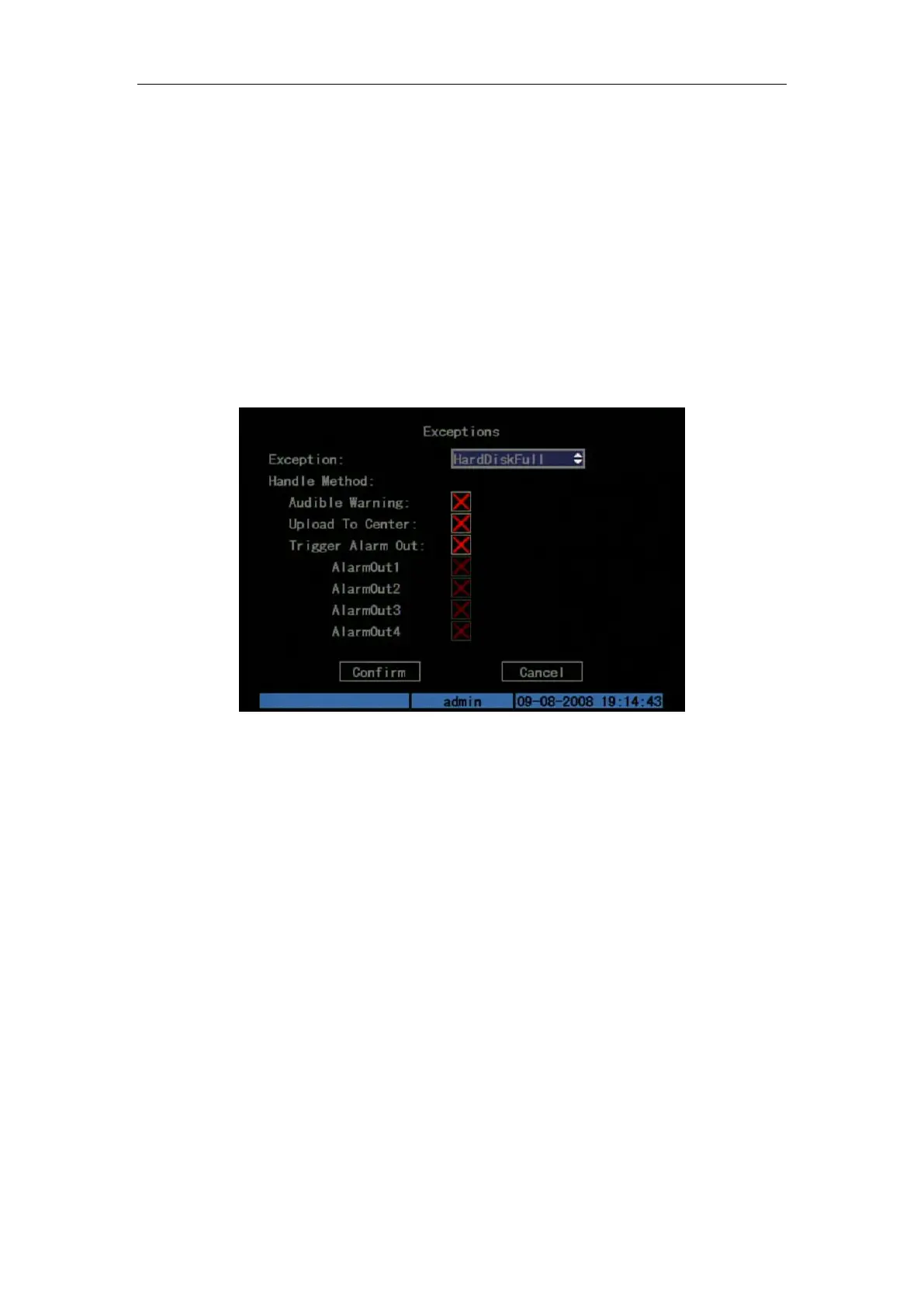
Enter “Exceptions” menu: Shown as Fig.5.27 below
Fig. 5.27 Exceptions setup
Including the following handle methods:
Audible Warning: DVR beep warning.
Upload to Center: Send exception information to center host PC.
Trigger Alarm Output: trigger local relay output.
You can select more than one handle methods.
After you finish setup, press “Confirm” button to save parameters. Press “Cancel” button or
[ESC] key to invalidate.
5.14 Network Parameters
If you want to use network to access DVR, you must setup network parameters.
Note: If any network parameter is modified, you must save and reboot DVR to make it
become effective.
In main menu, move “Active Frame” to “Network” icon and press [ENTER], you can enter
“Network” menu as follows: Shown as Fig.5.28 below


 To Next Page
 Loading...