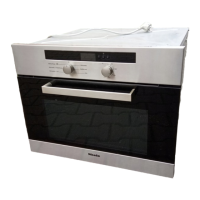
Simple operation
^
Switch the oven on.
The main menu will appear.
^
Place the food in the oven.
^
Select Functions .
^
Select Microwave solo _.
The recommended power level and the
duration field will appear in the display.
^
Change the recommended
temperature if necessary.
^
Set the cooking duration.
The maximum duration that can be
set depends on the power level
selected.
^ Touch Start.
The magnetron, lighting and cooling fan
will come on and the cooking
programme will start.
The time remaining will then appear in
the display. To interrupt cooking at any
time touch "Stop".
At the end of the cooking duration
–
"Process finished" will appear in the
display,
–
the cooling fan will continue to run for
a while,
–
a buzzer will sound if the buzzer is
switched on (see "Settings - Volume -
Buzzer tones"),
You have the option of saving the
programme as a User programme (see
"User programmes") or increasing the
duration of the programme via
"Change". Touch # to go to the main
menu.
^ Take the food out of the oven.
^ Switch the oven off.
Cooling fan
The cooling fan will continue to run for a
while after a cooking process to
prevent moisture building up in the
oven, on the control panel or on the
oven housing unit.
The cooling fan will switch off after a set
time.
Microwave solo _
72


 To Next Page
 Loading...