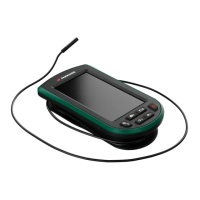
PLEM 50 C4
GB
│
IE
│
17 ■
Measured value functions
To make it easier to process measurement results, the device offers a
number of integrated functions.
♦ Press the Function Selection button
e once or multiple times
to activate the following functions:
area, volume, single Pythagoras, double Pythagoras.
Note: The desired function must be selected once before the
measurement. After taking a measurement in the selected function,
the last selected function is reactivated.
Area
♦ Press the Function Selection button e until the area symbol
g appears on the display 1.
♦ Press the MEAS button
r repeatedly to determine the length
and width of the area being measured (see also the section "Sin-
gle measurements").
The corresponding line in the area symbol
g flashes for the indi-
vidual measured values. Immediately after the second measurement,
the calculated area is shown in the result line s of the display 1
and the corresponding line of the area symbol g stops flashing.
The length, width and circumference are shown in sequence in the top
three lines of the display 1.


 To Next Page
 Loading...