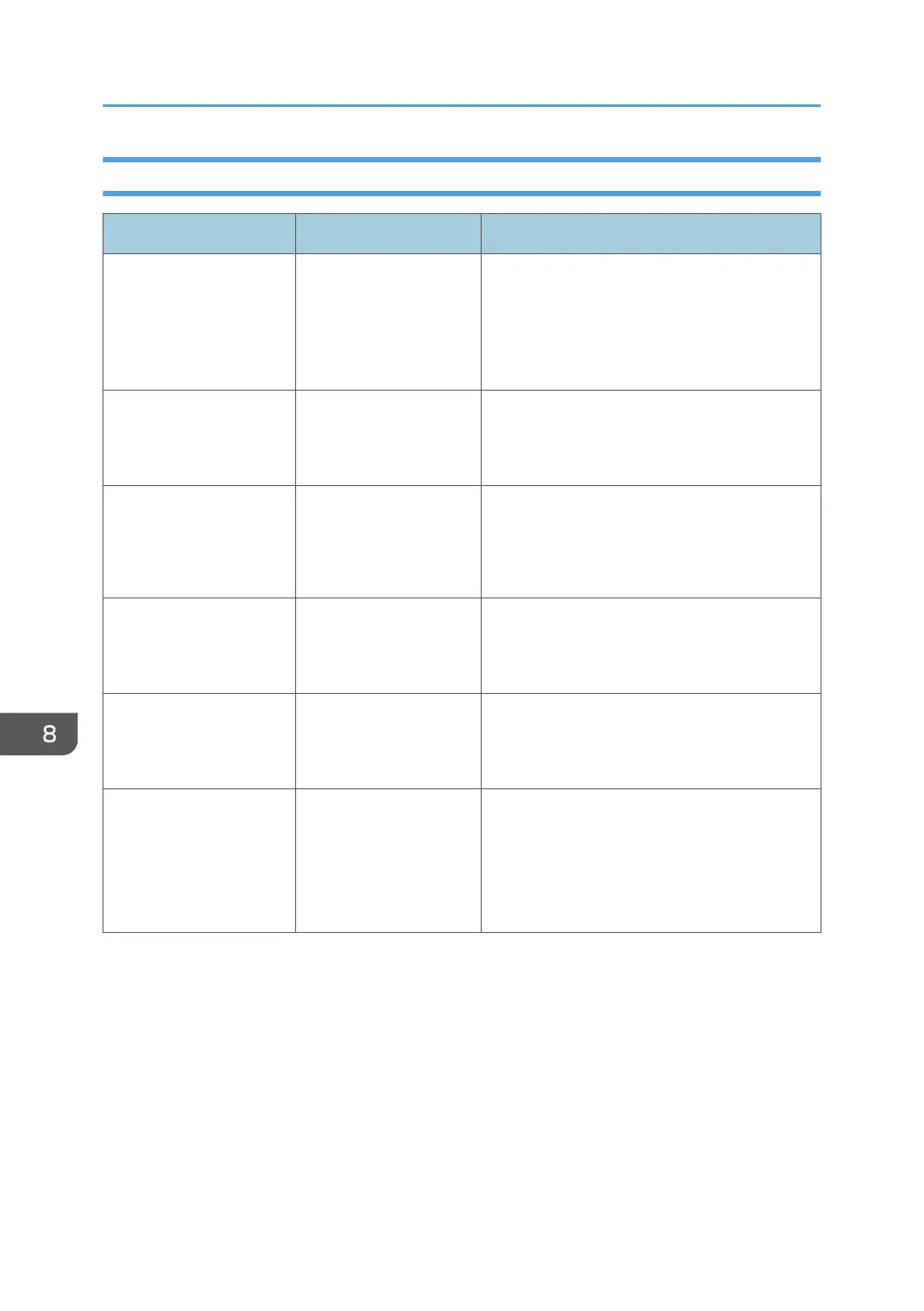
Messages Displayed When Logging in to the Machine Using an IC Card Fails
Message Cause Solution and reference
"Authentication has
failed."
*0150-401
The card is locked
because the number of
times an incorrect PIN
code was entered
exceeds the limit.
Unlock the card.
"Authentication has
failed."
*0151-401
An incorrect PIN code
was entered.
Enter the correct PIN.
"Authentication has
failed."
*0153-402
The card authentication
device has been
removed or is not
connected properly.
Connect the card authentication device again.
"Authentication has
failed."
*0154-402
Reading of an IC card
has failed.
Set the IC card on the authentication device
correctly and for a longer duration.
"Authentication has
failed."
*0156-401
An incorrect user name
or password was
entered.
Enter the correct user name and password.
"The card authentication
device is not connected."
A malfunction is
temporarily occurring
on the machine.
Turn off the power of the machine, wait for 10
seconds or more after confirming that the main
power indicator is turned off, and then turn on
the power.
page 9 "Turning On and Off the Power"
8. Troubleshooting
214


 To Next Page
 Loading...