How to Use the Copy Screen
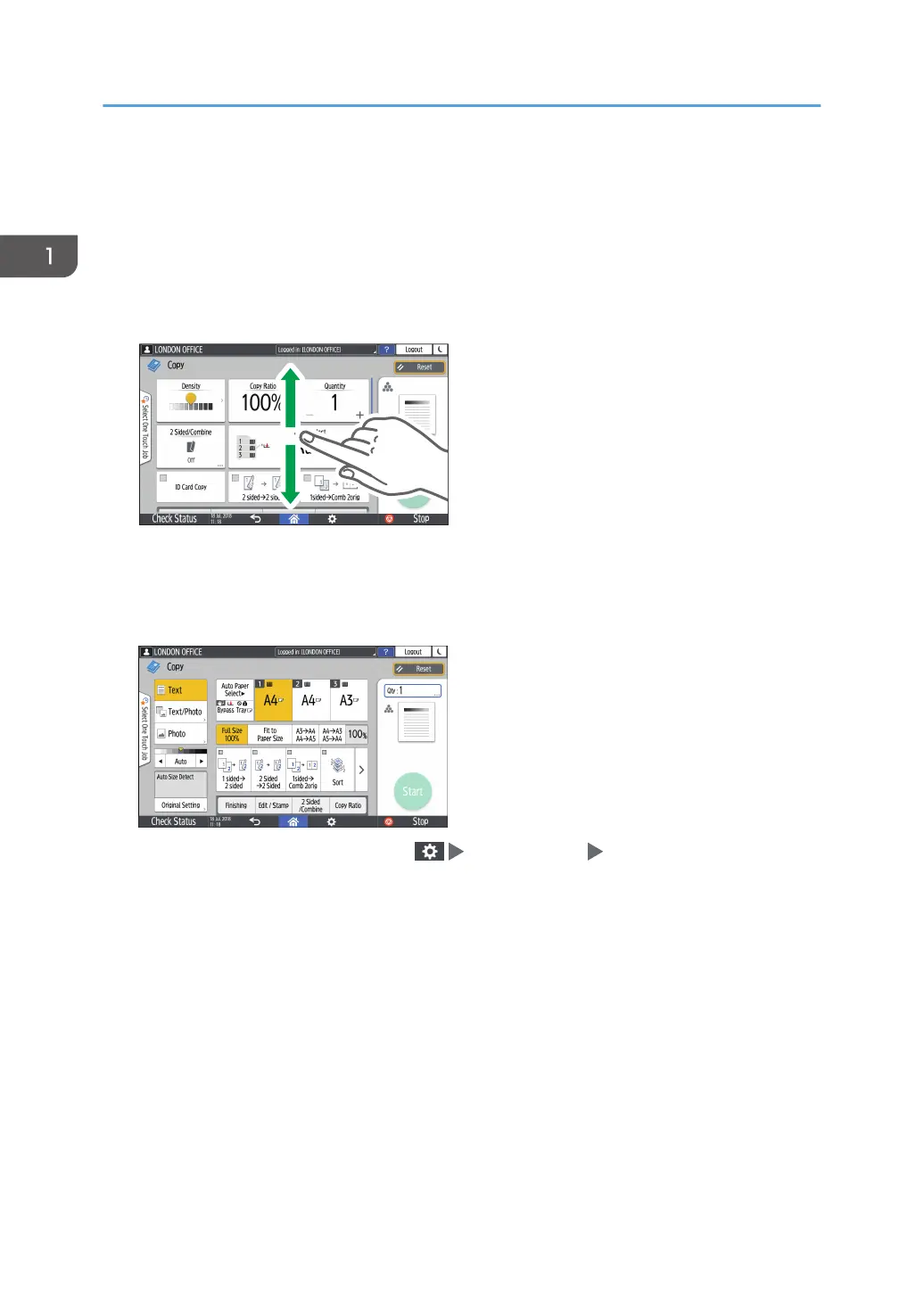
You can select from one of two types for the Copy screen:
Standard View (factory-default)
The basic functions that are used frequently are displayed with big keys. Scroll down the screen to
see the keys used to configure the functions for finishing or editing.
Full View
You can see all the function keys on a single screen. You do not need to scroll through the screens
to select a function.
• To switch the screen type, press [Menu]( ) [Screen Settings] [Switch Screen Type] on the
Copy screen.
• You can use the same functions on either screen.
• When the administrator has configured user authentication and User's Own Customization is
enabled, each login user can change the screen type.
1. Getting Started
26


 To Next Page
 Loading...