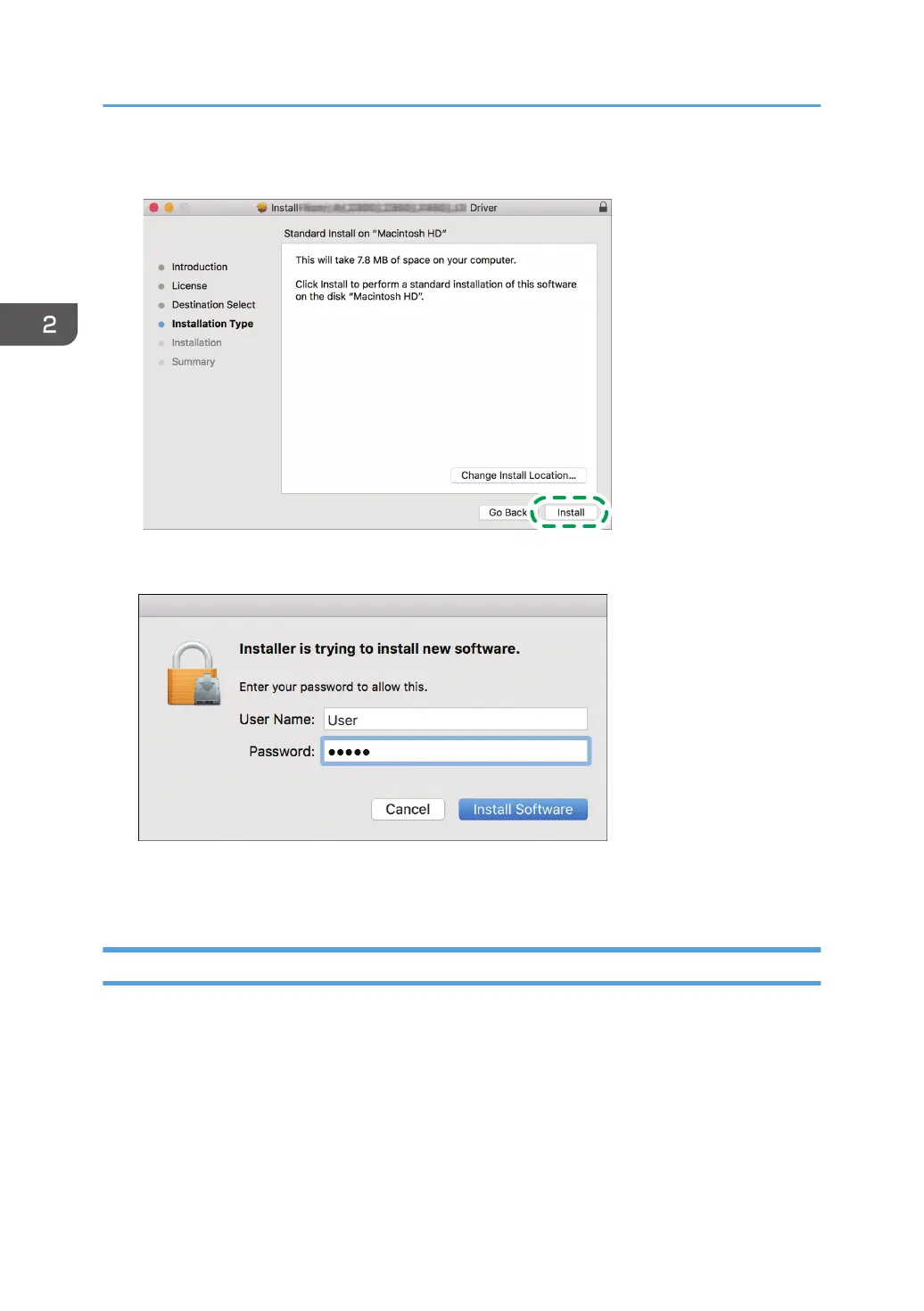
5. Click [Install].
6. Enter the computer's user name and password, and then click [Install Software].
The installation of the PPD file starts.
7. When the installation is complete, click [Close].
Registering the Machine in [Print & Scan] or [Printers & Scanners]
Register the PPD file of the machine in the system preferences to enable printing.
1. Select [System Preferences...] from the Apple menu.
2. Click [Print & Scan] or [Printers & Scanners].
2. Print
52



 To Next Page
 Loading...