15
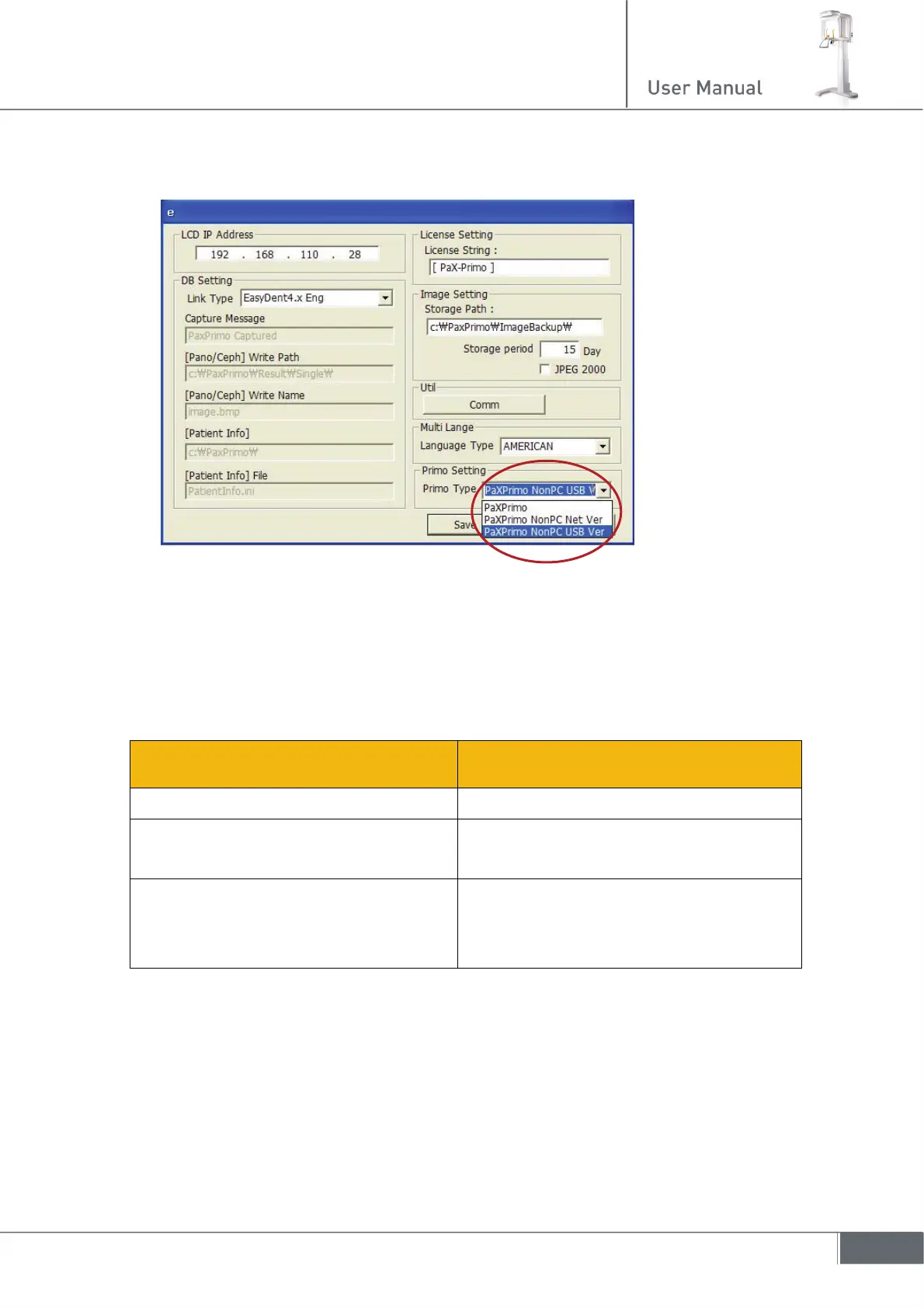
5. The following figure will appear. And go down to the lower right corner to select your
choice from three types.
6. Lastly, save the setting.
Now you are ready to start off.
2.5 Functional distribution of roles
From the Touch pad screen(LCD) From the Imaging software of the PC
z Control the unit operation z communicate with LCD via Ethernet
z Communicate with imaging software
on the PC via Ethernet
z acquire image when it is in Ready
state
z Firmware upgrade
z save the acquired image in DB that is
interfaced with the patient
management program


 To Next Page
 Loading...











