Page 99FT-2000D OPERATING MANUAL
MEMORY OPERATION
QMB
(
QUICK MEMORY BANK
)
The Quick Memory Bank consists of five memories (labeled “
C-1C-1
C-1C-1
C-1” through “
C-5C-5
C-5C-5
C-5.”) independent from the regular and PMS
memories. These can quickly store operating parameters for later recall.
QMB Channel Storage
1. Tune to the desired frequency on the Main (VFO-A)
band.
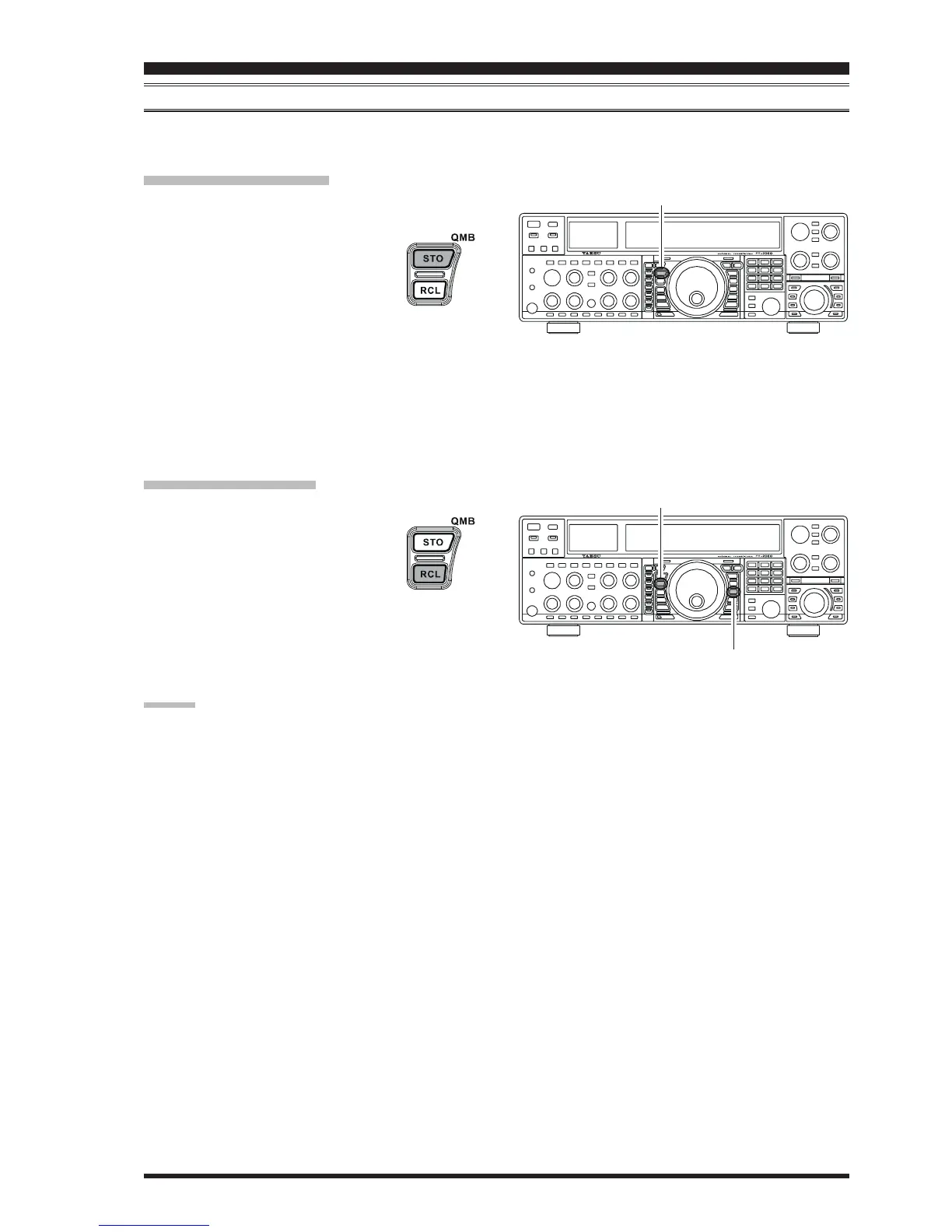
2. Press the blue
[
QMB
(
STO
)]
button. The
“beep” will confirm that the contents of
the Main (VFO-A) band have been writ-
ten to the currently-available QMB
memory.
If you repeatedly press the
[
QMB
(
STO
)]
button, the QMB
memories will be written in the following order:
C-2C-2
C-2C-2
C-2 Æ
C-3C-3
C-3C-3
C-3 Æ
C-4C-4
C-4C-4
C-4 Æ
C-5C-5
C-5C-5
C-5 Æ
C-1C-1
C-1C-1
C-1
......
Once all five QMB memories have data on them, previous
data (starting with channel “
C-1C-1
C-1C-1
C-1”) will be over-written on
a first-in, first-out basis.
QMB Channel Recall
1. Press the
[
QMB
(
RCL
)]
button. The current QMB
channel’s data will be shown on the Main
(VFO-A) frequency display field and the
QMB memory channel number will be
shown in the Multi-Display Window.
2. Repeatedly pressing the
[
QMB
(
RCL
)]
button will
toggle you through the QMB channels:
C-2C-2
C-2C-2
C-2 Æ
C-3C-3
C-3C-3
C-3 Æ
C-4C-4
C-4C-4
C-4 Æ
C-5C-5
C-5C-5
C-5 Æ
C-1C-1
C-1C-1
C-1
......
3. Press the
[
V/M
]
button to return to the VFO or Memory
mode.
ADVICE:
Rotating the Main Tuning Dial knob, or changing the op-
erating mode, will place the transceiver in the “Memory
Tune” mode, which is a temporary “pseudo-VFO” method
of tuning off of a stored memory channel. If you do not
over-write the contents of the current memory channel,
the original contents will not be disturbed by the initiation
of Memory Tune operation.
[
QMB
(
STO
)]
Button
[
V/M
]
Button
[
QMB
(
RCL
)]
Button


 To Next Page
 Loading...