Page 106 FT-2000D OPERATING MANUAL
MEMORY SCAN
VFO AND MEMORY SCANNING
1. Set the transceiver up in the memory mode by pressing
the
[
V/M
]
button, if necessary.
2. Rotate the Main
[
SQL
]
knob so that the background
noise is just silenced.
3. Press the
[
M CH
]
button momentarily.
When you press the
[
M CH
]
button, the Red LED im-
bedded within the switch should light up, indicating
that you are ready to choose a channel into which to
store the data.
ADVICE:
If the Red LED imbedded in the
[
M CH
]
button does
not light up, check to be sure that the orange lamp to
the right of the
[
SUB VFO-B
]
knob is not illuminated.
If it is, press the
[
A/B
]
button to make it go out, then
press the
[
M CH
]
button again.
4. Press and hold in the microphone’s
[
UP
]
or
[
DWN
]
key for 1/2 second to start scanning in the specified
direction.
ADVICE:
If the scanner halts on an incoming signal, the deci-
mal point between the “MHz” and “kHz” digits of
the frequency display will blink.
If the incoming signal disappears, scanning will re-
sume in about five seconds.
5. To cancel the scanning, press the microphone’s
[
UP
]
or
[
DWN
]
key momentarily.
ADVICE:
During Memory Group operation, only the channels
within the current Memory Group will be scanned.
If the scan has paused on a signal, pressing the
microphone’s
[
UP
]
or
[
DWN
]
key will cause scanning
to resume instantly.
If you press the microphone’s PTT switch during scan-
ning, the scanner will halt at once. Pressing the PTT
switch during scanning will not cause transmission,
however.
You may select the manner in which the scanner re-
sumes while it has paused on a signal, using Menu item
“041 GEnE SCN RSM.” The default “
5Sec5Sec
5Sec5Sec
5Sec” setting
will cause the scanner to resume scanning after five
seconds; you may change it, however, to resume only
after the carrier has dropped out, if you like See page
119.
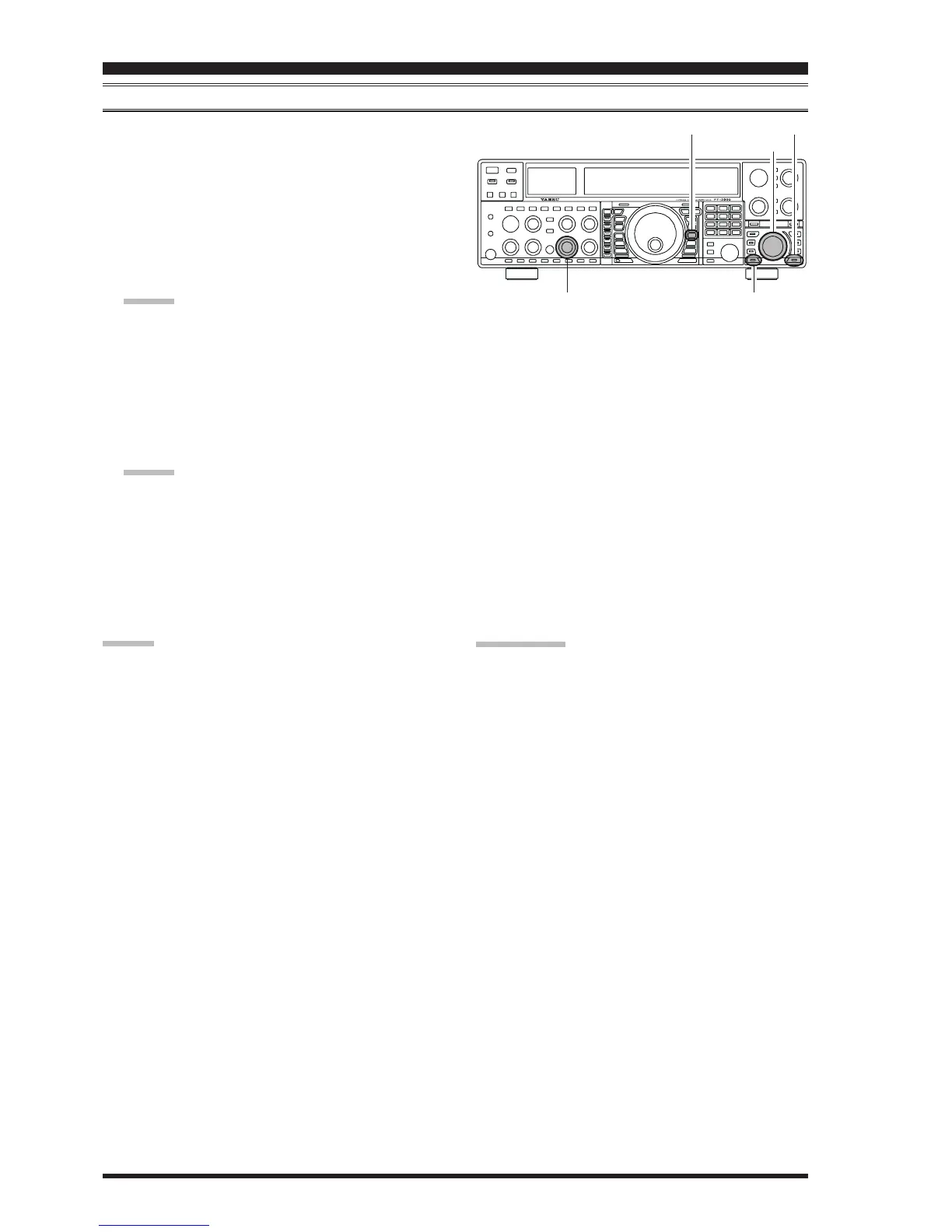
Main
[
SQL
]
Knob
QUICK POINT:
If you have no interest in scanning, and wish to prohibit
the microphone’s
[
UP
]
/
[
DWN
]
keys from initiating scan-
ning, you may disable scanning control from the micro-
phone using Menu item “040 GEnE MIC SCN” (set it to
“
OffOff
OffOff
Off”).
[
SUB VFO-B
]
Knob
[
V/M
]
Button
[
M CH
]
Button
[
A/B
]
Button



 To Next Page
 Loading...