Accessories
109
Ethernet Setup
See Ethernet Settings on page 126.
Scanner Setup
The workstation cradle only supports a USB scanner in Human Interface Device (HID) mode. Refer to the
scanner Product Reference Guide for information on configuring the scanner to HID mode.
Security
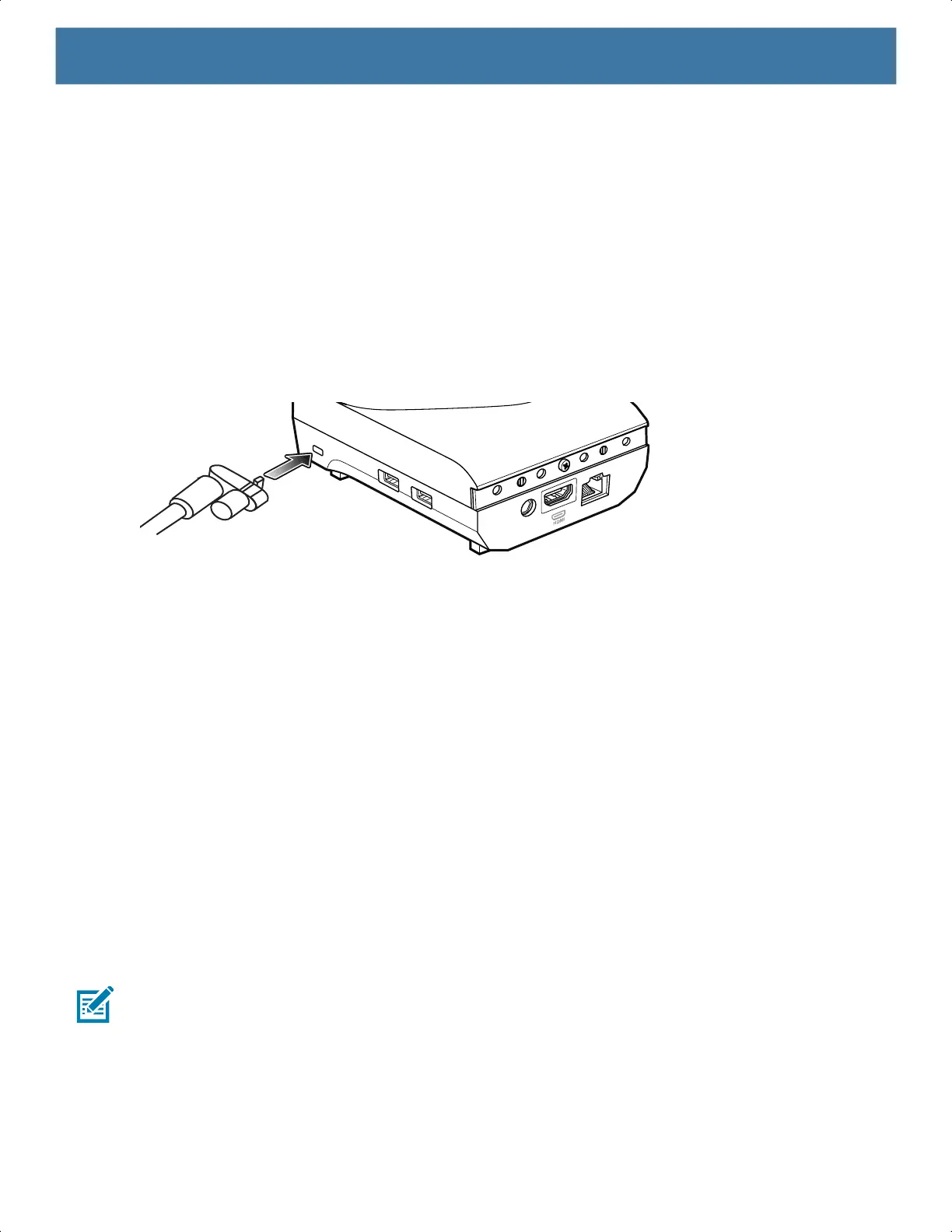
The cradle provides a Kensington Slot to secure the cradle using a Kensington locking cable.
Figure 48 Securing Cradle with Kensington Lock
Using the Workstation Cradle
Turn on the device.
1. Insert the device into the cradle.
The device screen automatically rotates and mirrors on the connected monitor.
Changing Monitor Resolution
Screen resolution is automatically detected by the device when placed in the cradle. To manually change the
external monitor screen resolution:
1. Go to Settings > Display > External screen resolution.
2. Select the a resolution for the attached monitor.
3. Insert the device into the cradle.
Charging the Device
To charge a device:
NOTE: If the device has a Rugged Boot, remove the cup insert before inserting the device.
1. Insert the device into the slot to begin charging.
MN-003834-01ENa_tc52-android-10-ug-en.book Page 109



 To Next Page
 Loading...