Programming the Mio R-4
"^" Button Commands (Cont.)
^GSC Change the bargraph slider color or joystick cursor color. A user can also assign the color by Name and R,G,B
value (RRGGBB or RRGGBBAA).
Syntax:
"'^GSC-<vt addr range>,<color value>'"
Variable:
• variable text address range = 1 - 4000.
• color value = Refer to theRGB Values for all 88 Basic Colors table on page 30.
Example:
SEND_COMMAND Device,"'^GSC-500,12'"
Changes the bargraph or joystick slider color to Yellow.
^GSN Change the bargraph slider name or joystick cursor name. Slider names and cursor names can be found in the
TPDesign4 slider name and cursor drop-down list.
Syntax:
"'^GSN-<vt addr range>,<bargraph slider name>'"
Variable:
• variable text address range = 1 - 4000.
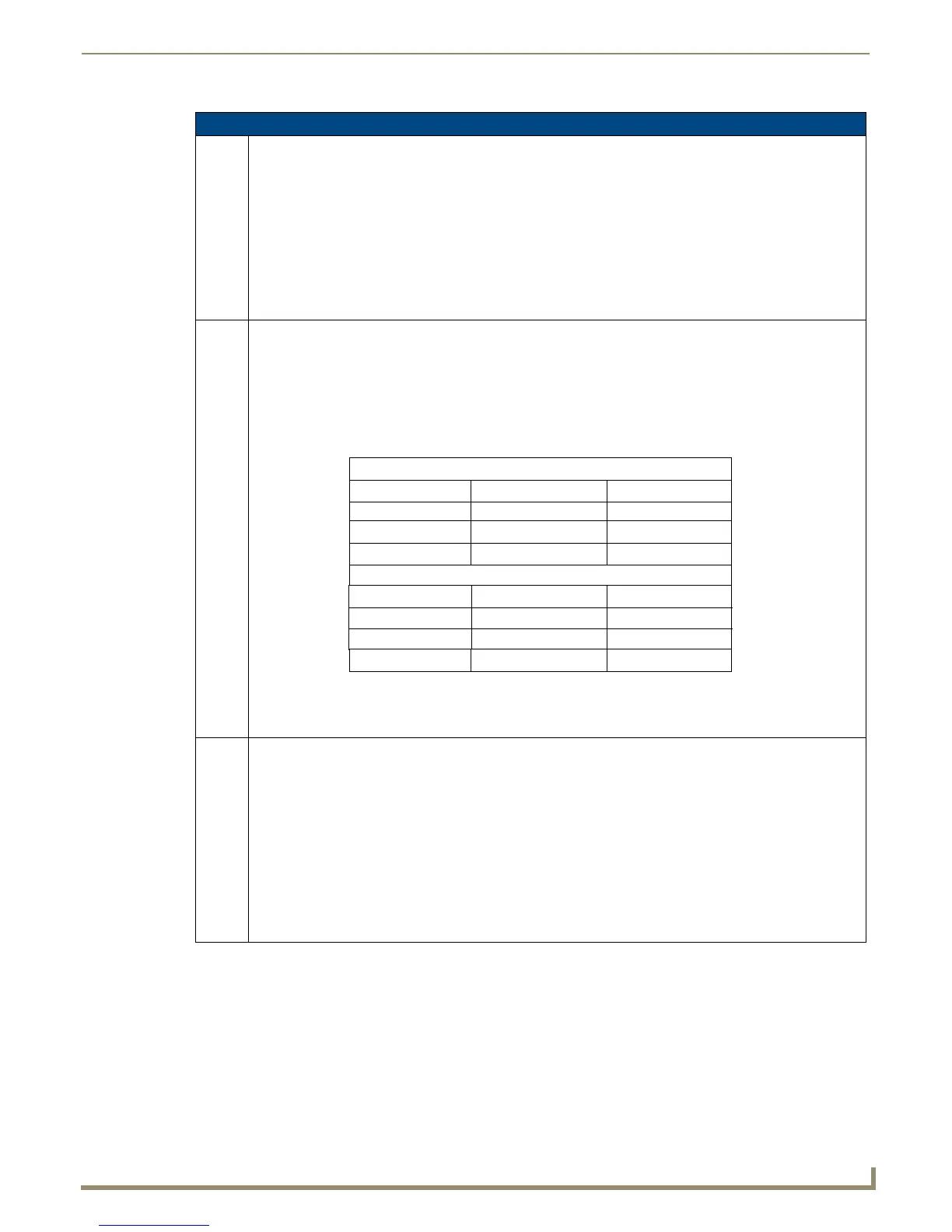
• bargraph slider name = See table below.
Example:
SEND_COMMAND Device,"'^GSN-500,Ball'"
Changes the bargraph slider name or the Joystick cursor name to ’Ball’.
^ICO Set the icon to a button.
Syntax:
"'^ICO-<vt addr range>,<button states range>,<icon index>'"
Variable:
• variable text address range = 1 - 4000.
• button states range = 1 - 256 for multi-state buttons (0 = All states, for General buttons 1 = Off state and
2 = On state).
• icon index range = 0 - 9900 (a value of 0 is clear).
Example:
SEND_COMMAND Device,"'^ICO-500.504&510.515,1&2,1'"
Sets the icon for On and Off states for buttons with variable text ranges of 500-504 & 510-515.
Bargraph Slider Names:
Circle -M
None
Circle -S
Ball
Precision
Circle -L
Rectangle -L
Rectangle -M
Rectangle -S
Windows
Windows Active
Joystick Cursor Names:
Circle
None
Crosshairs
Arrow
Gunsight
Ball
Hand
Metal
Spiral
Target
View Finder


 To Next Page
 Loading...


