188
Cleaning the magnetic head of
the floppy disk drive
If the magnetic head is dirty, data on floppy disks
may not be read correctly. We recommend
periodically cleaning the magnetic head by using a
commercially available cleaning disk for 3.5" floppy
disk drives.
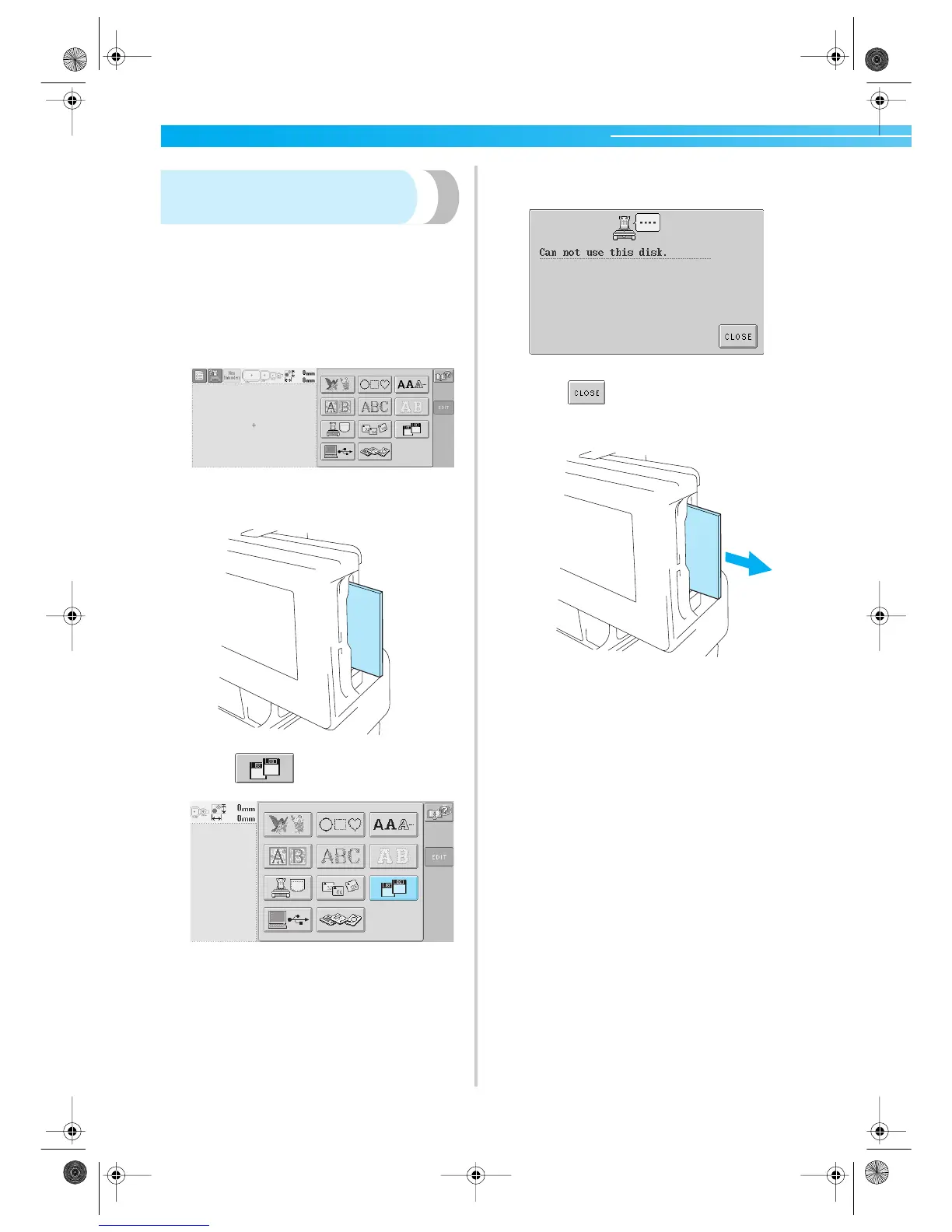
1
Display the pattern type selection screen.
2
Insert the cleaning disk into the floppy disk
slot.
3
Touch .
X The head cleaning begins.
4
After cleaning is finished, the following screen
appears.
5
Touch to return to the pattern type
selection screen, and then remove the
cleaning disk.
• If the floppy disk still cannot be read
correctly, even after the procedure described
above is performed, repeat the cleaning
procedure.
Sapphire.book Page 188 Friday, August 1, 2003 9:12 AM


 To Next Page
 Loading...













