15
Introduction
E
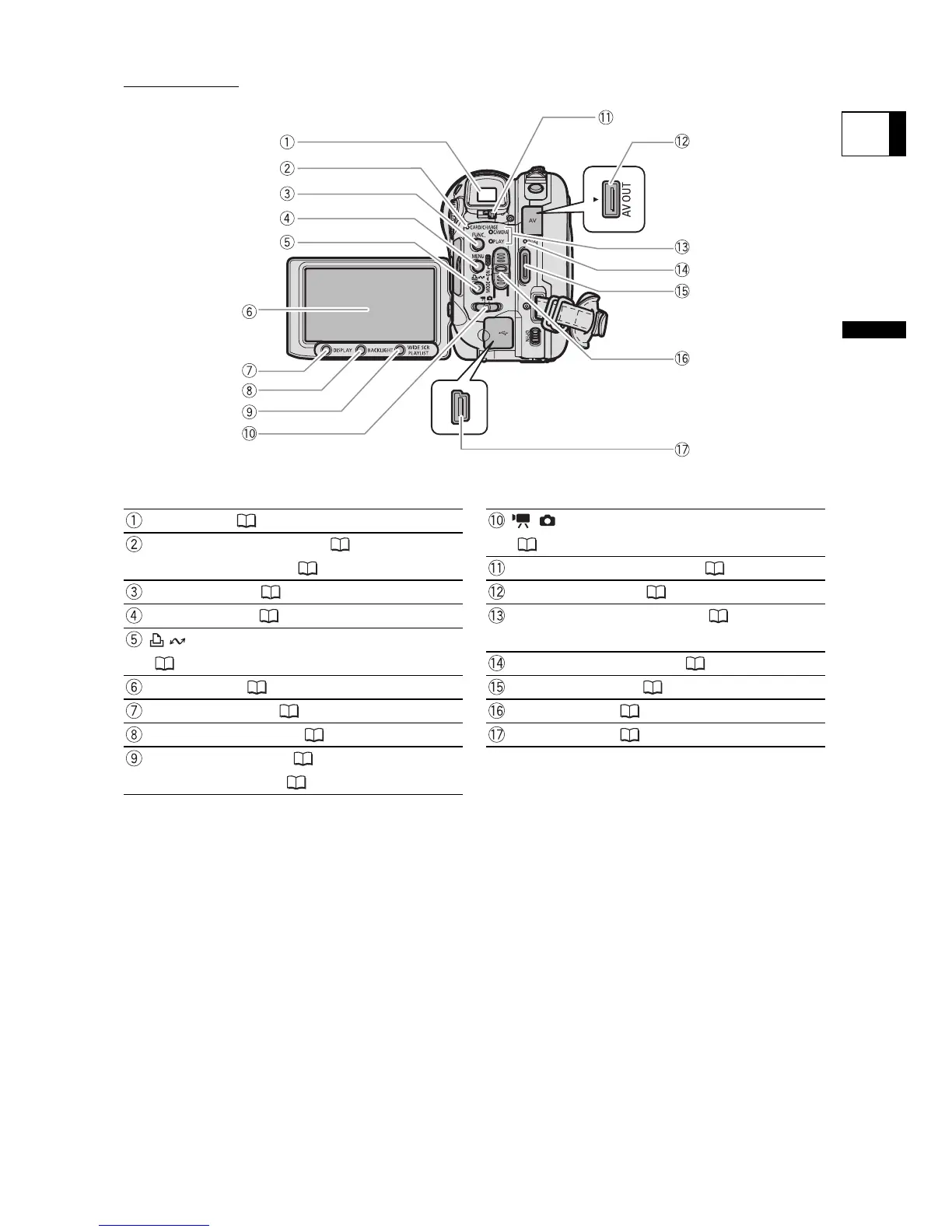
Viewfinder ( 24) / (Movies/Still images) switch
(12)CARD access indicator ( 35) /
CHARGE indicator ( 21) Dioptric adjustment lever ( 24)
FUNC. button ( 60) AV OUT terminal ( 102, 104)
MENU button ( 79) Operating mode indicator ( 12)
CAMERA (red), PLAY (green) (print/share) button
( 107, 110, 116) DISC access indicator ( 33)
LCD screen ( 26) Start/stop button ( 33)
DISPLAY button ( 45) Power switch ( 11)
BACKLIGHT button ( 26) USB terminal ( 105, 110, 115)
WIDE SCR button ( 38) /
PLAYLIST button ( 85)
Back view


 To Next Page
 Loading...









