Battery Packs
Hardware Guide 4–3
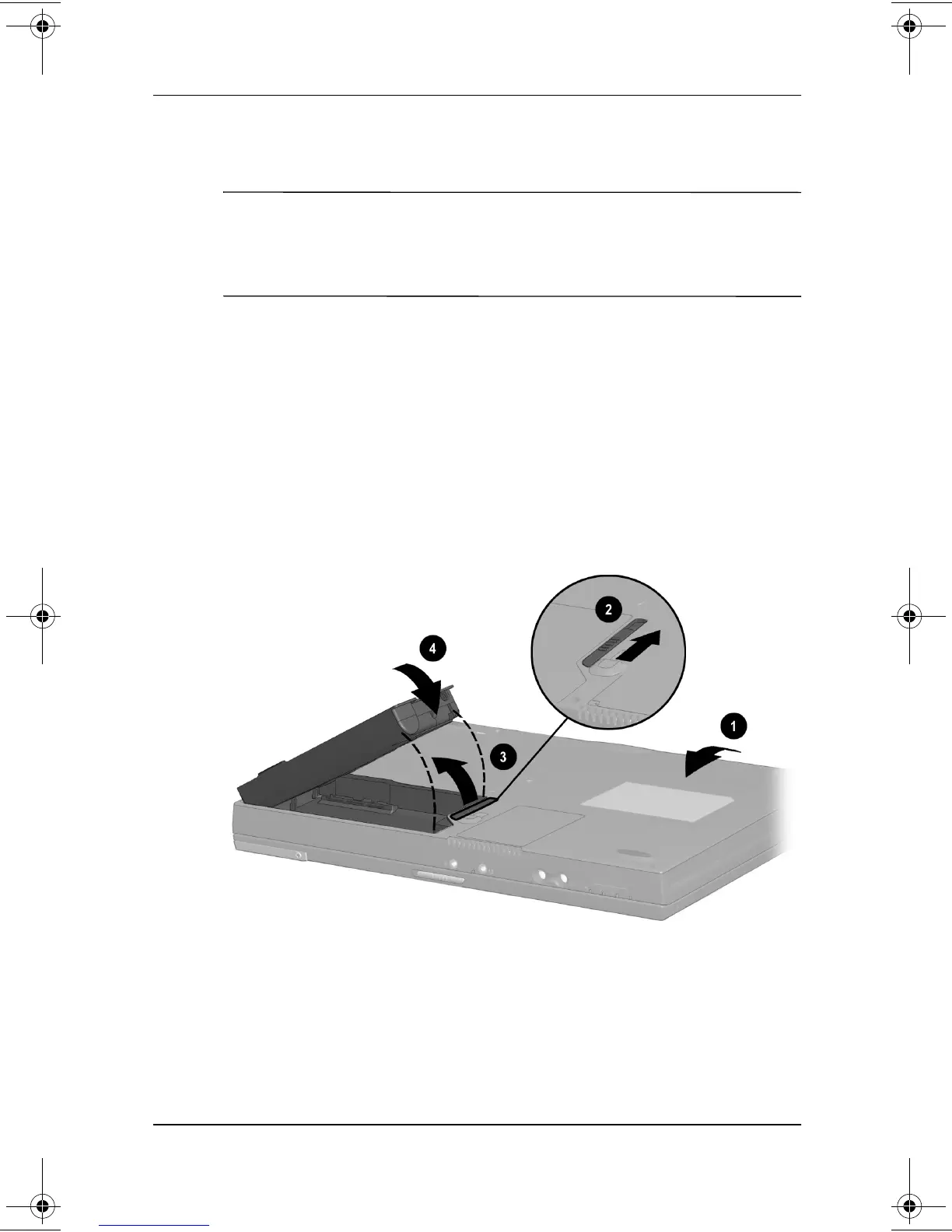
Replacing a Primary Battery Pack
Ä
CAUTION: To prevent loss of information when removing a primary
battery pack that is the only power source available to the system,
initiate Hibernation or turn off the computer before removing the
battery pack.
1. Close the display, then turn computer bottom-side up
1
.
2. Remove or insert the battery pack.
❏
To remove a battery pack, slide the battery release
latch
2
. When the battery pack tilts upward, remove it
from the battery bay
3
.
❏
To insert a battery pack, slide the battery pack into the
battery bay until it is seated
4
.
Replacing a primary battery pack
3. Turn the computer right side up, then open the display.
4. If the computer is in Hibernation, slide the power switch to
resume operation.
229045-002.book Page 3 Friday, September 21, 2001 11:16 AM


 To Next Page
 Loading...