4. AIS OPERATION
4-11
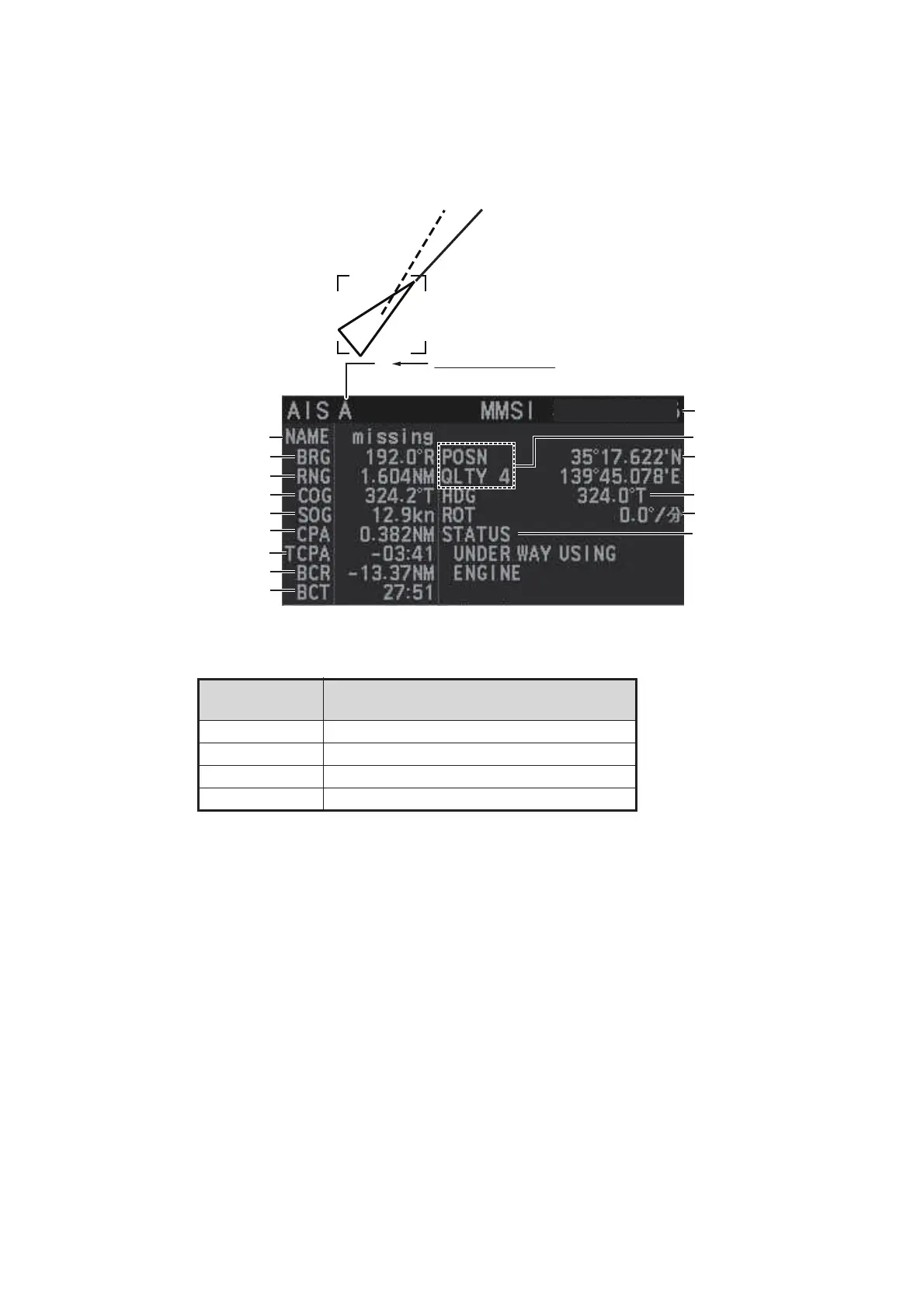
4.9.2 How to display basic AIS target data
Place the cursor on a desired AIS target and press the TGT ACQ key. The target is
highlighted with a square box and the selected AIS target’s data is shown in AIS target
data box inside the information box, on the right side of the screen.
*
1
: Position quality indicates overall accuracy, and is calculated and displayed as
shown below.
*
2
: For Class B targets, "CLASS B" appears in place of nav status.
POSN QLTY
value
Position accuracy
1 Position > 10 m
2 Position with RAIM > 10 m
3 Position d 10 m
4 Position with RAIM d 10 m
Target’s MMSI ID
Name of target ship
Bearing to target
Range to target
Target’s course
Target’s speed
Target’s CPA
Target’s TCPA
Target’s bow cross range
Target’s bow cross time
Target’s co-ordinates
Target’s heading
Target’s rate of turn
Target’s nav status*
2
A
AIS target data box
(A, B or C)
123456789
Position quality*
1


 To Next Page
 Loading...





