L
NAPCO Security Systems
X
GEM-P9600 Programming Instructions
WI777D 08/00
!
Page 29
Accessing Direct Address Program Mode
This is an extension of the Dealer Program Mode. This method of programming is used in conjunction with the Keypad
Programming Worksheets that follow. Refer to these worksheets to identify the 4-digit location (address) of the feature to
be programmed. An illustrative example is provided on the next page.
KEYPAD PROGRAMMING OVERVIEW
Direct Address Programming allows you to go directly to the address
locations and change the data entries to customize your control panel
options. Whereas the Easy Menu Program Mode is a simple quick
start guide with limited options, the Direct Address Program Mode is
more flexible allowing you to change all the options.
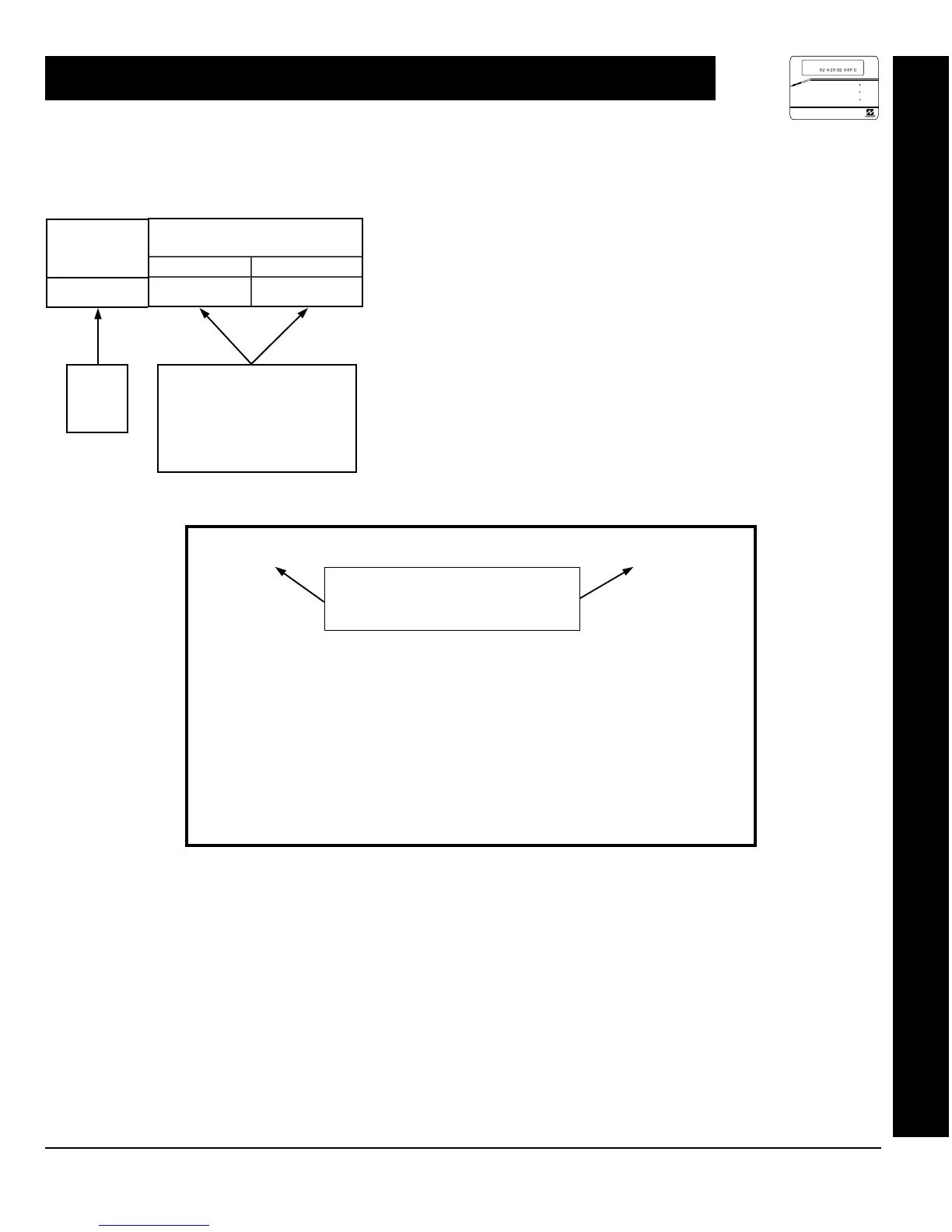
It consists of multiple address locations (up to 4093) with two data
entry locations each (left and right) as shown in the adjacent diagram.
ACCESSING DIRECT ADDRESS PROGRAM MODE
DATA ENTRY
LOCATIONS
LEFT DIGIT RIGHT DIGIT
3C
ADDRESS
LOCATIONS
0000
0000
TO
4093
HEXADECIMAL DATA:
BLANK (•) = No Options
1 to 9 = Entries 1 to 9
0 = Entry of 10
B to F = Entries 11 to 15
1. Press
EEEEEE A
2. Press
g
Until “
ACTIVATE PROGRAM Y/N
” (GEM-RP1CAe2),
“
TURNON PROG Y/N
” (GEM-RP2ASe2) or “
17
” (GEM-RP3DGTL) appears on the
keypad display.
3. Press
F
To Enter Dealer Program Mode
4. Press
C
To Exit Easy Menu Driven Program Mode
& Enter Direct Address Program Mode
Master Security Code
(printed on microprocessor can)
or
Dealer Security Code (Address 0500)
DIRECT ADDRESS PROGRAM MODE
R
COMPUTERIZED SECURITY SYSTEM
GEMINI
ARMED
STATUS
SYSTEM ARMED
01/01/97 12:00AM
12
4
3
56
7890
A
B
C
D
E
F
G
NEXT/YE S
PRIOR/NO
AREA
# OF ZONES IN AREA 1
ENTER # ZONES X X
AI #ZN=08 #KP=1
A2 #ZN=00 #KP=0


 To Next Page
 Loading...