X
GEM-P9600 Programming Instructions
L
NAPCO Security Systems
WI777D 08/00
!
Page 8
Central Station Receiver 1 Account Number
Enter an account number of up to four digits. Use number buttons
1
through 9 for digits 1–9. NOTE: Press the 0 button for a zero and
press the
G 0
buttons for a blank space (•).
G 1
through
G 5
for letters B–F, respectively. Press
J
to save . Press NEXT
(
E) button to proceed.
NOTE:
Central Station Receiver 2 and 3 Account Numbers can only be
entered in Direct Address Programming. See CS Reporting Options.
Central Station Receiver 1 Format
From the table below, enter the central station's receiver format. Use
number buttons
1
through
9
. NOTE: Press the
0
button for
a zero. and press the
G 0
buttons for a blank space (•). Press
G 1
through
G 4
for letters B–E, respectively.
Press
J
to save. Press NEXT (E) button to proceed.
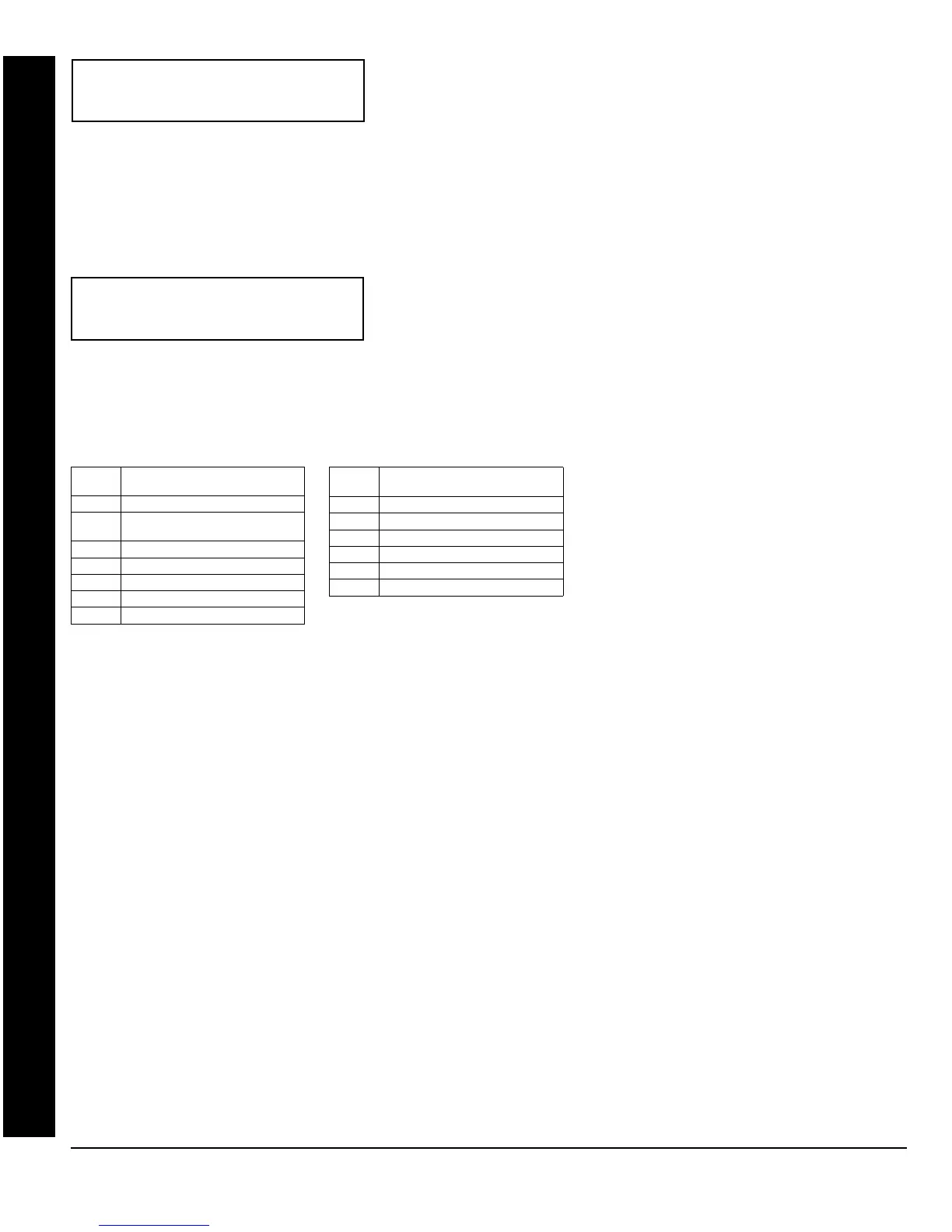
DATA
ENTRY
CS RECEIVER 1 FORMAT
blank(•) Ademco Slow, Silent Knight Slow
1 Sescoa, Vertex, DCI, Franklin
Fast
2 Radionics Fast
3 Silent Knight Fast
4 Radionics, DCI, Franklin Slow
5 Universal High Speed
8 Radionics BFSK
DATA
ENTRY
CS RECEIVER 1 FORMAT
9FBI 4/3/1
0 Radionics Modem 2
BSIA
C Ademco Point ID
D Ademco Express
E Pager
NOTE: Modem IIe is available only in Direct
Address Programming. Central Station
Receiver 2 and 3 Formats can only be entered
in Direct Address Programming. See CS
Receiver Options.
(Direct Entry)
SEE WI FOR INFO
RCVR FORMAT (0)
GEM-RP1CAe2 Keypad: CS Format
(Direct Entry)
CENTRAL STATION
ACCOUNT #(____ )


 To Next Page
 Loading...