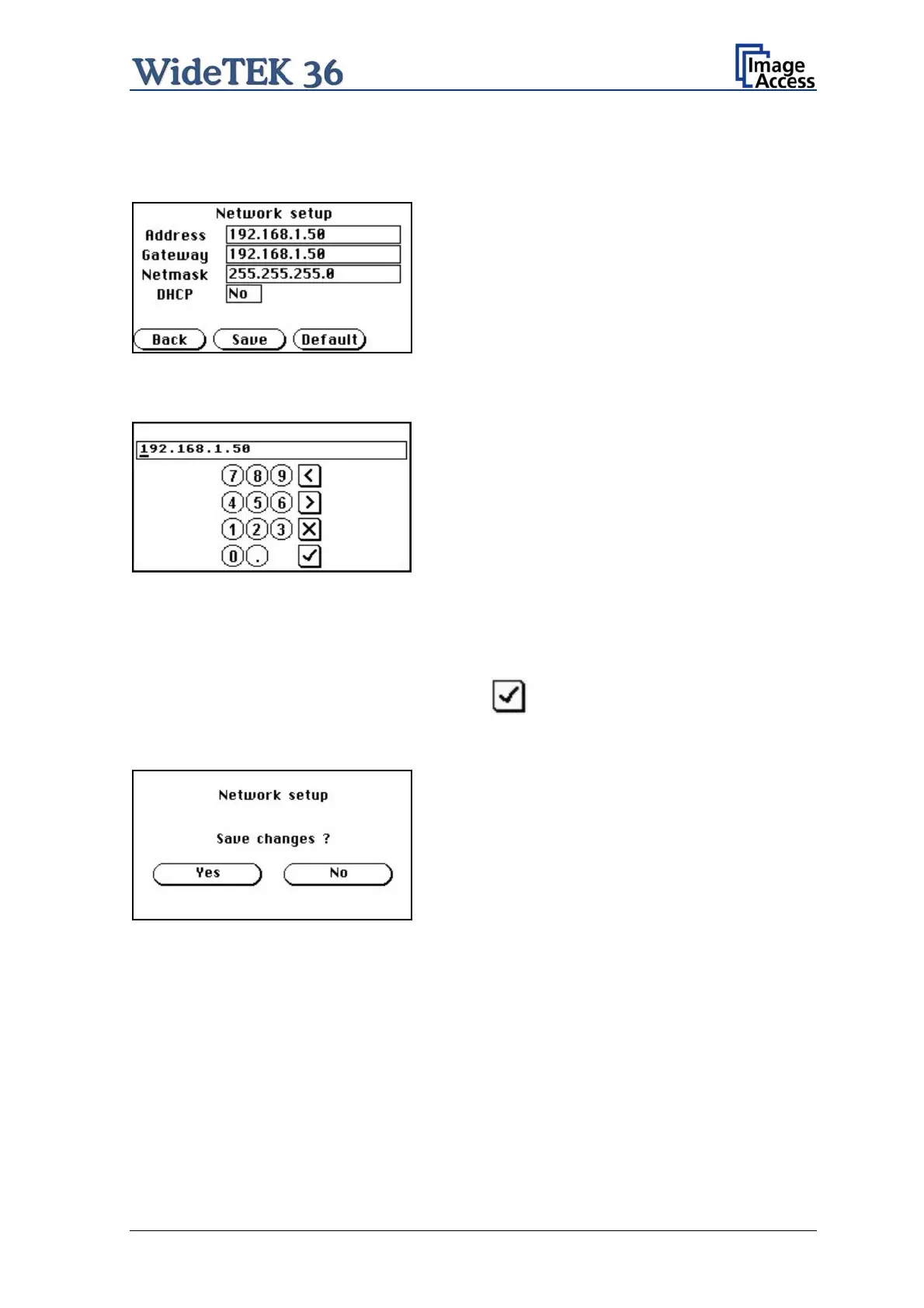
Touch the control field IP Address. The touch panel changes to a mask where
IP Address, Gateway, and Netmask can be entered. Also the DHCP mode can be
selected.
Picture 26: Network setup
Touch on the line to be changed, e.g. the Address line. The touch panel shows:
Picture 27: Numeric key pad
Enter the new values. The < and > keys move the cursor, the X key deletes the number at
the cursor position.
To finalize the input tap on the checkmark key.
If entries have been changed, a screen opens where the changes must be confirmed.
Yes confirms the changes, No discards the changes.
Picture 28: Confirm changes
After the changes have been saved, the touch panel shows the Self test 1 menu again.
Setup and Assembly Manual Page 31


 To Next Page
 Loading...






