ADDING A VOICE MEMO
You can add a voice memo to a still image previously recorded.
1
Display the still image to which you will add the voice memo.
2
Display the Playback Setting
Screen (see page 39).
3
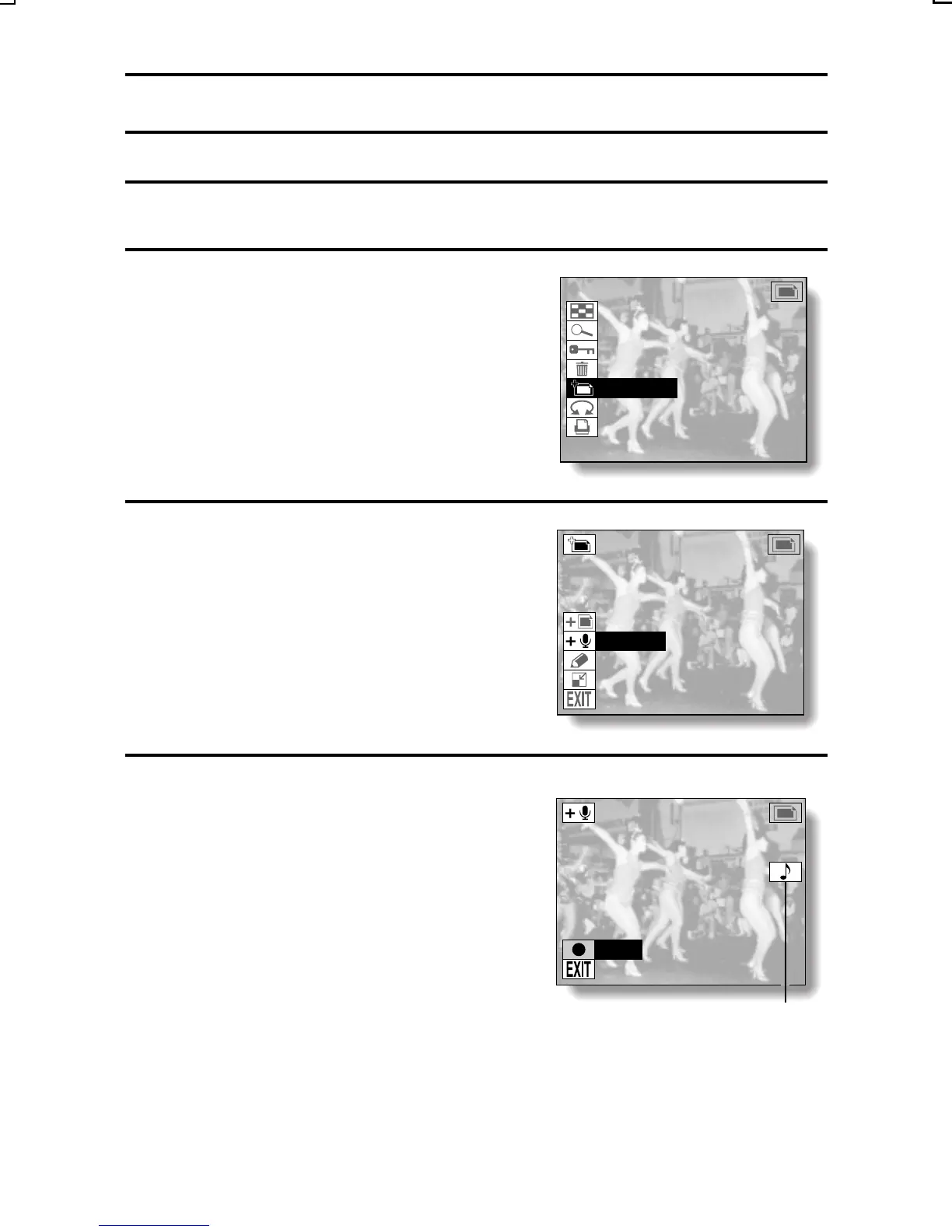
Select the edit photo icon r, and
press the SET button.
œ The Edit Photo Screen appears.
4
Select the add audio icon p, and
press the SET button.
œ You enter the setup screen to
record a voice memo.
9-IMAGE DISPLAY
ZOOM
PROTECT
ERASE
EDIT PHOTO
ROTATE
PRINT SETTING
EDIT PHOTO
ADD PHOTO
ADD AUDIO
ADD TEXT
RESIZE
ADD AUDIO
RECORD
M appears for images
with a voice memo.
SX215/EX, U (VPC-MZ2 GB) Mon. March 25/2002
English
133



 To Next Page
 Loading...