Page 64 FT-450 OPERATION MANUAL
S
CANNING
O
PERATION
You may scan either the VFO or the memories of the FT-450, and the radio will halt the scan on any station with
a signal strong enough to open the receiver’s squelch.
VFO AND MEMORY SCANNING
Preparation
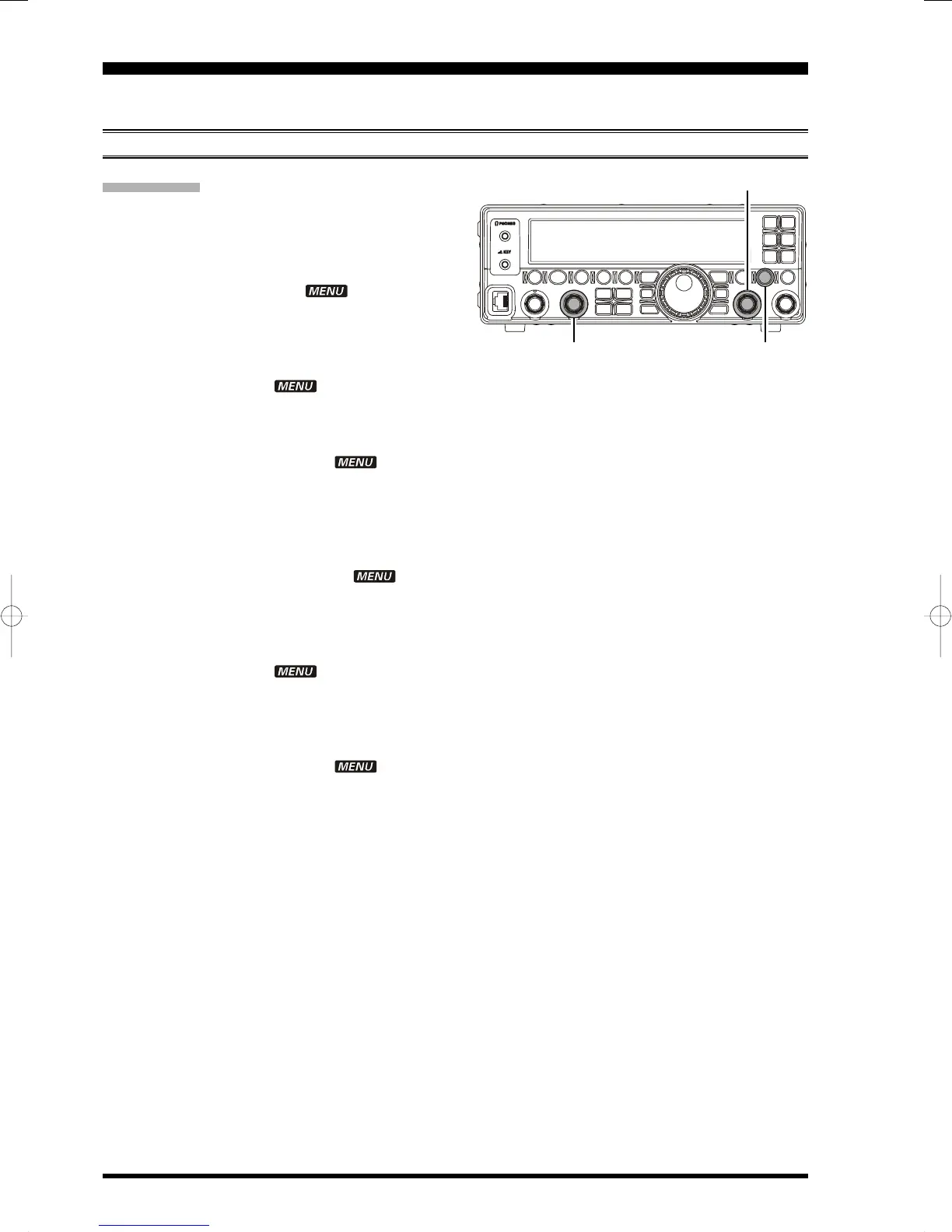
When operating the Scanning feature, set the con-
figuration of the
[
SQL/RF GAIN
]
knob to “Squelch”
via the Menu Item “SQL/RFG”.
1. Press and hold the
[
F
]
button for one second to
enter the Menu mode. The “ ” icon will ap-
pear on the display.
2. Rotate the
[
DSP/SEL
]
knob to select the menu
item “EXT MNU”.
3. Press the
[
DSP/SEL
]
knob to enable adjustment
of this menu item. The “ ” icon will be blink-
ing.
4. Rotate the
[
DSP/SEL
]
knob to select “ON” to ex-
pand the menu items.
5. Press the
[
DSP/SEL
]
knob. The “ ” icon re-
turns to appear continuously.
6. Press and hold the
[
F
]
button for one second to
save the new setting and return to normal opera-
tion.
7. Press and hold the
[
F
]
button for one second to
enter the Menu mode again. The “ ” icon
will appear on the display.
8. Rotate the
[
DSP/SEL
]
knob to select the menu
item “SQL/RFG”.
9. Press the
[
DSP/SEL
]
knob to enable adjustment
of this menu item. The “ ” icon will be blink-
ing.
10.Rotate the
[
DSP/SEL
]
knob to select “SQL” to as-
sign the Squelch feature to the
[
SQL/RF GAIN
]
knob.
11. Press the
[
DSP/SEL
]
knob. The “ ” icon re-
turns to appear continuously.
12.Press and hold the
[
F
]
button for one second to
save the new setting and return to normal opera-
tion.
[
DSP/SEL
]
Knob
[
F
]
button
[
SQL/RF GAIN
]
Knob


 To Next Page
 Loading...