Page 70 FT-450 OPERATION MANUAL
Beep Tone
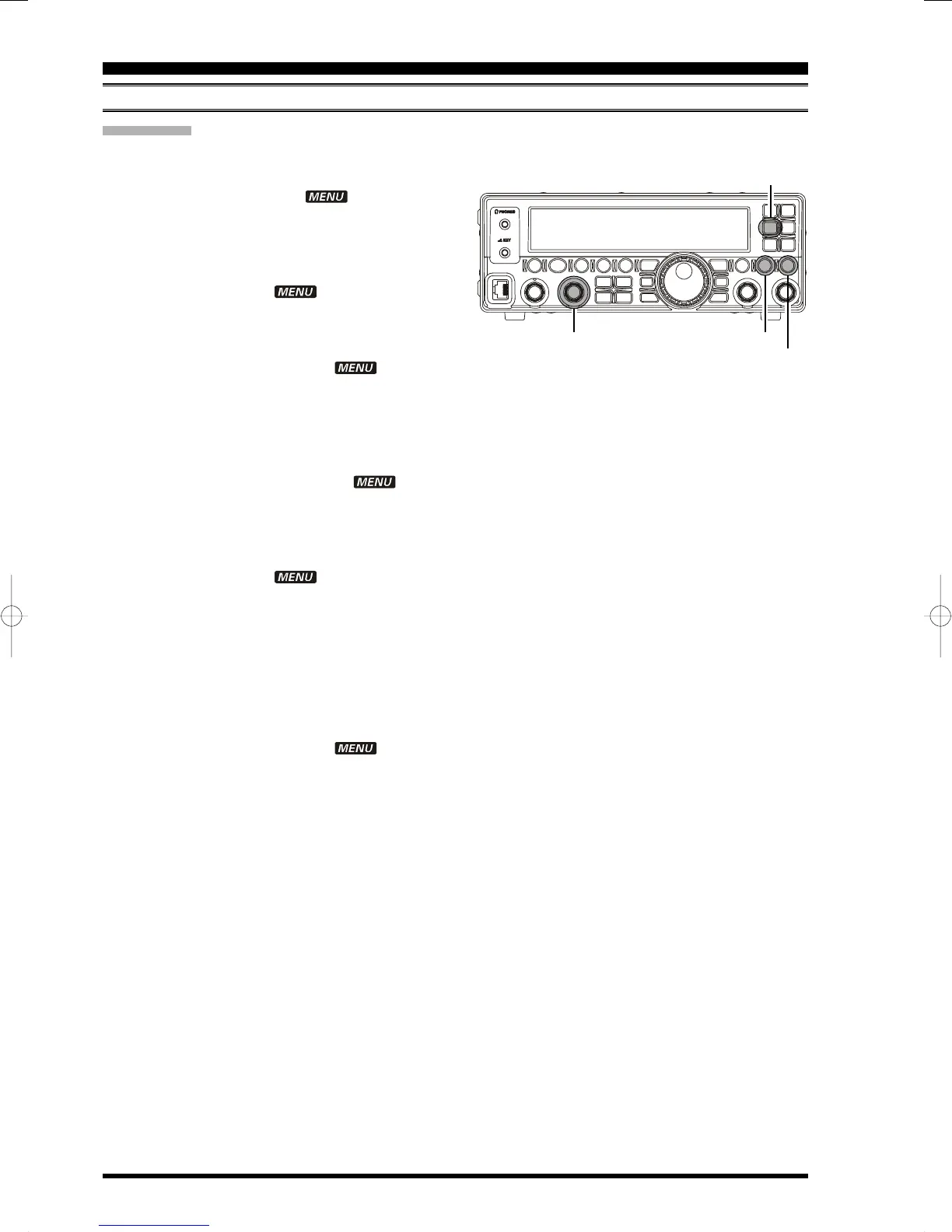
You may adjust the beep tone to your desired tone via the Menu Item “BEEPTON”.
1. Press and hold the
[
F
]
button for one second to
enter the Menu mode. The “ ” icon will ap-
pear on the display.
2. Rotate the
[
DSP/SEL
]
knob to select the menu
item “EXT MNU”.
3. Press the
[
DSP/SEL
]
knob to enable adjustment
of this menu item. The “ ” icon will be blink-
ing.
4. Rotate the
[
DSP/SEL
]
knob to select “ON” to ex-
pand the menu items.
5. Press the
[
DSP/SEL
]
knob. The “ ” icon re-
turns to appear continuously.
6. Press and hold the
[
F
]
button for one second to
save the new setting and return to normal opera-
tion.
7. Press and hold the
[
F
]
button for one second to
enter the Menu mode again. The “ ” icon
will appear on the display.
8. Rotate the
[
DSP/SEL
]
knob to select the menu
item “BEEPTON”.
9. Press the
[
DSP/SEL
]
knob to enable adjustment
of this menu item. The “ ” icon will be blink-
ing.
10.Rotate the
[
DSP/SEL
]
knob to select the desired
tone. Available selections are 440/880/1760 Hz,
factory default: 880 Hz). You may press the
[
METER/DIM
]
button to sound a beep as you ad-
just the
[
DSP/SEL
]
knob.
You may press the
[
HOME/RCL
]
button to reset
the beep tone level to the factory default.
11. Press the
[
DSP/SEL
]
knob. The “ ” icon re-
turns to appear continuously.
12.Press and hold the
[
F
]
button for one second to
save the new setting and return to normal opera-
tion.
BEEPER SETTING
M
ISCELLANEOUS
S
ETTINGS
[
HOME/RCL
]
button
[
F
]
button
[
DSP/SEL
]
knob
[
METER/DIM
]
button


 To Next Page
 Loading...