1756-6.5.3 - December 1999
11-6 Adding an I/O Chassis to an Existing ControlNet Network
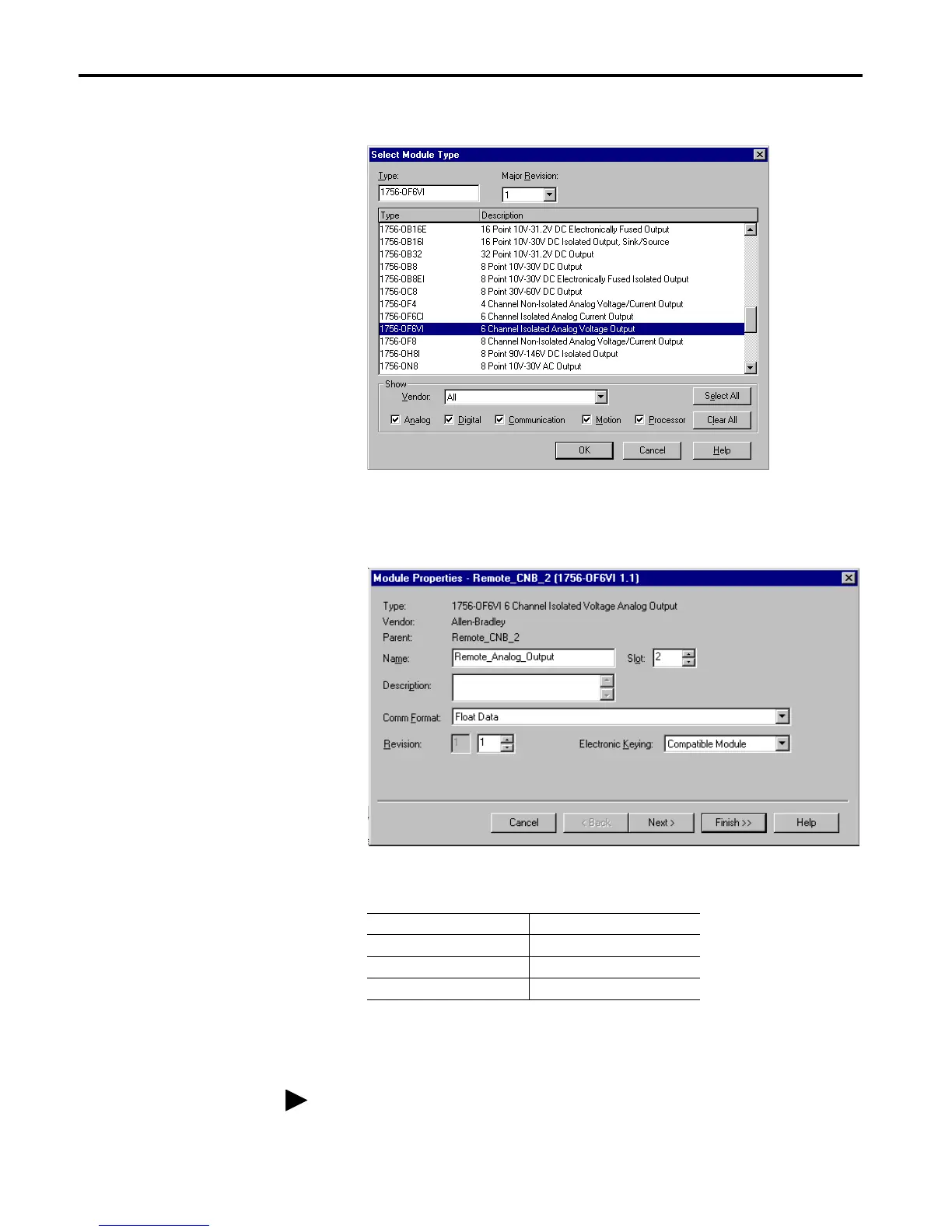
The Select Module Type window will appear.
2. Select the 1756-OF6VI analog output module from the list.
The Module Properties window will appear.
3. Enter the following parameters:
You will now configure the channel settings of the I/O module. When you
do this a series of pages will appear in the Module Properties window.
Name Remote_Analog_Output
Slot 1
Comm Format Float Data (default)
Electronic Keying Compatible Module
For a detailed explanation of the following pages, see the ControlLogix
Analog I/O User Manual, publication 1756-6.5.9.


 To Next Page
 Loading...