49
3D Menu
HDMI
Test Pattern
Normal
DISPLAY
PICTURE
LASER
ALIGNMENT CONTROL SERVICE
Enter
Off
3D
3D Format
DLP Link
3D Swap
Label Description
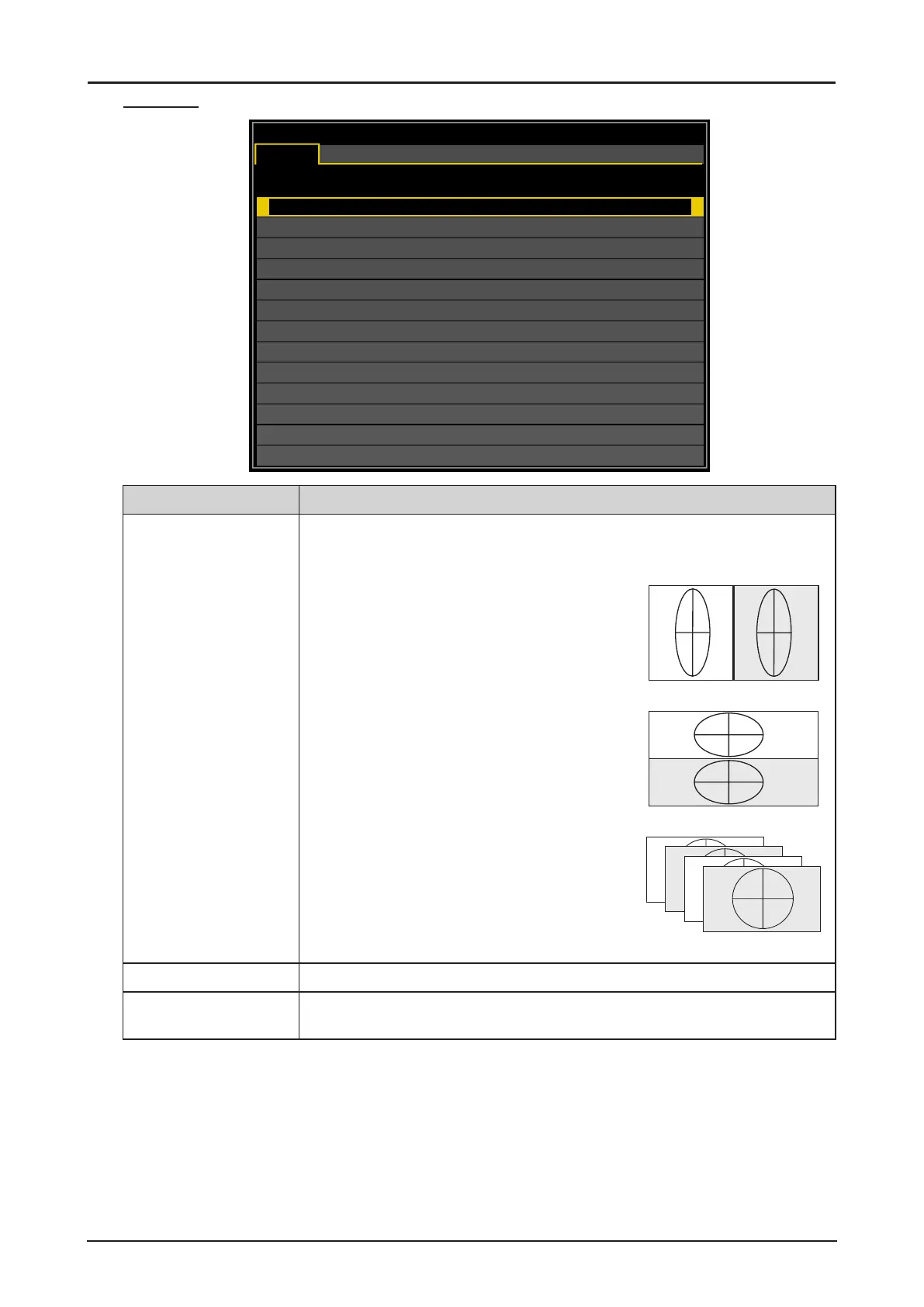
3D Format* Press ENTER to open the 3D Format window. Press ▲ or ▼ to select
the 3D format. The options are Off, Auto, Side by Side (Half), Top and
Bottom or Frame Sequential.
Side by Side (Half): Transmission of separate
images for left and right sides, placed next to
each other. The image’s horizontal denition is
halved.
L
R
Side by Side (Half)
Top and Bottom: Transmission of separate
images for left and right sides, placed one
above the other. The image’s vertical denition
is halved.
L
R
Top and Bottom
Frame Sequential: Transmission of separate
images for left and right sides in sequence
producing a single video stream.
L
R
L
R
Frame Sequential
DLP Link Press ◄ or ► to activate or deactivate the DLP Link sync.
3D Swap Press ◄ or ► to select a status for 3D images viewed through the 3D
glasses. The options are Normal or Reverse.
*
■ The freeze function cannot be used during 3D projection.
■ Please select AUTO once again or select a known 3D format, when a 3D signal is not detected
normally even if a 3D format is set by AUTO.


 To Next Page
 Loading...