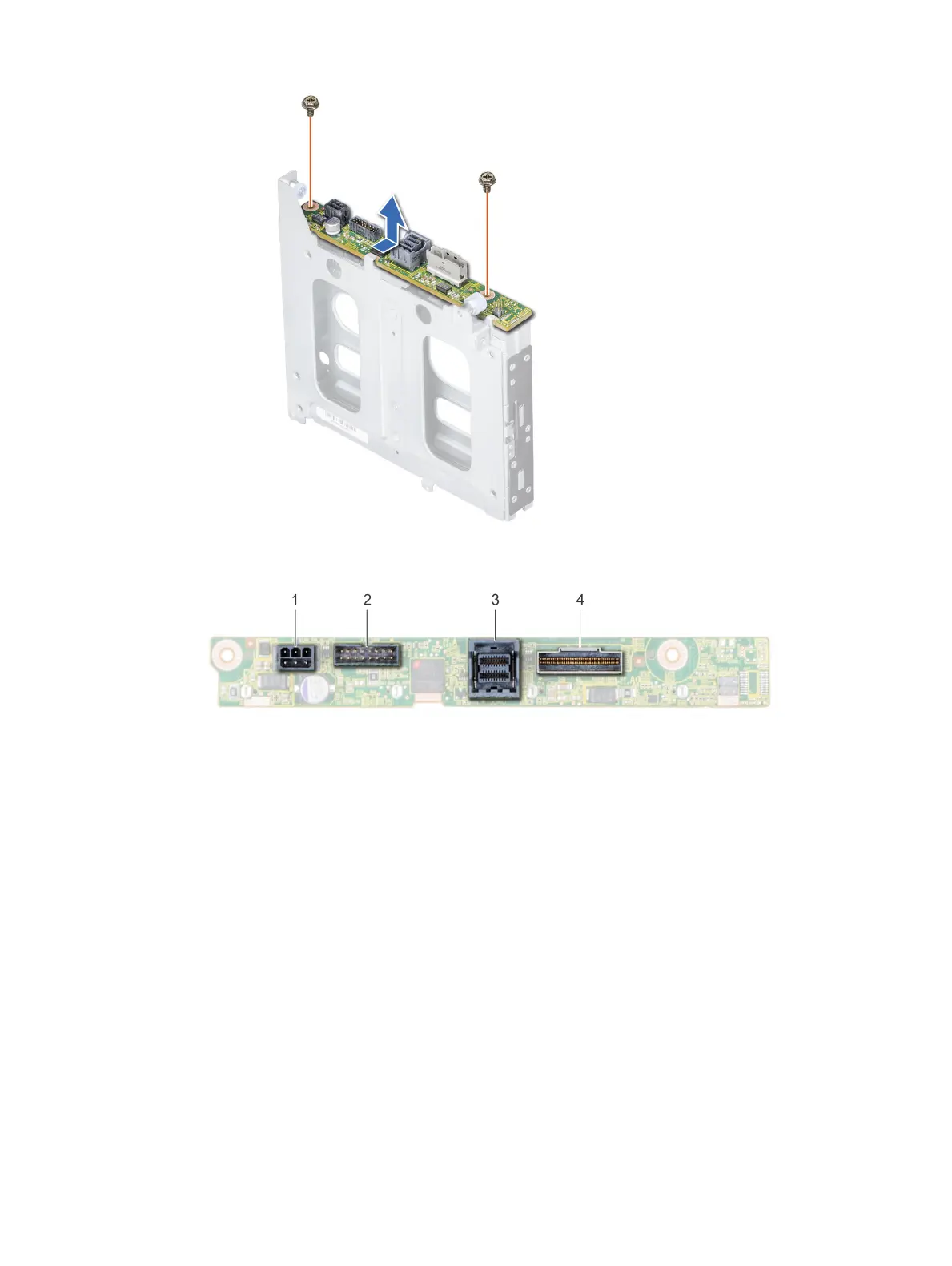
Figure 84. Removing the 2.5 inch drive rear backplane
Figure 85. 2 X 2.5 rear drive backplane
1
power connector 2 backplane signal connector
3 SAS cable connector 4 NVMe cable connector
Next step
Install the 2.5 inch drive rear backplane.
Installing the 2.5 inch drive rear backplane
Prerequisite
Follow the safety guidelines listed in Safety instructions.
Steps
1 Use the hooks on the rear drive cage as guides to align the drive backplane.
2 Lower the backplane into the system until it is rmly seated.
3 Using Phillips #2 screwdriver, replace the screws to secure the backplane to the rear drive cage.
134
Installing and removing system components


 To Next Page
 Loading...











