Installing the front bezel
The procedure to install the front bezel with and without the LCD panel is the same.
Prerequisite
Follow the safety guidelines listed in Safety instructions.
Steps
1 Locate and remove the bezel key.
NOTE: The bezel key is part of the LCD bezel package.
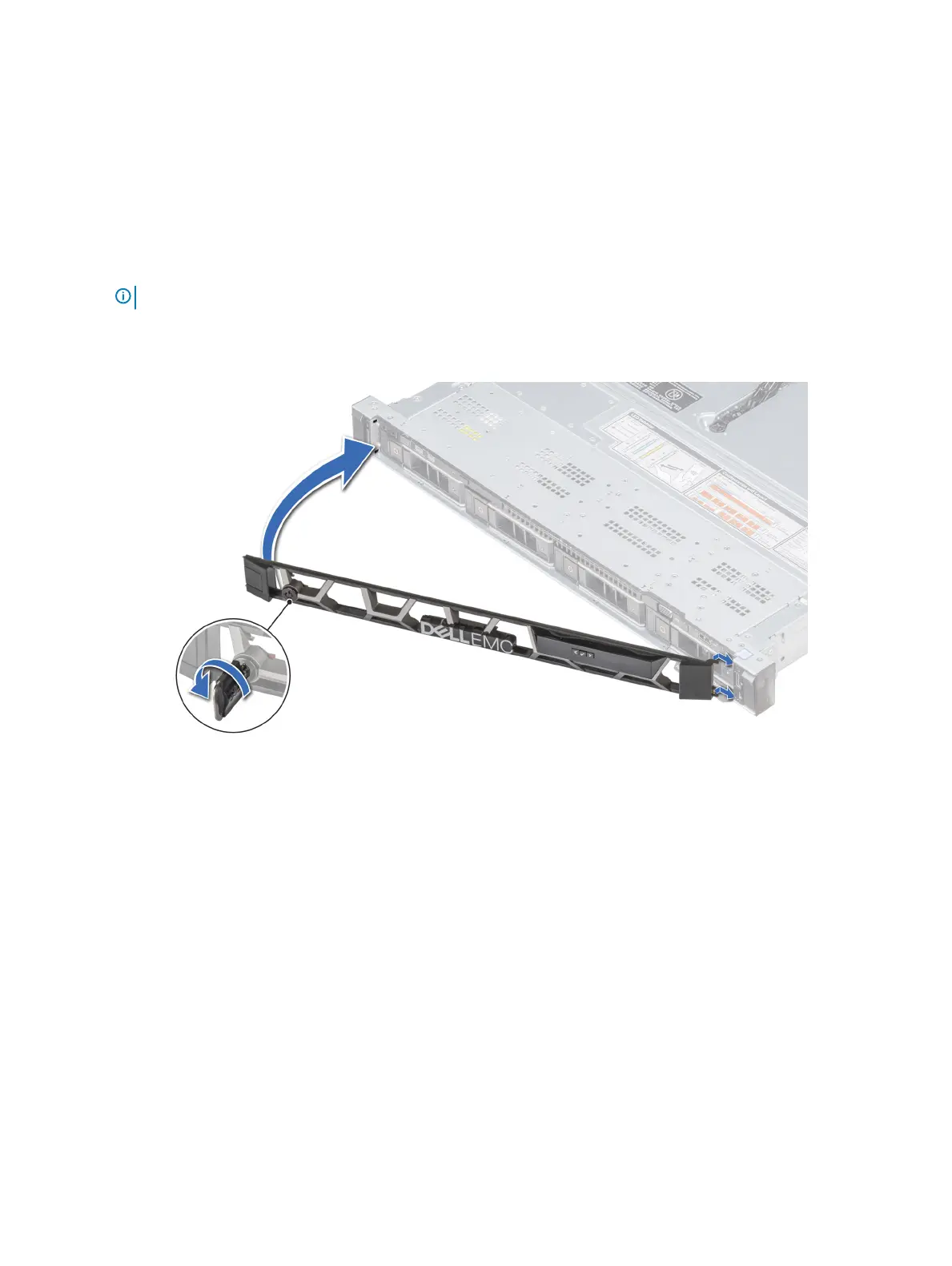
2 Align and insert the right end of the bezel onto the system.
3 Press the bezel until the button clicks in place and t the left end of the bezel onto the system.
4 Lock the bezel by using the key.
Figure 21. Installing the optional front bezel with the LCD panel
System cover
Removing the system cover
Prerequisites
1 Follow the safety guidelines listed in Safety instructions.
2 Turn o the system, including any attached peripherals.
3 Disconnect the system from the electrical outlet and disconnect the peripherals.
Steps
1 Using a 1/4 inch at head or a Phillips #2 screwdriver, rotate the latch release lock counter clockwise to the unlocked position.
2 Lift the latch till the system cover slides back and the tabs on the system cover disengage from the guide slots on the system.
3 Hold the cover on both sides, and lift the cover away from the system.
72
Installing and removing system components



 To Next Page
 Loading...










