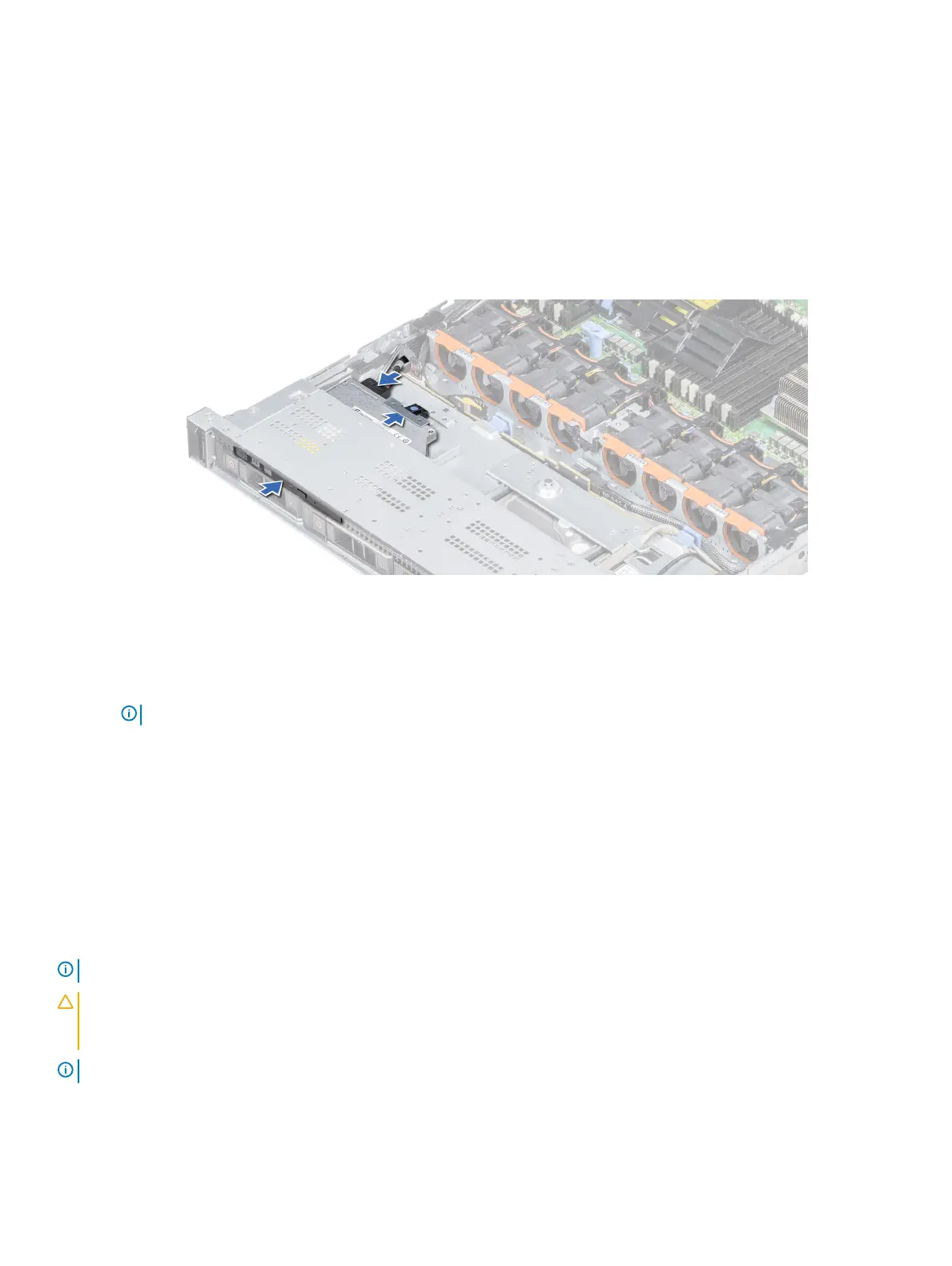
Installing the optical drive
Prerequisite
Follow the safety guidelines listed in Safety instructions.
Steps
1 Align the optical drive with the optical drive slot on the front of the system.
2 Slide in the optical drive until the release tab snaps into place.
Figure 104. Installing the optical drive
Next steps
1 Connect the power and data cables to the connector on the optical drive and the connector on the system board.
NOTE
: Route the cable properly on the side of the system to prevent it from being pinched or crimped.
2 Follow the procedure listed in After working inside your system.
Power supply units
The power supply unit (PSU) is an internal hardware component which supplies power to the components in the system.
Your system supports one of the following:
• Two 1600 W, 1100 W, 750 W, or 495 W AC PSUs
• Two 1100 W DC PSUs
• Two 1100 W or 750 W Mixed Mode HVDC PSUs
NOTE
: For more information, see the Technical specications section.
CAUTION: If two PSUs are installed, both the PSUs must have the same type of label. For example, Extended Power
Performance (EPP) label. Mixing PSUs from previous generations of PowerEdge servers is not supported, even if the PSUs have
the same power rating. Mixing PSUs will result in mismatch condition or failure to turn the system on.
NOTE: Titanium PSU is nominally rated for 200 V AC to 240 V AC input only.
152 Installing and removing system components


 To Next Page
 Loading...











