NOTE: Ensure that you note the routing of the cables as you remove them from the system board. You must route the
cables properly when you replace them to prevent the cables from being pinched or crimped.
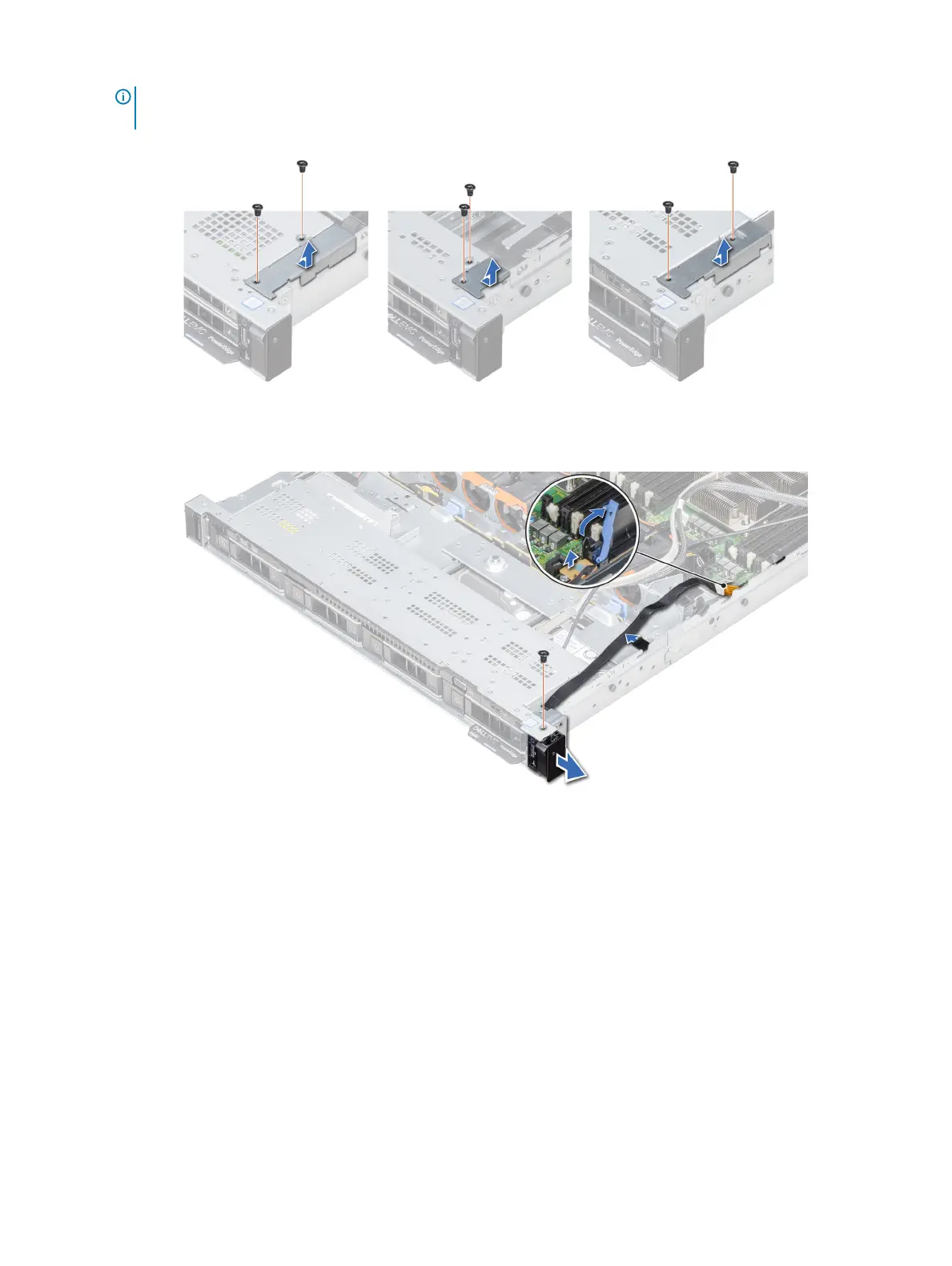
2 Using a Phillips #1 screwdriver, remove the screws that secure the cable cover to the system.
Figure 116. Removing the cable cover
3 Using a Phillips #1 screwdriver, remove the screw that secures the control panel to the system.
Figure 117. Removing right control panel
4 Holding by the sides, remove the right control panel away from the system.
5 Holding the control panel by its sides, remove the control panel away from the system.
Next step
Install the right control panel.
Installing the right control panel
Prerequisite
Follow the safety guidelines listed in Safety instructions.
Steps
1 Route the control panel cable through the side wall of the system.
2 Align the right control panel assembly with the control panel slot on the system.
166
Installing and removing system components


 To Next Page
 Loading...











