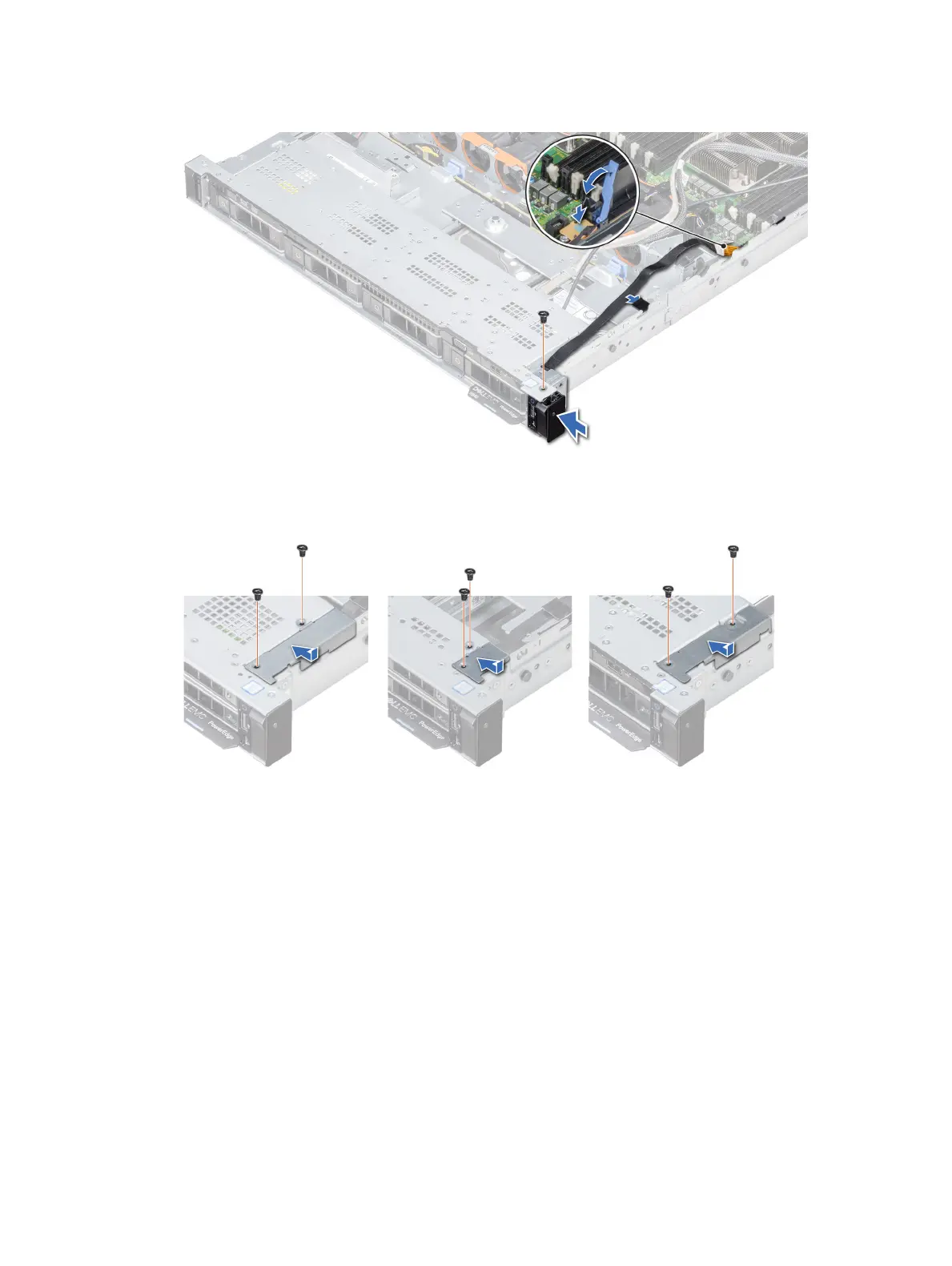
3 Connect the control panel cable to the connector on the system board and lower the cable latch to secure the cable in place.
4 Using a Phillips #1 screwdriver, install the screw that secures the control panel to the system.
Figure 118. Installing the right control panel
5 Using a Phillips #1 screwdriver, install the screws that secure the cable cover to the system.
Figure 119. Installing the cable cover
Next steps
1 If applicable, install the cooling fan #8.
2 Follow the procedure listed in After working inside your system.
Installing and removing system components
167


 To Next Page
 Loading...











