c
Important:
Stretch the T-shirt so that there are no creases
or slack. However, if the T-shirts is stretched
too much, the print quality may decline due to
deformation of the image, and the white
under-base print may extend outside the
image.
I
Press down the frame of the platen so that it does
not become loose.
J
Tuck in the T-shirt around the frame so that it
does not drape over the movable base.
Loading on Medium Grooved
Platens
A
Press the P button to turn on the printer.
B
Check that the platen is ejected forward.
If it is not ejected, press the } button to move the
platen forward.
C
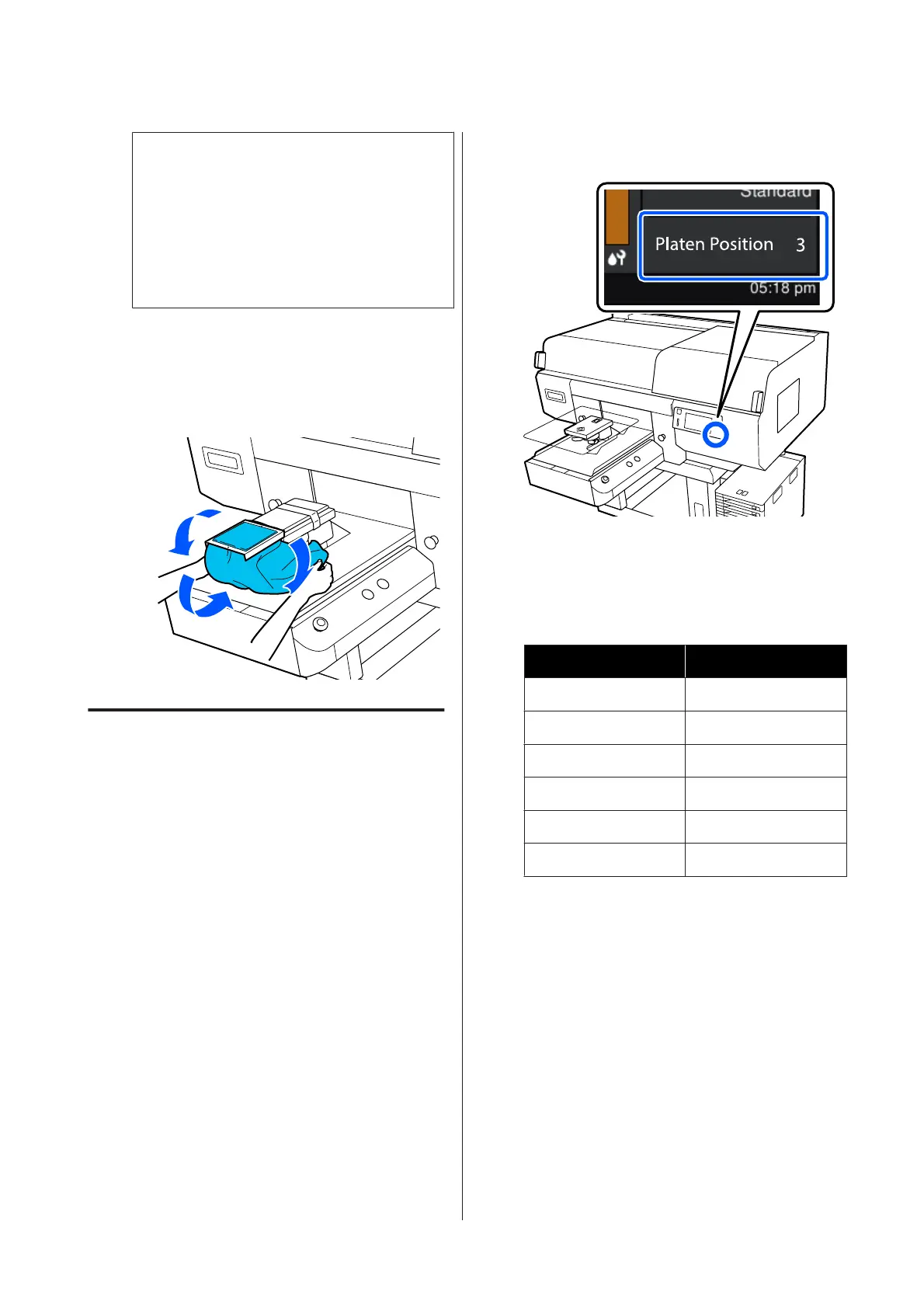
On the printer's screen, confirm that the platen
position is as shown below.
When Platen Gap is set to Auto:
The optimum platen position varies depending
on the thickness of the media. Use the following
guideline to change the platen position.
Media thickness Platen position
0 mm to 4 mm 3
4 mm to 7 mm 4
7 mm to 10 mm 5
10 mm to 13 mm 6
13 mm to 16 mm 7
16 mm to 19.5 mm 8
When Platen Gap is set to Manual:
The optimum platen position varies depending
on the thickness of the media being loaded and
the type of platen being used. See the following
for more details.
U “Table for Platen Gap setting values for
media thicknesses” on page 142
See the following for how to change the platen
position.
U “How to change the platen position” on
page 58
SC-F3000 Series User's Guide
Basic Printing
67


 To Next Page
 Loading...