− 34 −
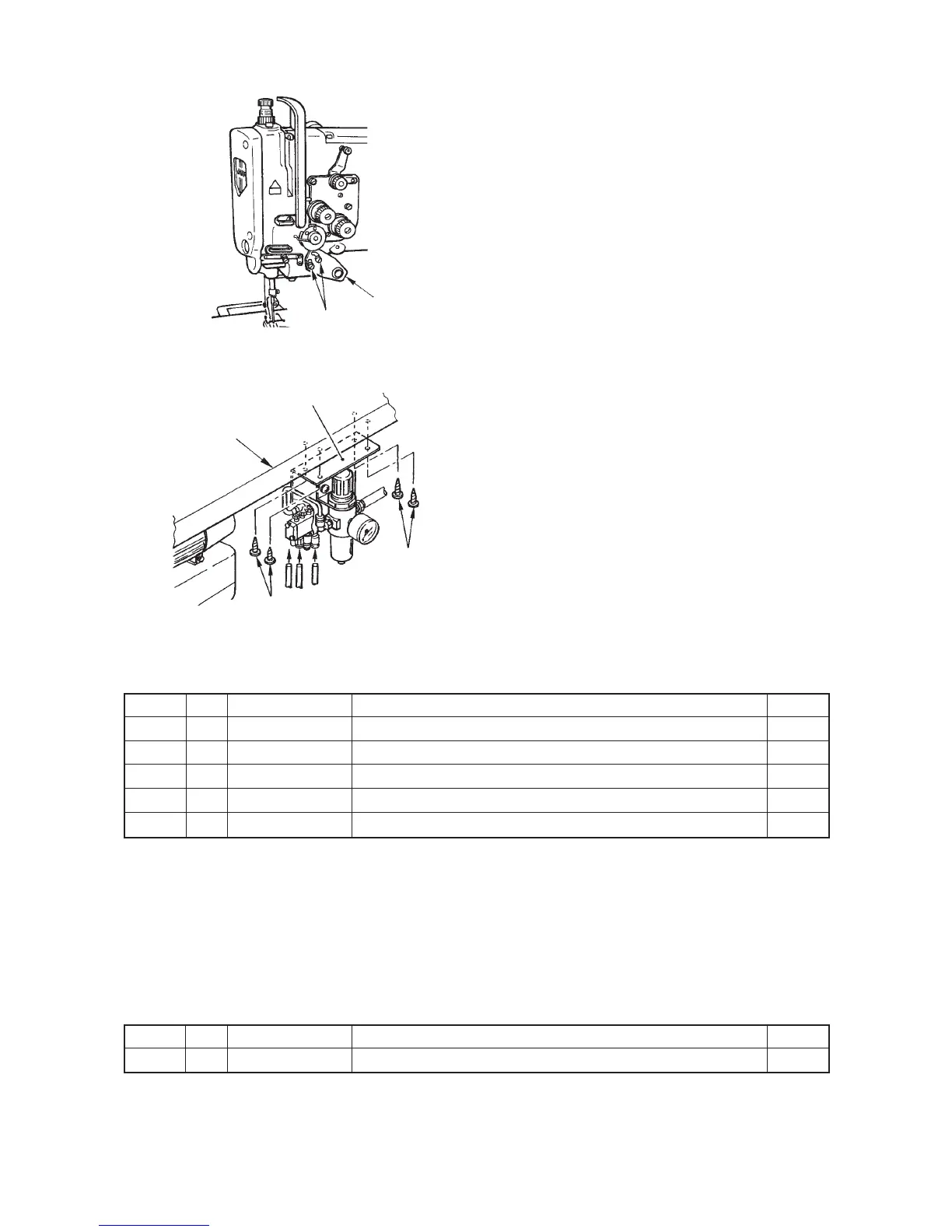
6) Installing the touch-back switch (List D)
1. Install touch-back switch 1 with switch installing
plate setscrew 2 and switch installing plate washer
3.
7) Installing the pneumatic components (List E)
1. Install pneumatic components (asm.) 1 onto the
table with setscrews 2.
2. Connect the air hose with pneumatic components
(asm.) 1.
8) Parts list
™ List of the parts to be removed
(Caution) 1. The parts with ★ (asterisk) mark are those to be used after replacing.
2. The part with ※ mark is the exclusive part for the machine without the automatic
reverse feed device.
™ List of the installing parts
™ Part No. of the automatic reverse feed device set
(Caution :This part No. is the set part No. of the parts from list A to E.)
1
23
1
2
Table
Part No.
SS4110815SP
21331806
21332002
SS6120930SP
22610505
No.
1
2
3
4
5
Note
★
※
★
★
Name of part
Window plate B setscrew
Window plate B
Window plate packing B
Reverse feed control lever setscrew
Reverse feed control lever
Q’ty
5
1
1
2
1
Part No.
21348552
No.Note Name of part
Automatic reverse feed device set
Q’ty
1
2



 To Next Page
 Loading...