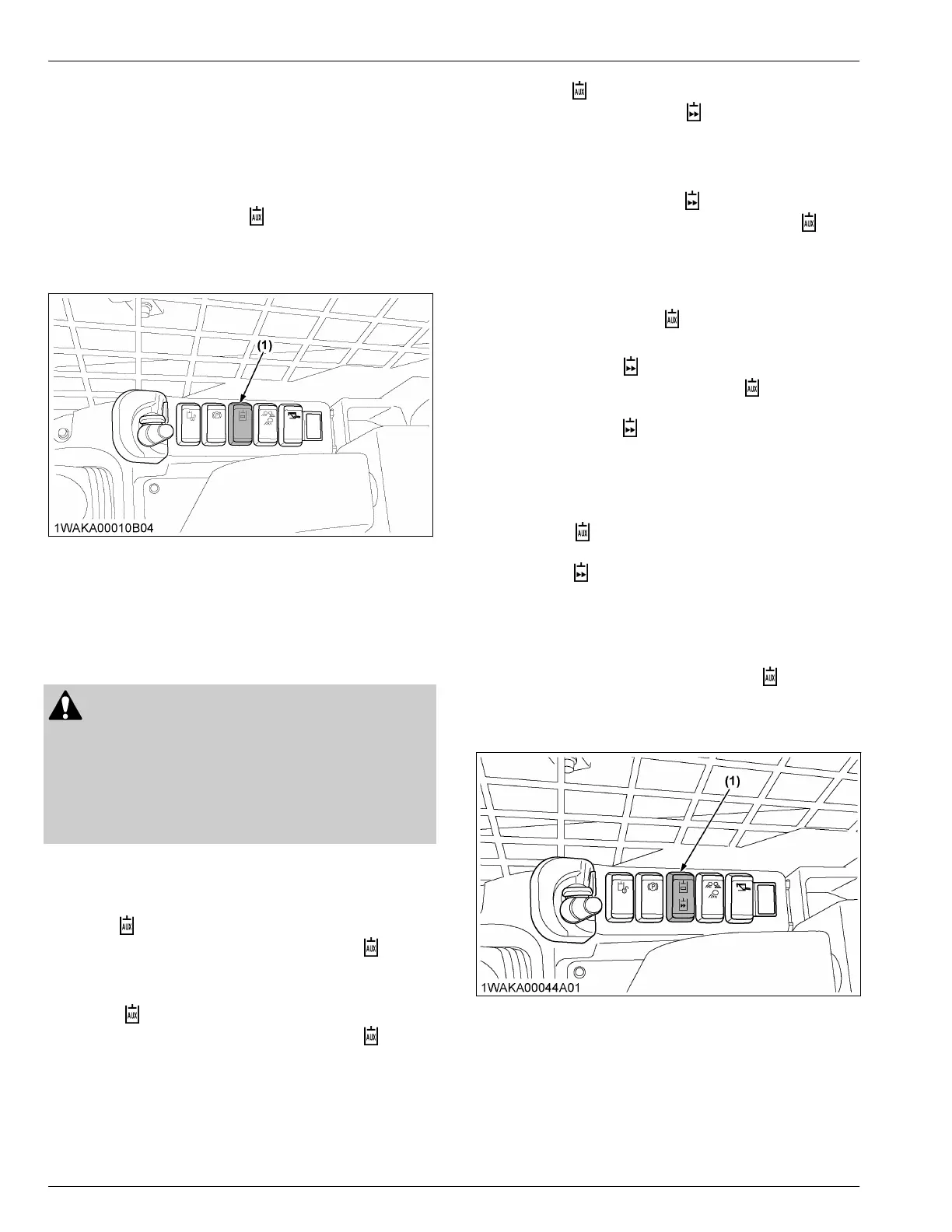
10. AUX port switch
The AUX-port-switch is used to enable the AUX port.
The
AUX-port-switch can be used only when the AUX-
port-variable-switch on the right-control-lever is in the
neutral position.
1. When pressing the AUX-port-switch once, the AUX
port is unlocked and the
mark on the instrument
panel lights up.
2. When
pressing the AUX-port-switch again, the AUX
port then gets locked.
(1) AUX port switch
11. AUX port switch [High-Flow
model only]
This switch is used to enable the AUX port and also to
enable the High-Flow mode.
CAUTION
[High-Flow model only]
T
o avoid personal injury:
• Be careful not to use any high-flow-
incompatible attachment in the High-Flow
mode. Otherwise the attachment may be
damaged.
Engaging and disengaging the AUX hydraulic low-
flow mode system
To engage:
Press
the
side of the AUX-port-switch one time. The
AUX
hydraulic low-flow port turns on and the
symbol
on the instrument panel will appear
.
To disengage:
Press
the
side of the AUX-port-switch again. The
AUX
hydraulic low-flow port turns off and the
symbol
on the instrument panel goes out.
Engaging the AUX hydraulic high-flow mode
system
Make
sure that the high-flow attachment can be
properly used in the high-flow mode of this machine.
1. Press the
side of the AUX-port-switch.
2. Then
press and hold the
side of the AUX-port-
switch for 3 seconds.
The AUX hydraulic high-flow port turns on.
NOTE :
• If
you hold down the side
of the AUX-port-
switch longer than 6 seconds, the
lamp
on the instrument panel will not blink and
the AUX-hydraulic-flow will return to low-
flow mode.
The AUX hydraulic High-Flow mode is only
active when the symbol blinks on the
instrument panel.
3. After
holding the
side of the AUX-port-switch for
at
least 3 seconds, verify that the
symbol blinks
on the instrument panel.
4.
Then release the
side of the AUX-port-switch.
The
AUX hydraulic high-flow system of the machine is
then activated.
Disengaging the AUX hydraulic high-flow mode
system
1. Press
the
side of the AUX-port-switch, the AUX
high-flow mode port turns of
f.
2. Press the
side of the AUX-port-switch again, the
AUX high-flow mode port turns on.
Troubleshooting the AUX Hydraulic High-Flow
mode system
1. If the preceding procedures did not active AUX
hydraulic high-flow mode, press the side of the
AUX-port-switch to clear and turn of
f the system.
2. Then follow the preceding procedures to activate
the appropriate AUX hydraulic mode.
(1) AUX port switch [High-Flow
model only]
INSTRUMENT PANEL AND SWITCH SWITCHES


 To Next Page
 Loading...