60
Web App Menu
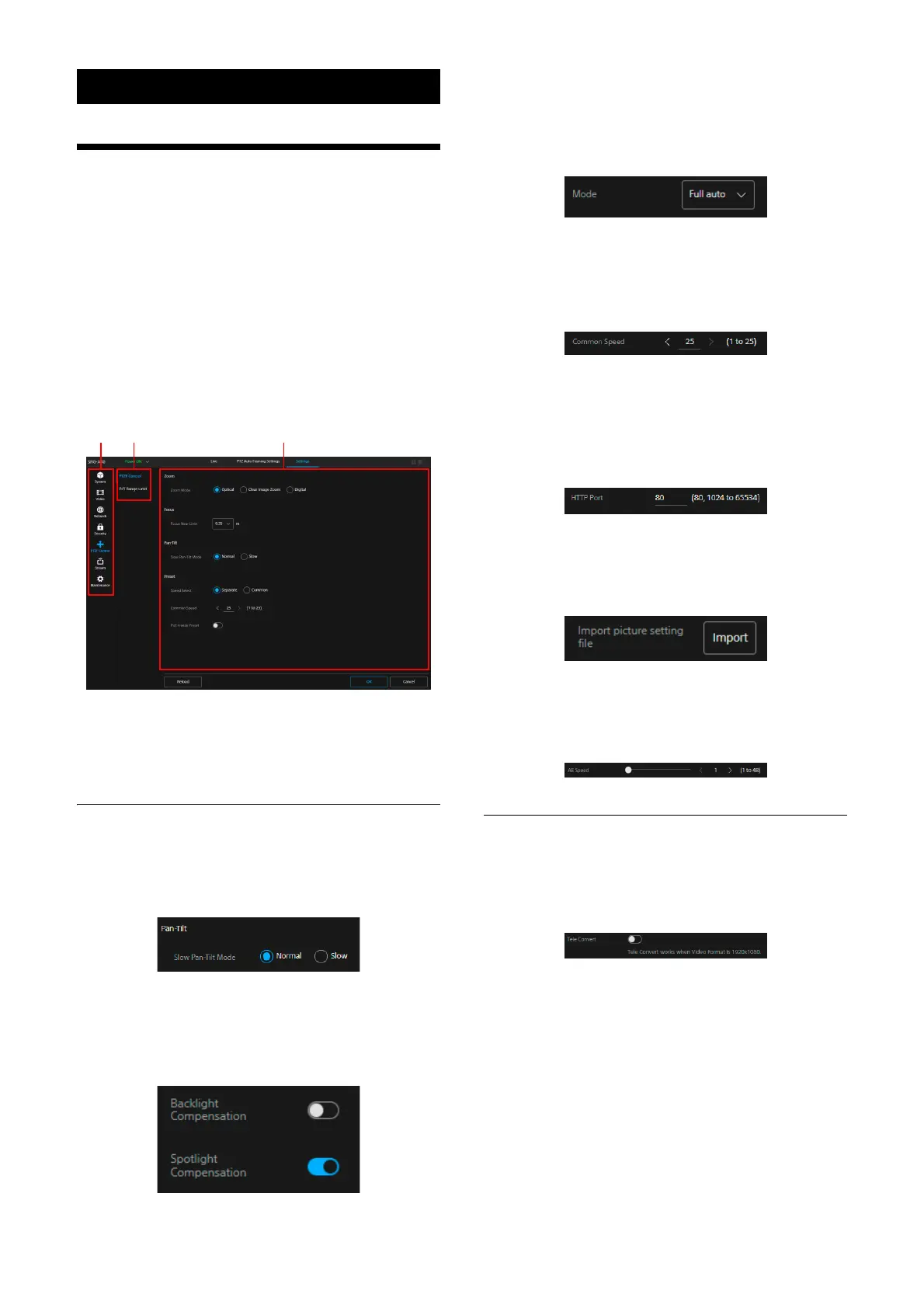
Web App Menu Operation
Method
Press the [Settings] tab of the operation screen
switch section to display the camera’s initial
setting, network setting, or Web App menu
which performs the settings required for
shooting.
The Web App menu is set through computer
mou
se operations.
Press the desired menu to display the setting
i
tem and value which can be set in the menu.
M
enu (the first level)
M
enu (the second level)
S
etting value
Operation method of the setting
value
The setting value’s selection
Press the radio button of the item. The radio
b
utton of the selected item lights up in blue.
On/Off selection
Press the switch to switch On/Off. The switch of
th
e item which is On lights up in blue and in
white for the item which is Off.
Selection from the list
Select the item from the displayed list when the
dr
op-down button is pressed.
Value selection
Press <, > to change the number. When the
nu
mber is underlined, the number can be input
directly.
Letter/number input
Setting in the other screen
You can also operate the setting in the other
s
creen by pressing the button.
Setting by the slider
Drag the knob or press the horizontal <, > to
ch
ange the number.
Operation Guide/Notice Message
Displays information that assist operations for
some setting values as well as cautionary
messages for users.


 To Next Page
 Loading...








