45
Instruments and controls
Operation
Activating
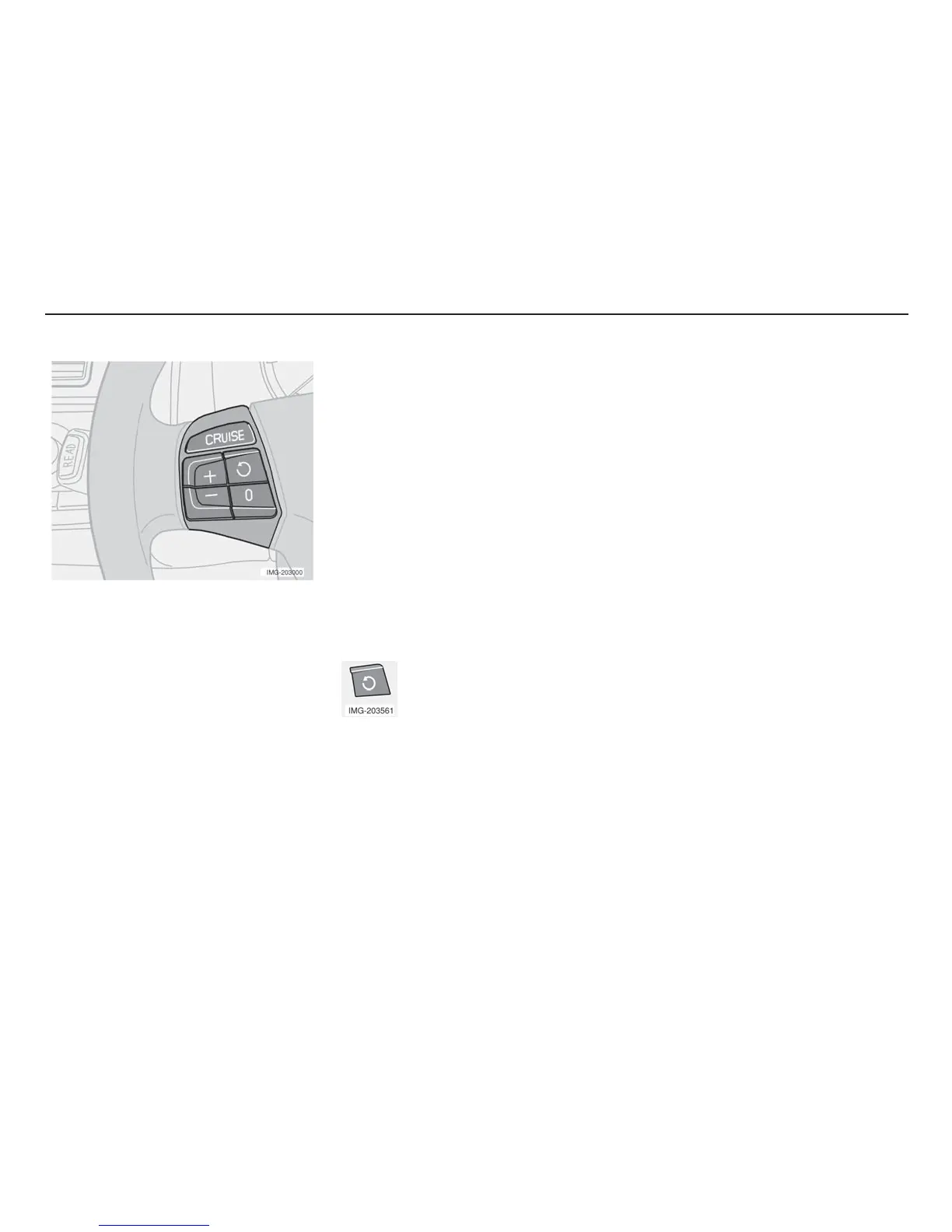
The controls for cruise control are to the left
of the steering wheel.
Setting the desired speed:
• Press the CRUISE button. CRUISE is
displayed.
• Increase or decrease the speed by
pressing + or –.
NOTE! Cruise control cannot be
engaged at speeds below 35 km/h (22
mph).
• Lightly press + or – to lock the desired
speed.
Cruise control (option)
CRUISE ON is displayed when the cruise
control is activated.
Temporary disengagement
• Press 0 to temporarily disengage the
cruise control.
Cruise control is automatically disengaged:
• if the speed drops below the limit for
engagement
• when the brake pedal or the clutch
pedal is depressed.
• if the gear selector is moved to position
N
• during wheel spin or wheel lock-up.
The last set speed is stored in the memory.
Return to the set speed
Press the button to resume the
previously set speed.
Acceleration
A temporary increase in speed, during
overtaking for example, does not affect the
cruise control setting. The car will resume the
previously set speed afterwards. If cruise
control is engaged, the speed can be
increased or decreased using the + or –
button.
A short press corresponds to approximately
1 km/h (0.6 mph). The speed of the car at the
time the button is released will be
programmed instead.
Disengagement
• Press CRUISE to disengage the cruise
control. CRUISE ON will go out in the
display. The cruise control is
automatically disengaged when the
ignition is switched off.


 To Next Page
 Loading...