MY DESIGN CENTER
159
4
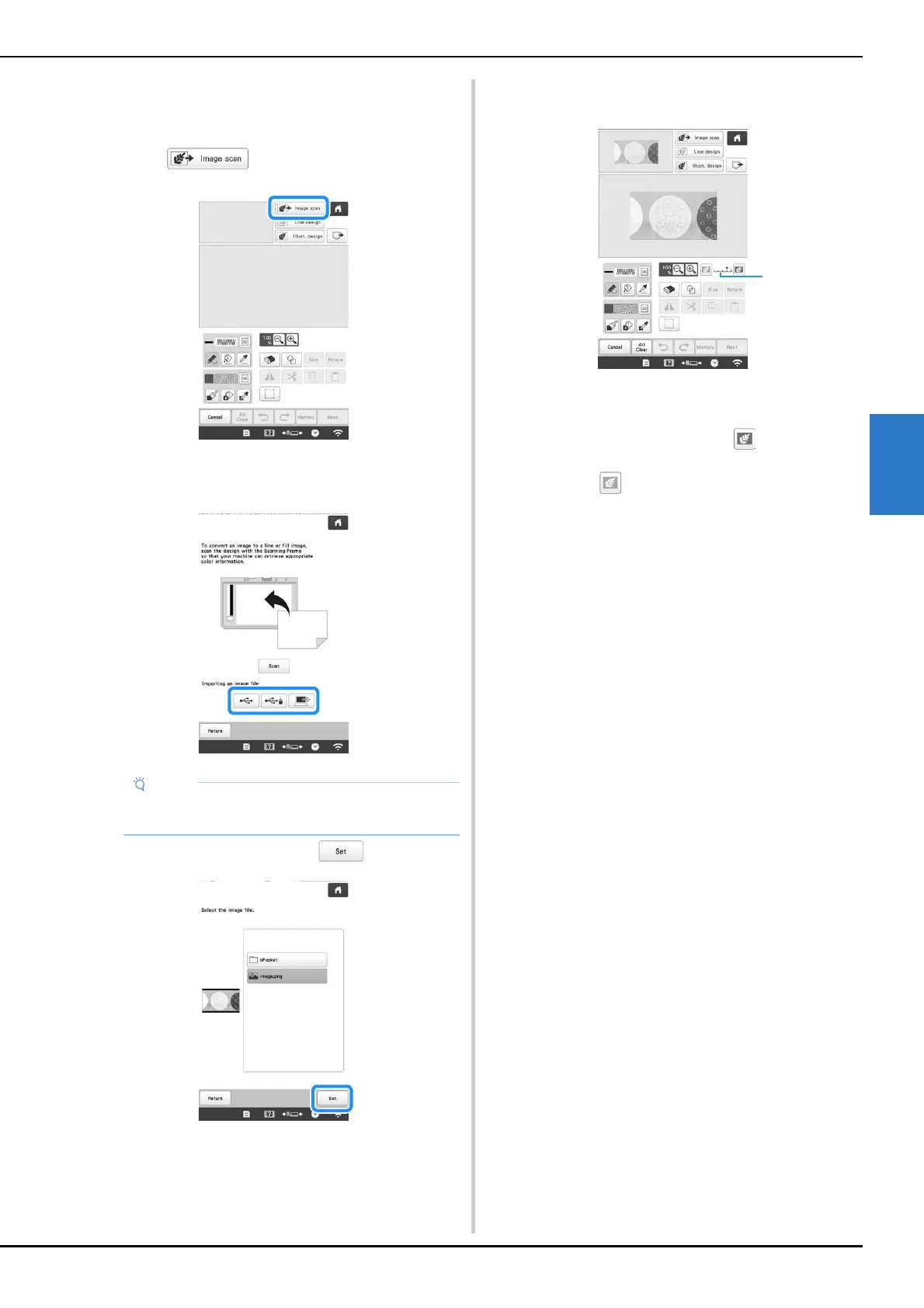
■ Importing the background image
You can import an image as a background from computer
or USB media.
a
Touch .
The image display screen appears.
b
Select the device you saved the data to.
c
Select the data, and then touch .
d
The selected image is displayed transparently in the
pattern drawing area.
* After the scanned image is converted to stitching, it
appears as a background in the pattern drawing
screen. Use gauge 1 to adjust the transparency of
the background. Each touch of lightens the
background, making the line pattern darker. Each
touch of darkens the background, making the
line pattern lighter.
• You can import an image of 2 MB or smaller from
computer or USB media.


 To Next Page
 Loading...











