6-VIRTUALTERMINAL(VT)ORUNIVERSALTERMINAL(UT)
"Diagnostics"screensfortheVirtualT erminal(VT)
The“Diagnostics”screensforthe“VirtualTerminal”appli-
cationareprovidedprimarilyforimplementdevelopersto
testtheircompatibilitywiththe“VirtualT erminal”applica-
tion.Thescreensarehighlytechnical.
NOTE:Performactionsonthesescreensunderthein-
structionofqualiedCASEIHservicepersonnelonly.
•
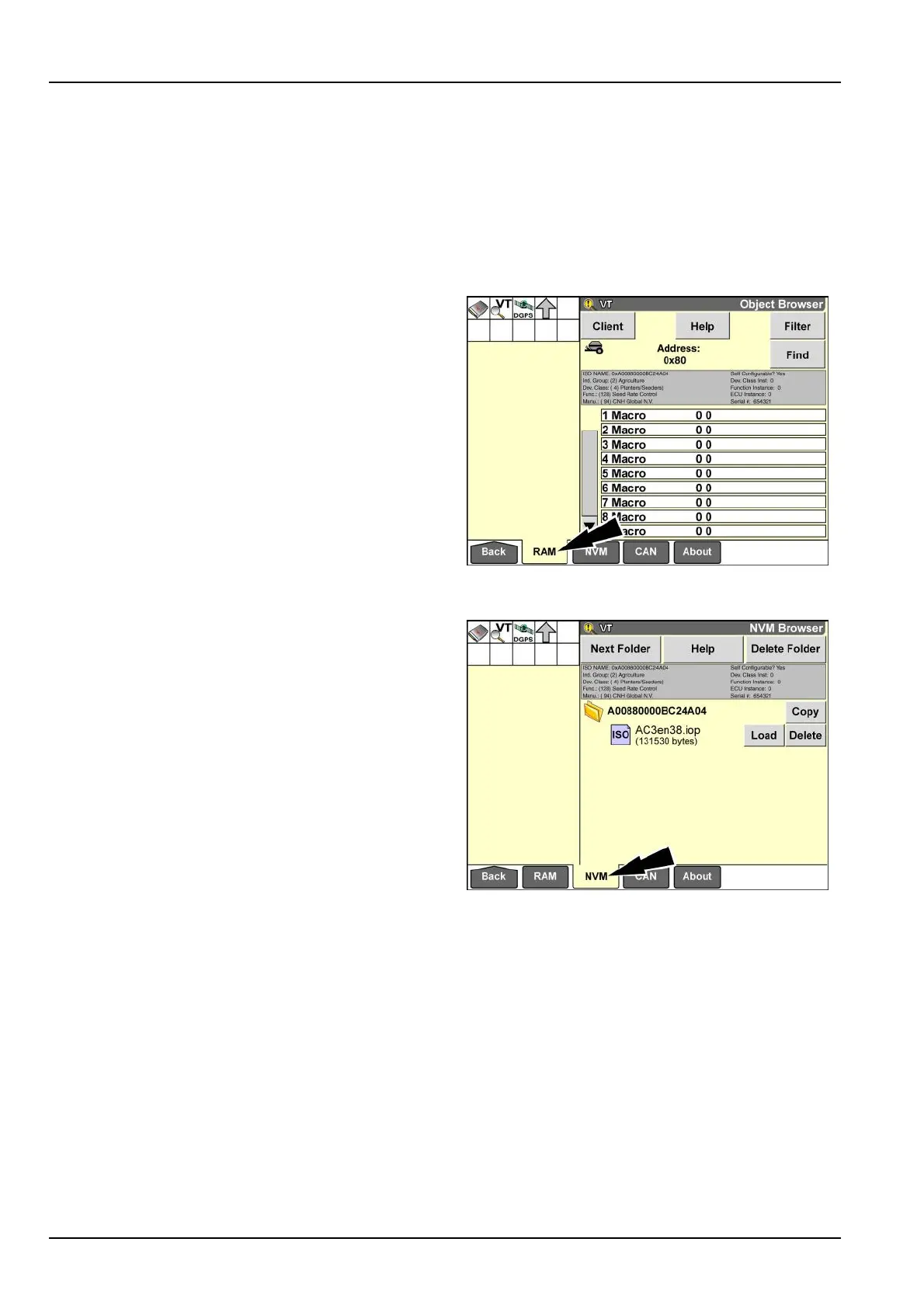
The“ObjectBrowser”screendisplaystheobjectpool
forapplicationsstoredinnon-volatilememoryforvari-
ousclients.Thescreenprovidespop-upmessagesfor
compatibilityproblems.
“ObjectBrowser”screen
RAIL14DSP1405BA1
•
The“NVMBrowser”screenenablesadeveloperto
manuallymanagetheuseofnon-volatilememoryby
anobjectpool.Eachobjectpoolisrepresentedbya
folderwithahexadecimaltitleanda.ioplewithasix
digitname.
“NVMBrowser”screen
RAIL14DSP1406BA2
6-24



 To Next Page
 Loading...