Media-Card Reader
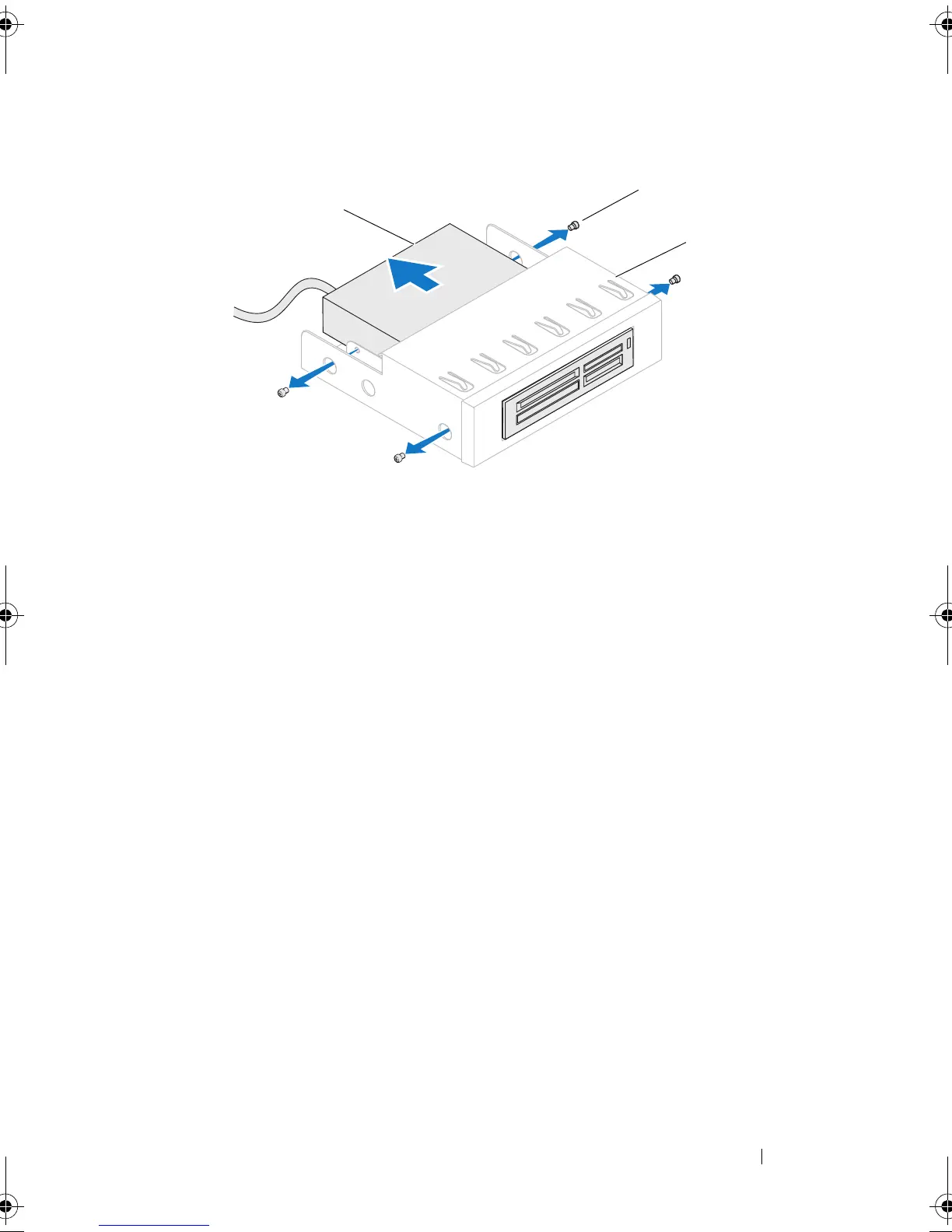
Replacing the Media-Card Reader
1
Slide the media-card reader into the FlexBay dock.
2
Replace the screws that secure the media-card reader to the FlexBay dock.
3
Lift the securing tab and slide the FlexBay dock through the front of the
computer until the securing tab snaps into place.
4
Connect the FlexBay USB cable to the FLEXBAY connector on the master
I/O board. For more information on the location of the connector, see
"Master I/O Board Components" on page 21.
5
Close the PCI shroud. See "Closing the PCI Shroud" on page 46.
6
Replace the left side-panel. See "Replacing the Left Side-Panel" on
page 27.
7
Lift the drive panel towards the top of your computer until it snaps into
place.
1 media-card reader 2 screws (4)
3 FlexBay dock
book.book Page 43 Wednesday, May 16, 2012 2:37 PM


 To Next Page
 Loading...







