Each drive reads its FC-AL physical address at powerup or when
the drive is reset. To avoid losing data, you must set the enclosure
address when power is on and the enclosure is not part of a back-end
bus; you cannot change the EA while the back end is connected.
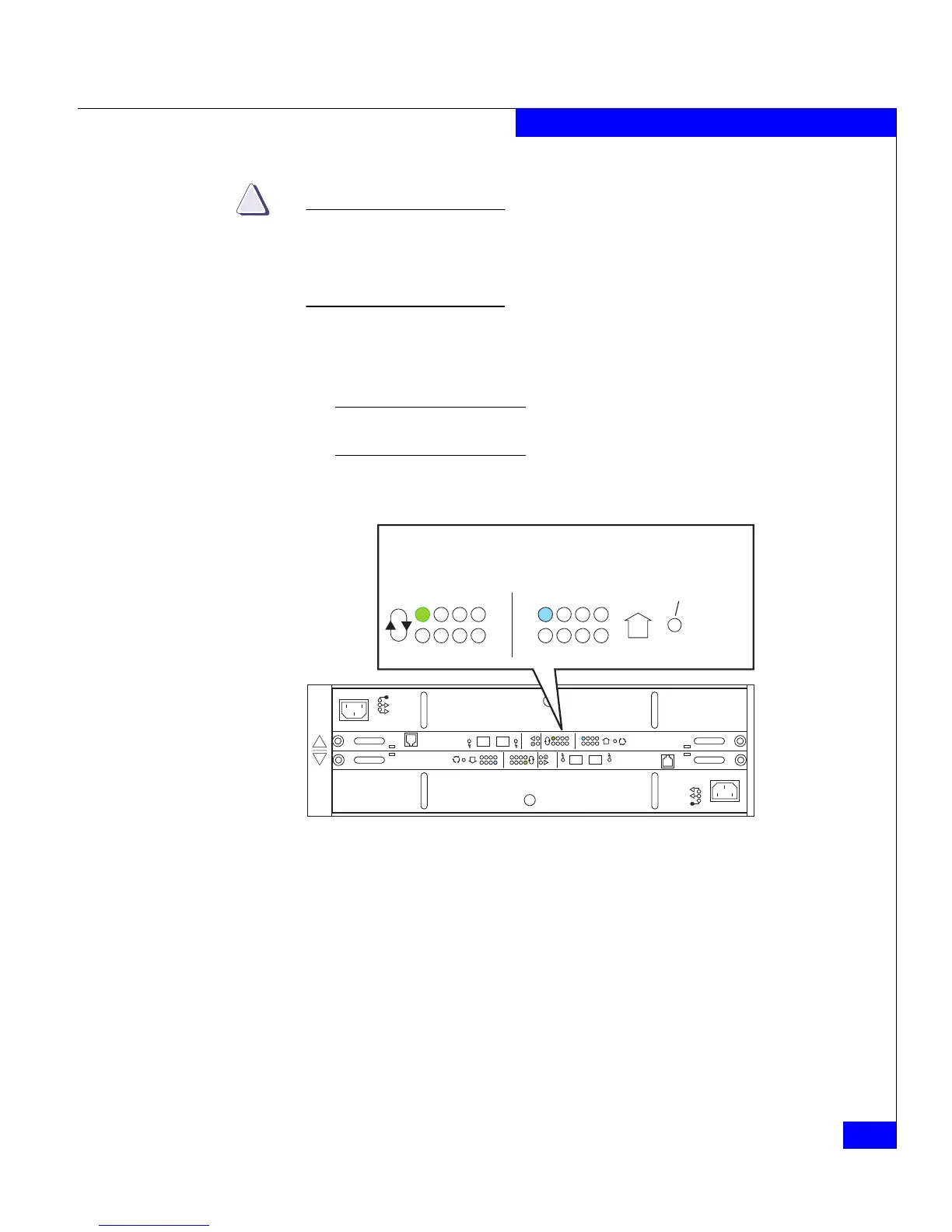
1. Set the enclosure address to the desired value, as shown in
Figure 2-4. The address is indicated by the appropriate LED next
to the selection button; each button press increments the value.
You can set the EA on either link control card. The second LCC will
automatically change to the new value.
Figure 2-4 Setting the enclosure address (EA)
!!
!!
!
EXP PRI
EXPPRI
#
!
EXP PRI
EXPPRI
#
A
B
0
1
2
3
4
5
6
7
0
1
2
3
4
5
6
7
Bus ID
Enclosure
Address
#
EA Selection
(Press here to
change EA)
EMC3210


 To Next Page
 Loading...