Page 2-4 G1000 V8.XX S/W Load and Post Install Checkout – Columbia 350/400
Revision 1 190-00577-04
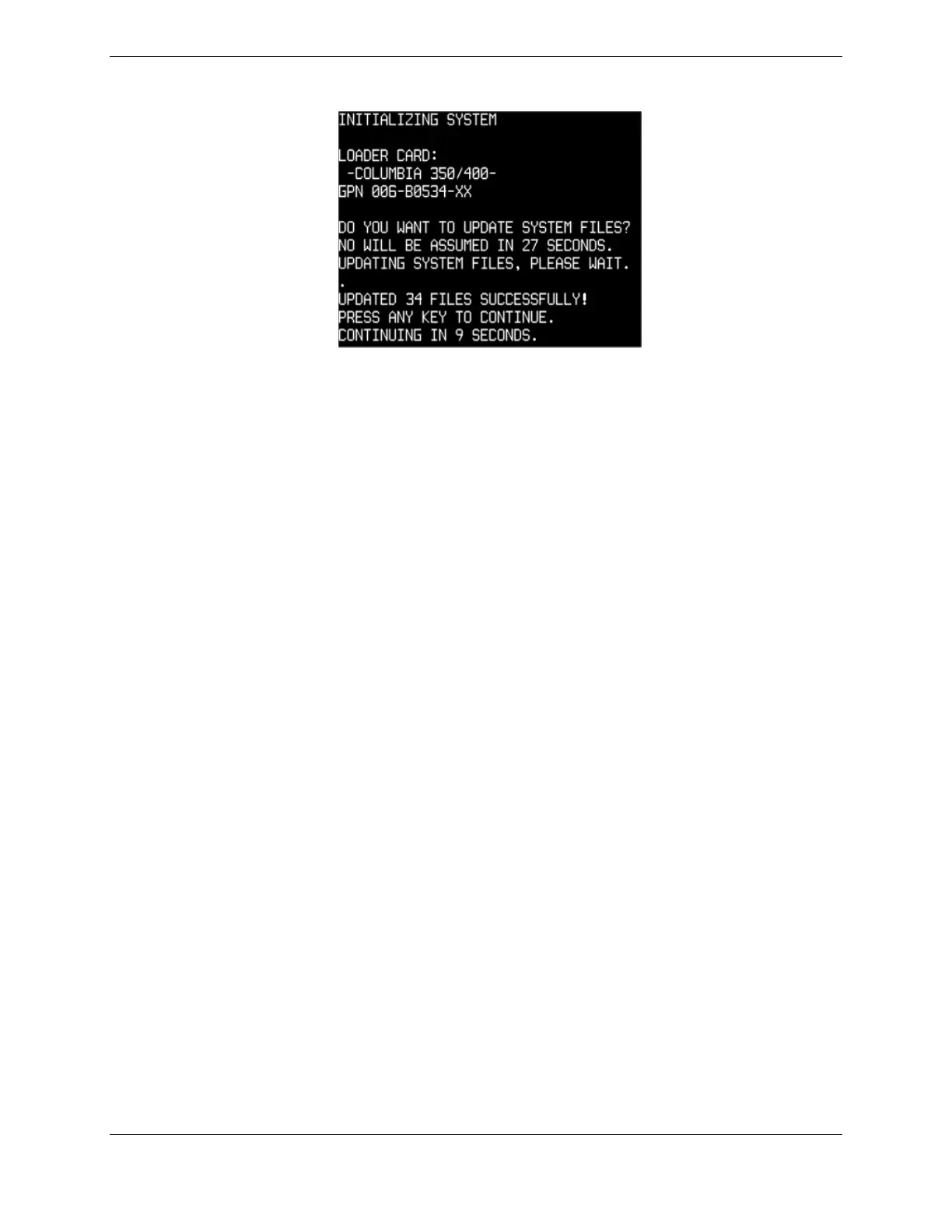
8. The following screen is displayed:
9. New software is loaded to the MFD. When complete, the MFD starts in configuration mode.
10. Remove the G1000 Loader Card from the MFD and insert it into the top card slot on the PFD.
Repeat Steps 3 through 7 for the PFD.
11. When the PFD load is complete, it starts in the configuration mode. Do not remove power.
IMPORTANT
For the rest of the software/configuration procedure, do not operate the MFD while
loading software or configuration files unless specifically instructed to do so. A failed or
cancelled load may result.


 To Next Page
 Loading...