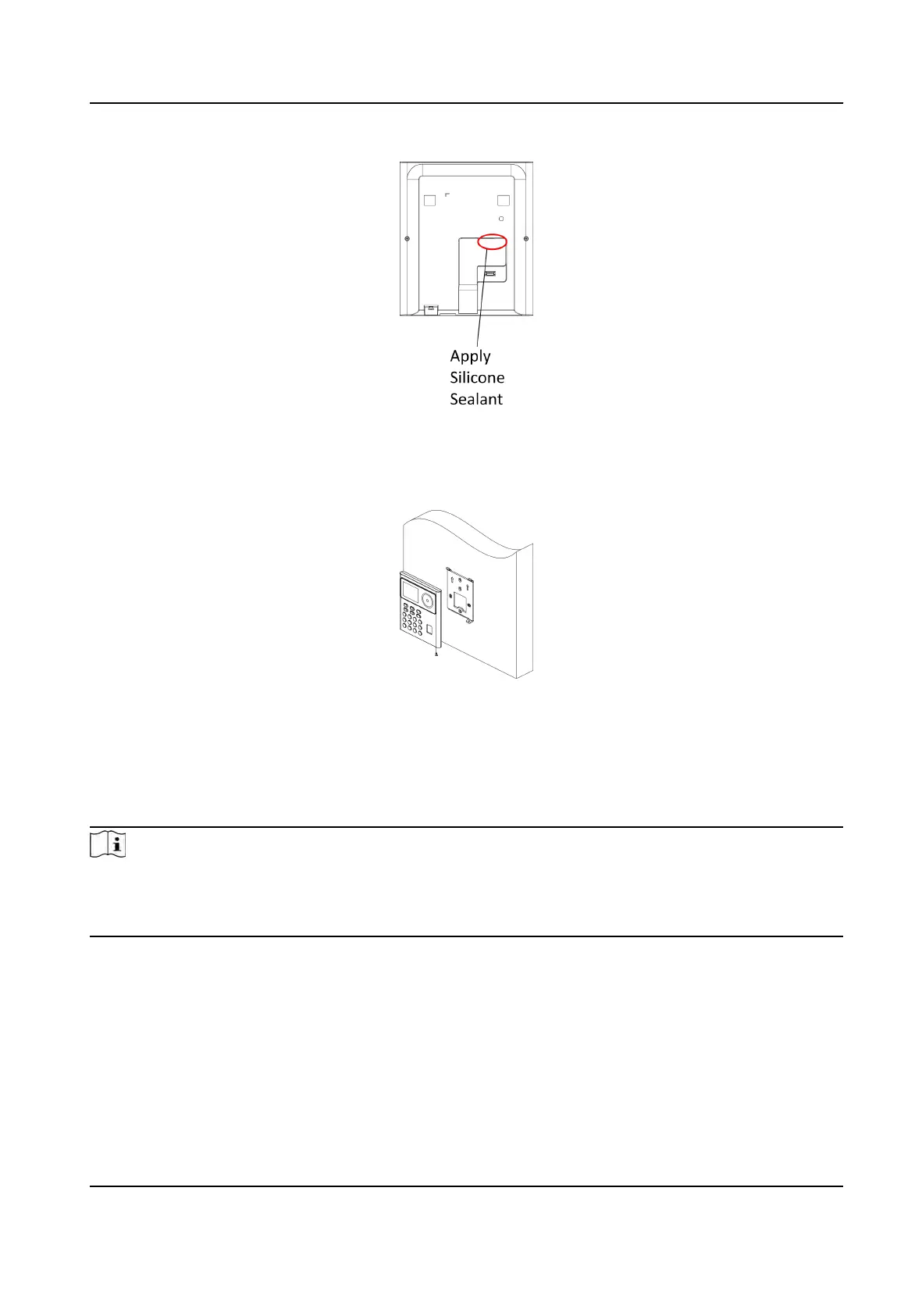
Figure 3-3 Apply Silicone Sealant
4.
Align the de
vice with the mounng plate, and secure the device on the mounng plate with 1
supplied screw (SC-CM4X14-5T10-SUSS).
Figure 3-4 Secure Device
3.3 Surface
Mounng
Steps
Note
The
addional force shall be equal to three mes the weight of the equipment. The equipment ad
its associated mounng means shall remain secure during the installaon. Aer the installaon,
the equipment, including any associated mounng plate, shall not be damaged.
1.
Acc
ording to the datum line on the mounng template, sck the mounng template on the wall
or other surfaces, 1.4 meters higher than the ground.
DS-K1T320 Series Face Recoginon Terminal User Manual
5


 To Next Page
 Loading...