4.3.11 Unaended Baggage Detecon
Unaended baggage detecon detects the objects le over in a predened region such as the
baggage, purses, dangerous materials, etc., and a series of
acons can be taken when the alarm is
triggered.
Steps
1. Go to System → Event → Smart Event .
2. Click
Unaended Baggage.
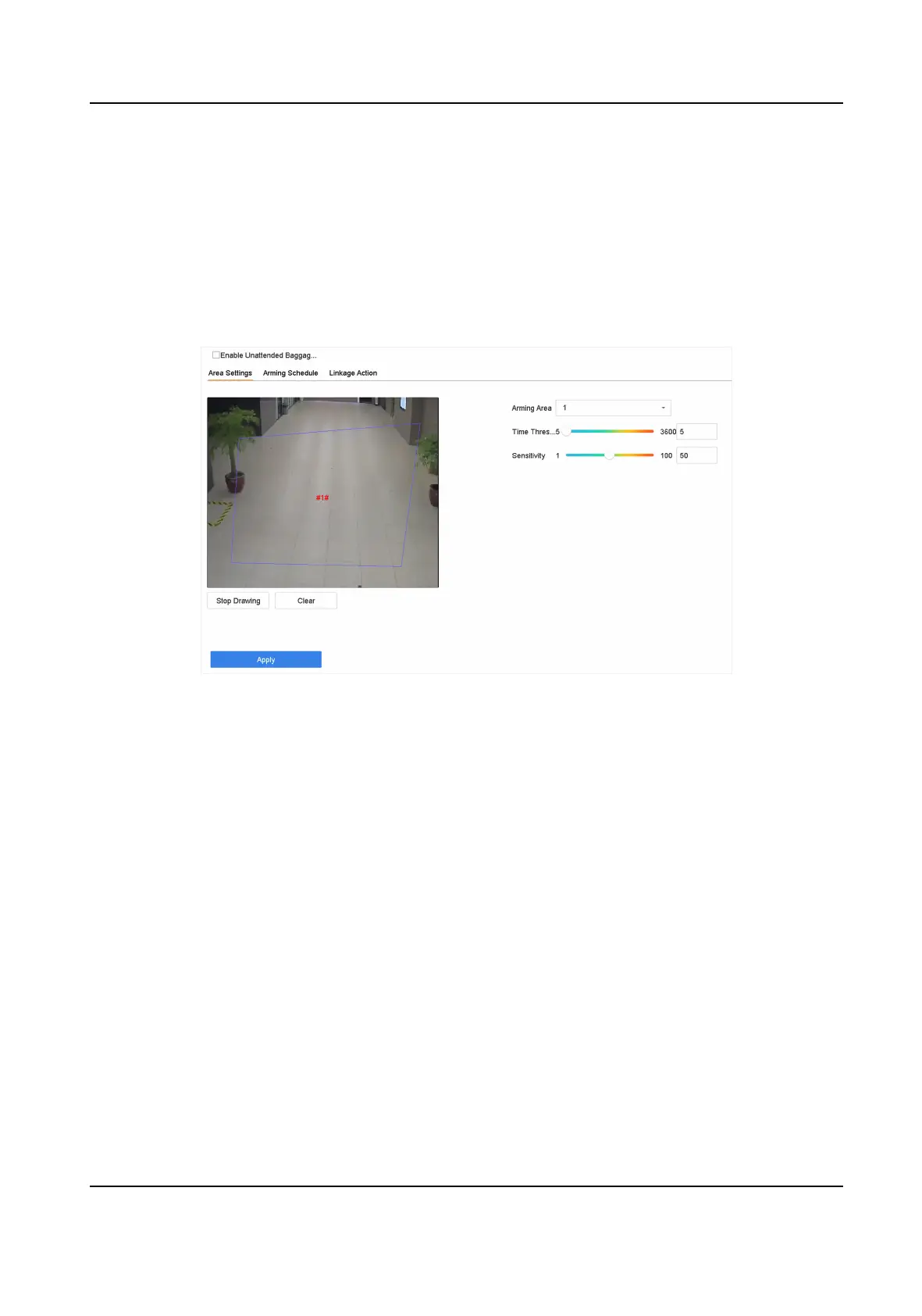
Figure 4-15 Unaended Baggage Detecon
3. Select a camera.
4. Check Enable
Unaended Baggage Detecon.
5. Oponal: Check Save VCA Picture to save the captured unaended baggage detecon pictures.
6. Set the
detecon rules and detecon areas.
1) Select Arming Region. Up to 4 regions are selectable.
2) Drag the sliders to set Time Threshold and
Sensivity.
Time Threshold
The me of the objects are le in the region. If the value is 10, an alarm is triggered aer
the object is le and stayed in the region for 10s. Its range is [5s-20s].
Sensivity
Similarity of the background image to the object. The higher the value, the easier the
detecon alarm will be triggered.
3) Click Draw Region and draw a quadrilateral in the preview window.
7. Set the arming schedule. Refer to
Congure Arming Schedule .
8. Set linkage acons. Refer to Congure Linkage Acons .
9. Click Apply.
ATM Digital Video Recorder User Manual
47


 To Next Page
 Loading...



