– 74 –
①
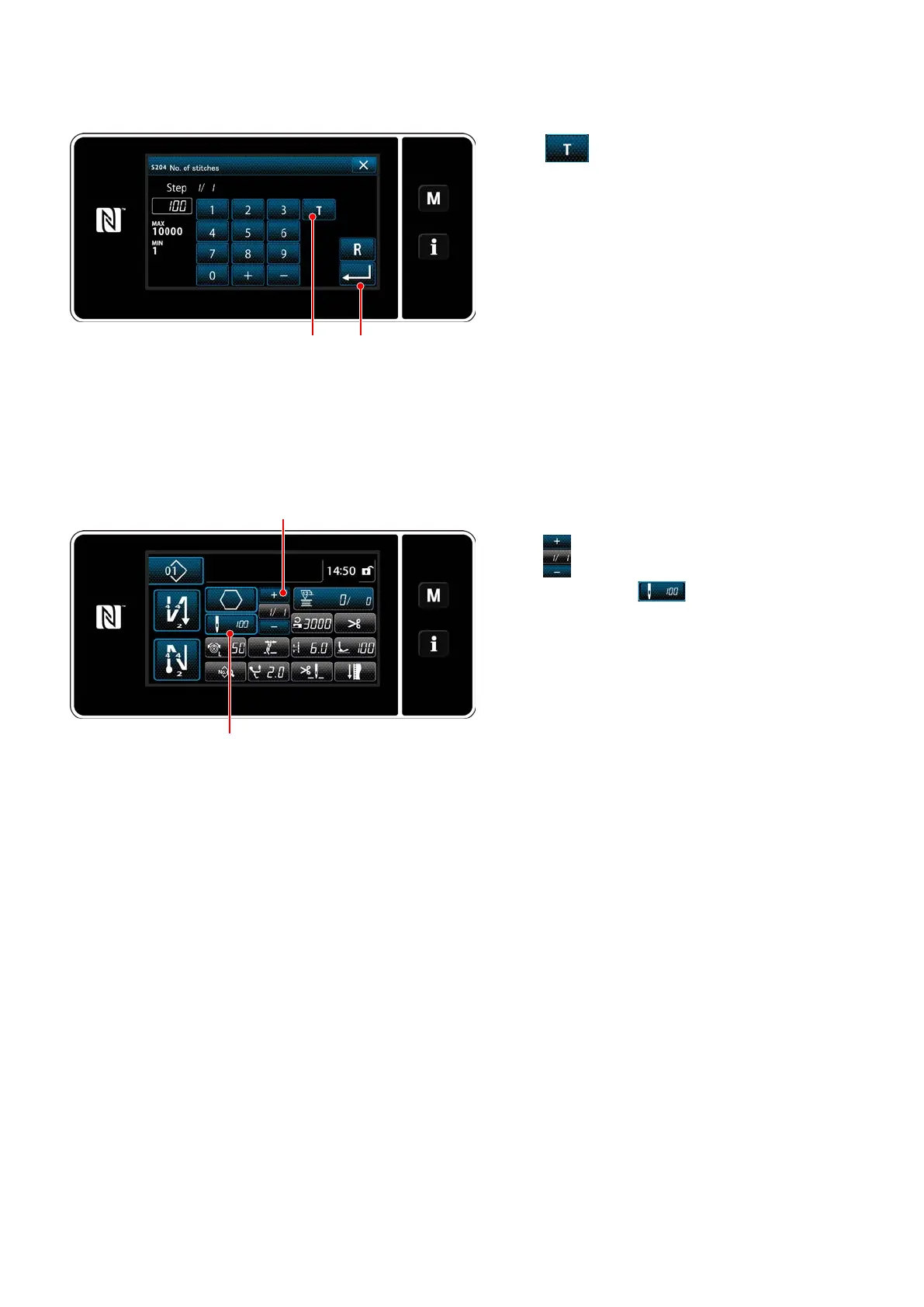
Turning ON the teaching function
Press
❷
to turn ON the teaching function.
②
Start teaching, and conrm data on a step-by-step basis
The input value is set to 0 (zero). Depress the pedal to start sewing. Count the number of stitches until
the sewing machine stops.
<Number of stitches input screen>
(2) How to set (polygonal-shape stitching)
Press
❹
to conrm the teaching data on the
current step. Press
❺
to change the cur-
rent screen to the number of stitches input screen
for the next step.
If no further step to be registered is present, this
operation will be disabled.
Perform sewing until the end of step is reached
(the last stitch is sewn). Then, perform thread
trimming to conrm the teaching content.
❺
❹
❷ ❸


 To Next Page
 Loading...