– 83 –
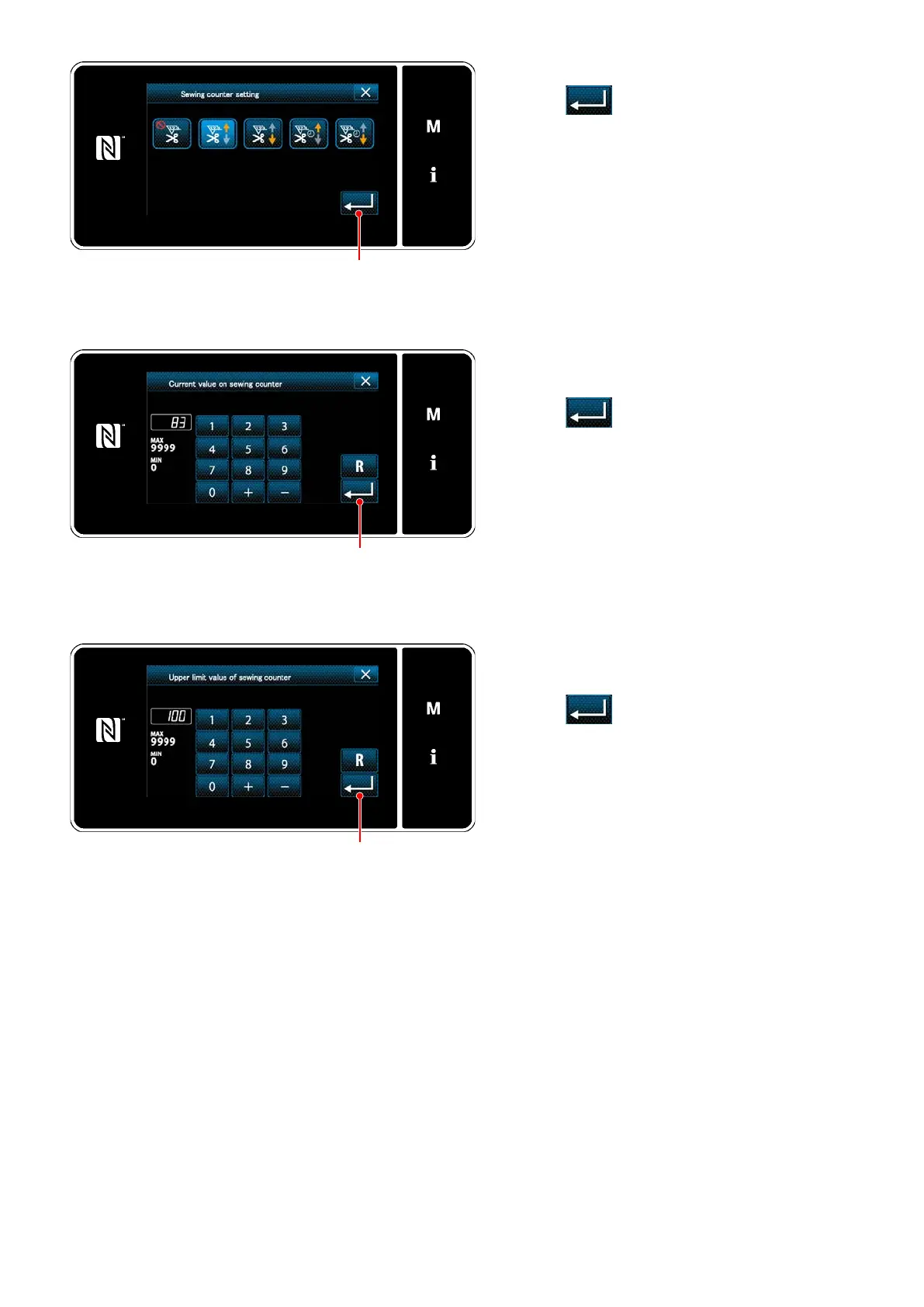
1) Select the desired type of counter.
2) Press
❷
to conrm the type of counter
you have selected.
<Counter type screen>
1) Select the current counter value.
2) Enter with the numeric keypad.
3) Press
❷
to conrm the type of counter
you have selected.
<Current counter value screen>
1) Select the counter set value.
2) Enter with the numeric keypad.
3) Press
❷
to conrm the type of counter
you have selected.
<Counter set value screen>
❷
❷
❷


 To Next Page
 Loading...