Phone Basics 3
5.
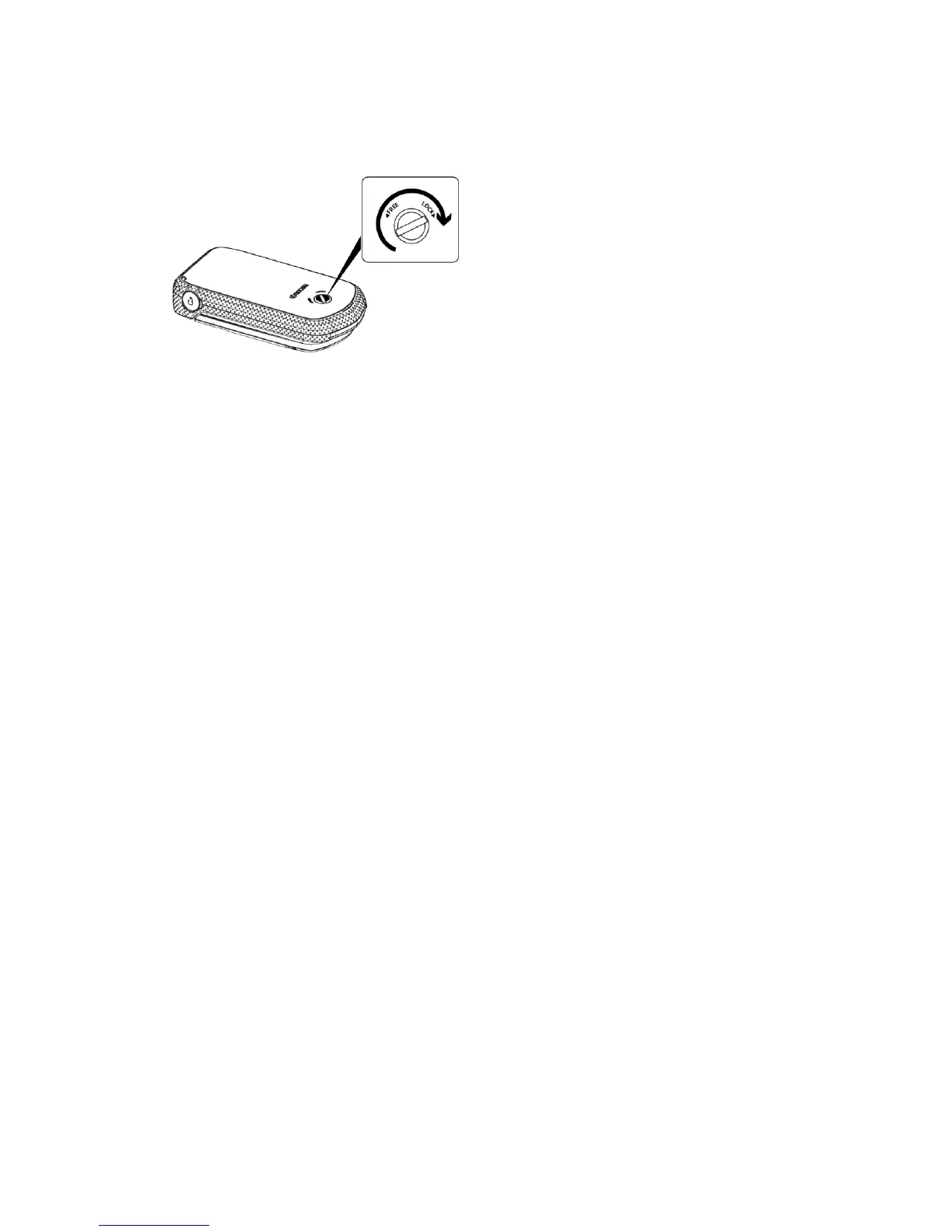
Using a coin, rotate the battery cover screw in clockwise direction until the cover
locks.
Warning: Make sure you lock the battery cover properly to maintain the phone's
waterproof capability.
Charge the Battery
Fully charge the battery before powering the phone on.
Important: Before turning on your phone, charge the battery fully with the charger that
came with your phone.
1. Open the cover to the USB/charging port on the left side of the phone.
2. Plug the smaller end of the micro-USB cable into the phone’s USB/charging port.
3. Plug the other end of the USB cable into the charger, and then plug the charger into
an electrical outlet.
4. When charging is complete, remove the cable from the port and close the cover.
Press around the edges of the cover to ensure that it is securely closed.
Warning: Be sure all ports and covers are properly sealed to maintain the phone's
waterproof capability
Remove the Battery
1.
Make sure the power is off so that you don’t lose any stored numbers or messages.
2.
Insert a coin into the slot on the back cover and turn it counter-clockwise to open
the back cover.
3.
Remove the battery and replace the cover. See Install the Battery.
Warning: Do not handle a damaged or leaking Li-Ion battery as you can be burned.


 To Next Page
 Loading...












