5-10
Corrective action when service call occur > C2100
[CONFIDENTIAL]
5 - 4 C2740 /C2750
1
Turn the power switch and the main power switch off.
2
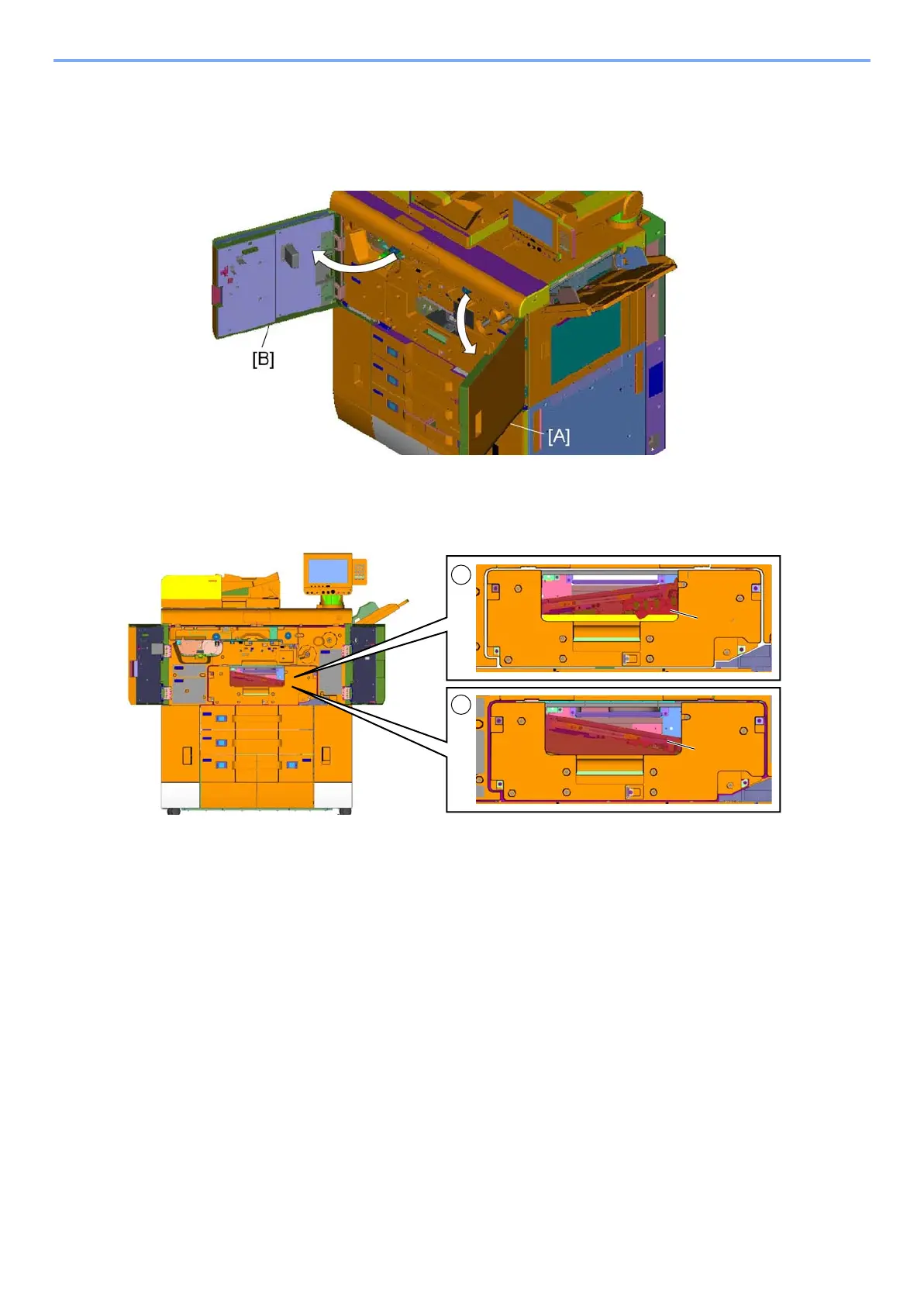
Open the front right upper cover [A] and the front left upper cover [B].
3
Check stop position of the Image conveying unit [A].
(1) Left side of the image conveying unit down because the right fix plate is not removed.
(2) Right side of the image conveying unit down because the left fix plate is not removed.


 To Next Page
 Loading...