3-41
Common Operations > Using Various Functions
Paper Selection
Select the cassette or multi-purpose tray that contains the required paper size.
1
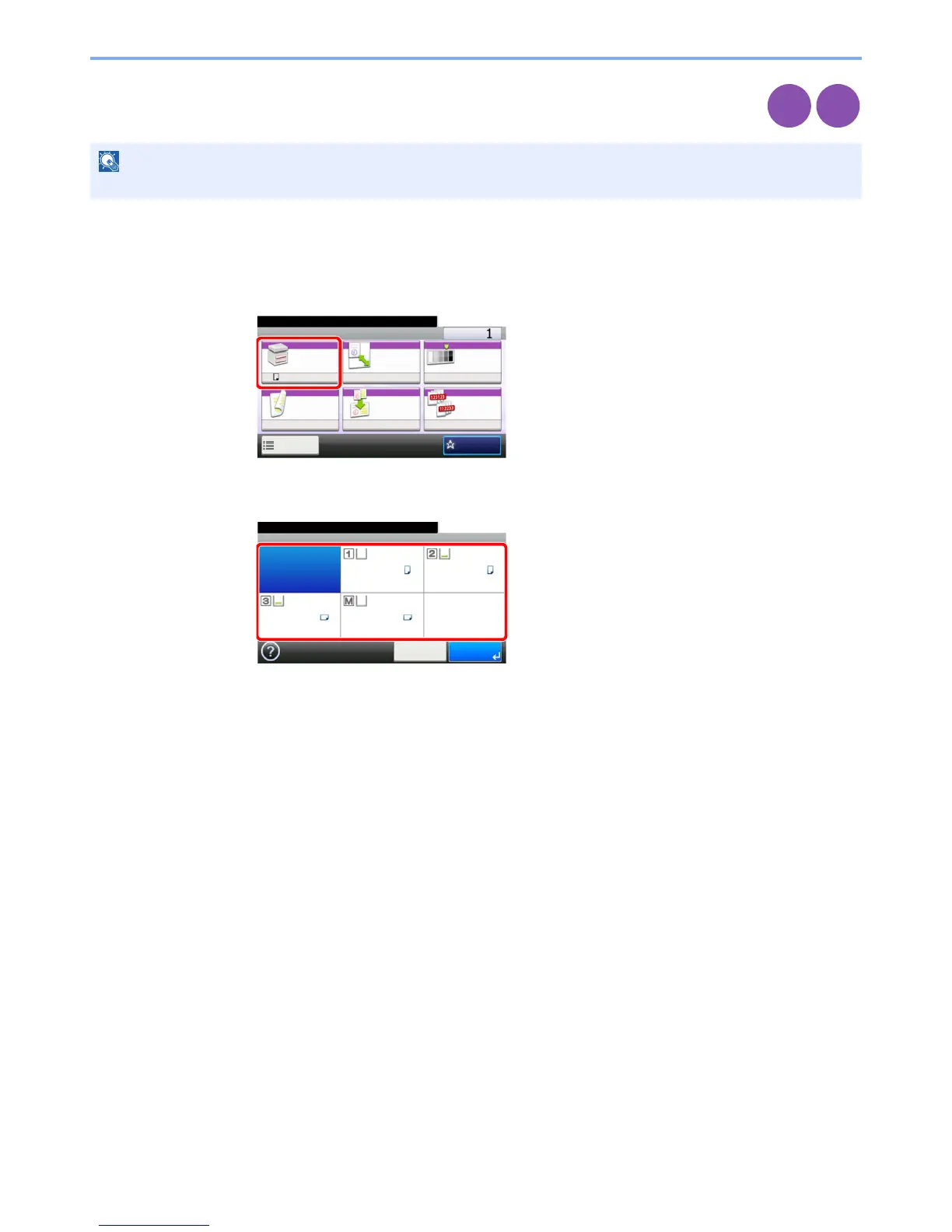
Display the screen.
1 Referring to Using Various Functions on page 3-33, display the screen.
2 Press [Paper Selection].
2
Select the paper source.
If [Auto] is selected, the paper matching the size of the original is selected automatically.
[2] (Cassette 2) and [3] (Cassette 3) are displayed when the optional paper feeder is installed.
[M] indicates the MP tray.
NOTE
Specify in advance the size and type of the paper loaded in the cassette (refer to Quick Setup Wizard on page 3-29).
Copy
Print from
USB
Ready to copy. (Full Color)
Copy Copies
Paper
Selection
Zoom Density
Duplex Combine Collate
1-sided>>1-sided
A4 100% Normal 0
OnOff
Functions
10:10
Favorites
GB0001_01
Ready to copy. (Full Color)
Paper Selection
Auto
A4 A4
A4 A4
10:10
Cancel OK
Plain Plain
Plain Plain
GB0004_00


 To Next Page
 Loading...








