3-21
Common Operations > Favorites
Editing and Deleting Favorites
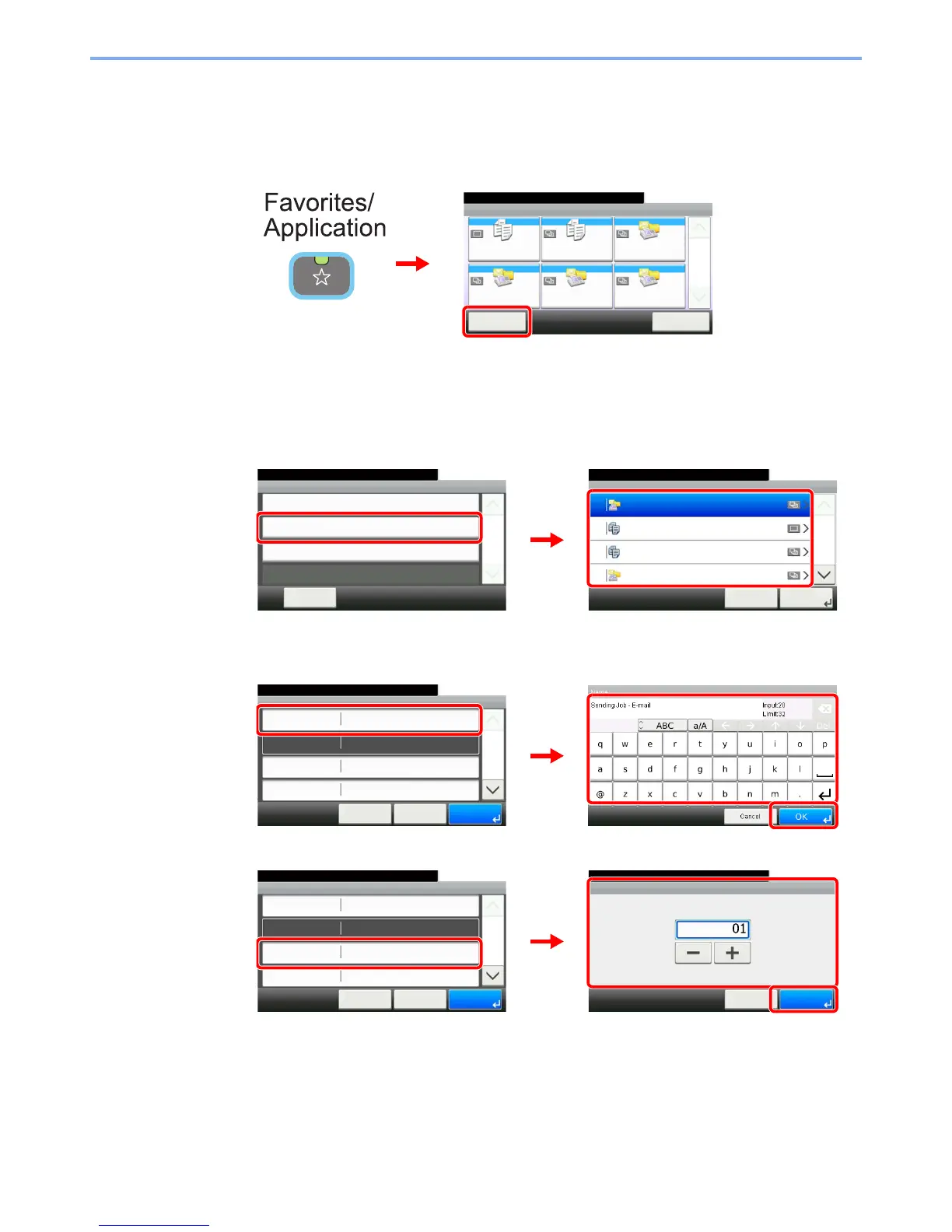
This section describes how to edit name and permission of the registered favorites and how to delete favorites.
1
Display the screen.
2
Edit or delete a favorite.
To edit a favorite
1 Select the favorite you wish to edit.
2 Edit the favorite.
[Name]
[Number]
Favorites
Menu
10:10
1/1
Select the function.
ID Card Copy Paper Saving Copy Scan to PC(Addre
ss Entry)
Scan to PC(Addre
ss Book)
Scan to E-mail(A
ddress Entry)
Scan to E-mail(A
ddress Book)
Application
2
GB0056_00
1
Edit
10:10
Next >Cancel
1/2
01 Sending Job - E-mail
15 ID Card Copy
16 Paper Saving Copy
17 Scan to PC(Address Entry)
Menu
Add
10:10
Close
Edit
Delete
1/1
GB0779_00
1
GB0780_00
2
Favorites:E-mail TX
10:10
Cancel
Job Type
Number
Owner
Name
Multi Sending
01
< Back
1/2
Save
Admin
Sending Job - E-mail
GB0781_00
GB0057_82
2
3
1
Favorites:E-mail TX
10:10
Cancel
Job Type
Number
Owner
Name
Multi Sending
01
< Back
1/2
Save
Admin
Sending Job - E-mail
GB0760_01
Number
10:10
(00 - 20)
Cancel
OK
GB0781_00
1
3
2


 To Next Page
 Loading...








