5-3
Printing > Printing from Applications
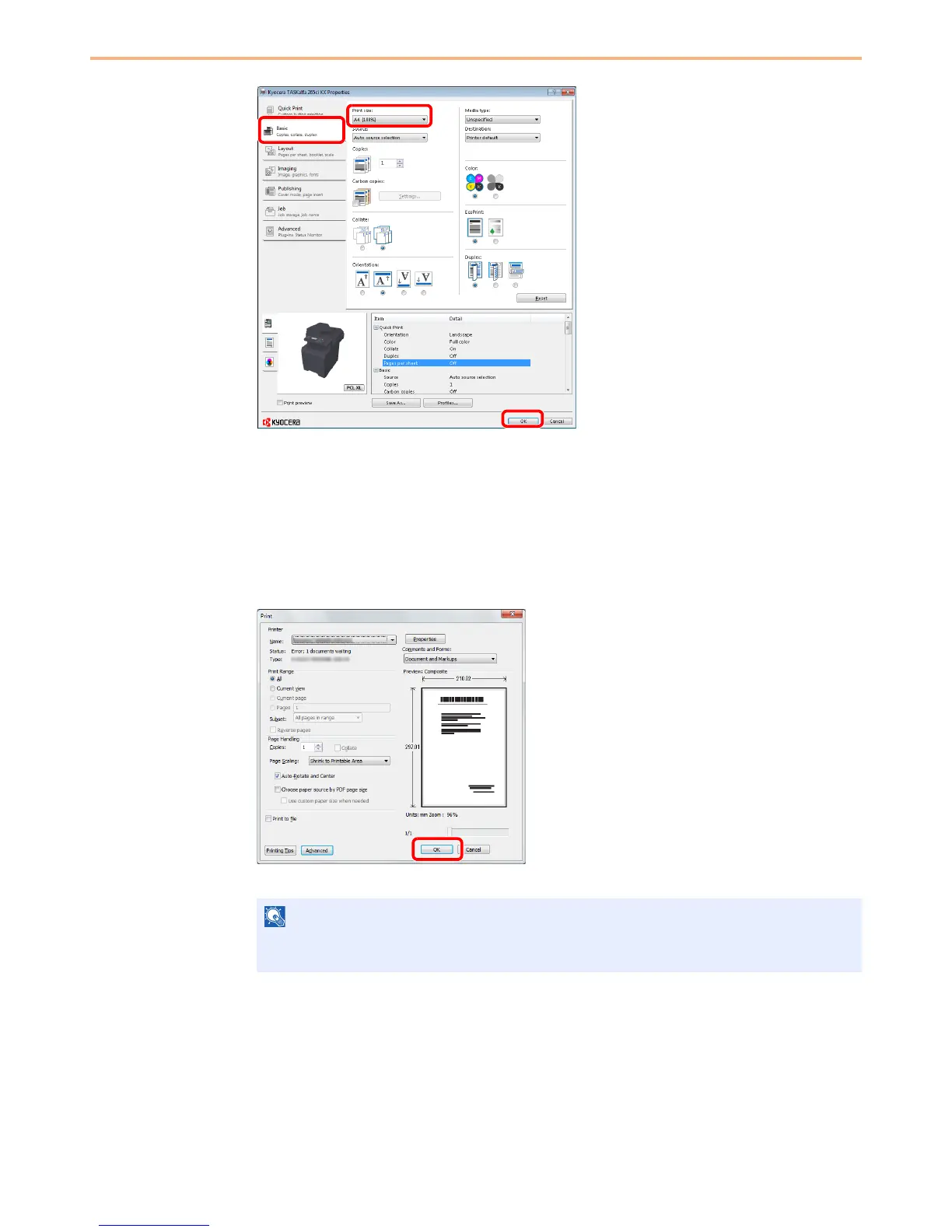
3 Select the Basic tab.
4 Select Custom in the "Print size" menu and select the paper size for the document data.
5 Click Print size and select the paper size to use for printing.
6 Click OK button to return to the Print dialog box.
3
Start printing.
Click OK button.
NOTE
Click the tabs on the print settings screen and configure the print settings as necessary. For
more information, refer to the Printer Driver Operation Guide.
3
6
4, 5


 To Next Page
 Loading...








